category page is overriding single product page

Hi Brizy support team!
I'm creating a template for a product category page. I have also created a template for the single product page, but it seems like the product category page is overriding it.
Please watch the video through this link: https://app.usebubbles.com/aDBJhKkRFww6v7doNxa5Cz/untitled
How can I adjust this?
Another question, what is the best way to add a product filter? There are 6 categories, and I want to have 6 separate pages, each with its own filter, with the option to select 'all products' if needed. How would you approach this?
Thanks in advance!
-

Hi Yonik,
Can you please share the Display Conditions for your Product Categories Template and the Single Product Template? I am looking for screenshots like these
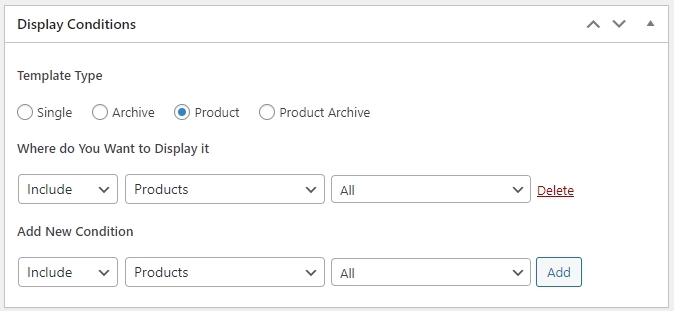
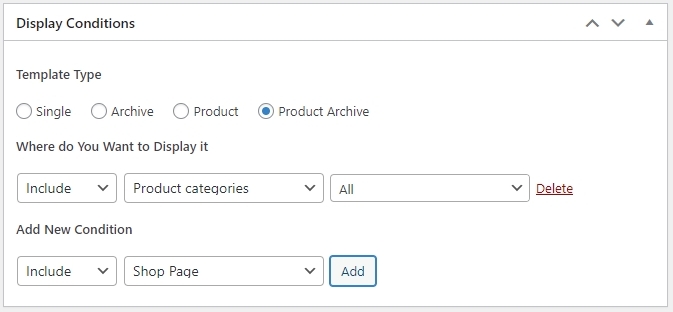
Please explore these product filter plugins.
0 -
Thank you for your response, George,
I have adjusted the conditions according to the ones you provided in your message. After clearing the cache, it's working now! :)
To modify the checkout page, I probably need a plugin, I think?
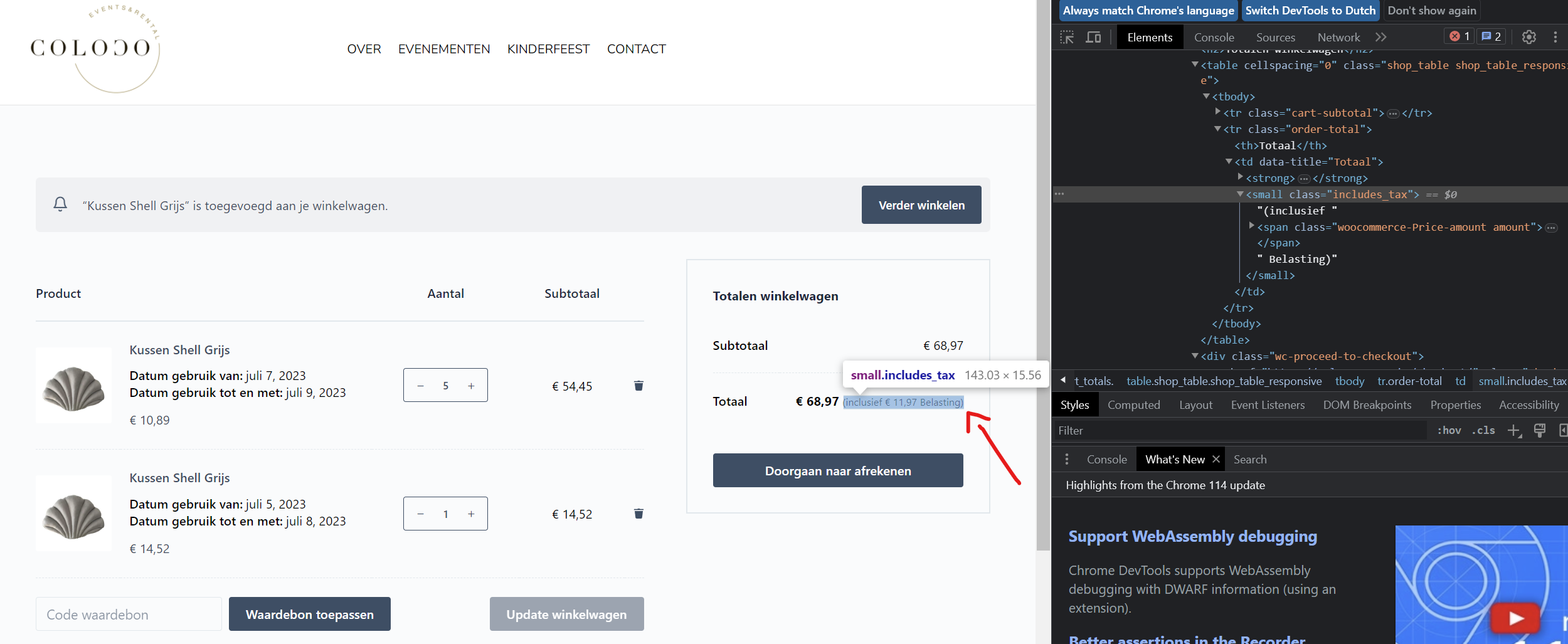
For the checkout page, I would like to have additional fields, such as a field for the shipping address, billing address, a field for the VAT number, and a selection field where the customer can indicate whether it is easily accessible by truck (a yes/no field).
Also, I would like to have the mention of the price incl. and excl. VAT, similar to how it is displayed on this website: https://goldfishindustries.be/collections/statafels-en-sokkels/products/statafel-fino-zwart-met-blad-oude-den-70x70cm
If this is not related to Brizy anymore, I understand and I will search for a solution myself. I would also like to change the text "inclusief belasting" to "inclusief Btw" (VAT) and change "Doorgaan naar afrekenen" to "offerteaanvraag" (quotation request) since a quote is being generated and immediate ordering is not available.
These seem to be WooCommerce-related questions, but I wanted to let you know what challenges I am currently facing.
Thank you in advance for your assistance.0 -
Hi Yonik,
We do not have experience in setting up Tax with WooCommerce. You could checkout the native tax feature within WooCommerce by following the procedure on this page Setting up Taxes in WooCommerce
You could also explore various tax plugins 5 WooCommerce Tax Plugin to Automate Sales Tax Calculations
0 -
Hi George,
Thank you for your help!0
Please sign in to leave a comment.
Comments
4 comments