Brizy Contact Form

Dear Sir or Madame,
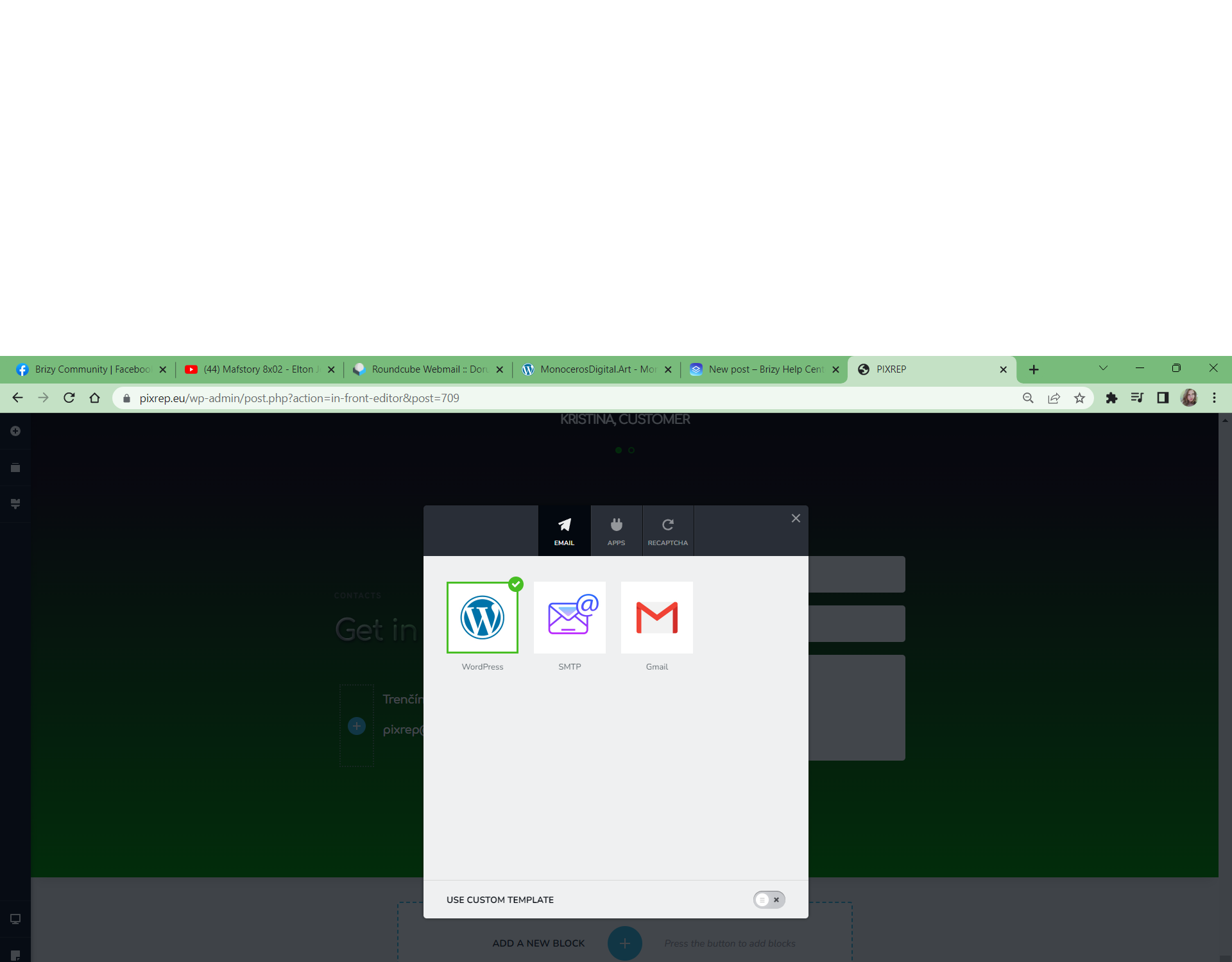
I have Brizy Pro contact form problem. On one site it is NOT working on the others it is working perfectly. On the non-working site there is one difference - TranslatePress plugin - 2 languages. Could you help me how to sort this thing out, please?
-

Hi Kristina,
When you use the WordPress option to send out email notifications, your email will be sent out through PHP Mail feature of WordPress. Few webhosts like GoDaddy do not support PHP Mail. Please check with your host https://hosting.vnet.sk/ if they support PHP Mail.
If they do not, you can consider alternate options to send out email notifications.
- https://support.brizy.io/hc/en-us/articles/360044216151-Email-notification-via-Gmail
- https://support.brizy.io/hc/en-us/articles/360043766792-Email-notification-via-SMTP
After exploring all these, if you are still are unable to setup email notification, please get back to us. We will do it for you.
0 -
Hi George,
on all of websites I´m using the same hosting. Even same email address. On all of them (except that one we are talking about - https://www.monocerosdigital.art/) the contact form is working perfectly. On that monocerosdigital contact form is not working, maybe TranslatePress is the problem. It was working before installing TP plugin.
Could you be so kind and have a look at this kind of the problem?
Thank you so much in advance.
Kristína
0 -
Hi Kristína,
I am happy to look at your project to troubleshoot the issue. I did not find a contact form at https://www.monocerosdigital.art/ On which page do I see the form?
Please add me as a user to your WordPress Dashboard if you need assistance with this. My email: kc.george@brizy.io. As shown in this screenshot: https://jmp.sh/sOSGGR3, please turn on the option "Send the new user an email about their account"
Please let me know here when you send me an invitation.
0 -
You are right, I need to delete my form because of the issue. So there is no contact form now.
Could you be so kind and look at the another problem - https://www.monocerosdigital.art/ the sub-pages are loading so slow after clicking on the buttons - Discover project, Get in shape!, Discover more, Taste this project. The same problem after clicking on the buttons below OUR WORK.
Thank you in advance
Kristína
0 -
Hi Kristina,
In these two pages, please try replacing the map element with a map image and check if that speeds up your pages.
If disabling Cookieyes script on the portfolio pages is an option, you can try that and see if that make a difference.
I see that the initial server response time is high. This could be due to the translation you have added to your website. Try disabling translation and check if that makes a difference.
0 -
Hi George,
thank you. I delete the map element on
...but on my client´s webpage www.pomocpredusu.sk ...I don´t want to delete it.
I still want to have on my https://www.monocerosdigital.art/ slovak/english translation. The problem of slow loading was there before I added the translation option (I need to have it on my website) and Cookies thing. I´ve also bought profi hosting with lite speed, it is working better but still not the best.
The problem is the worst on the loading of the subpages...also on the other pages I´ve done before. The problem was there always on the subpages whatever is on them - can be there almost nothing.
Could this be fixed, please?
Thank you very much in advance.
Best regards
Kristina
0 -
Hi Kristina,
Looks like you are hosting with https://www.vnet.sk/ Can you please mention the name of the hosting plan you have subscribed to? If you find a link to the plan on their website, please share it.
0 -
Hi George,
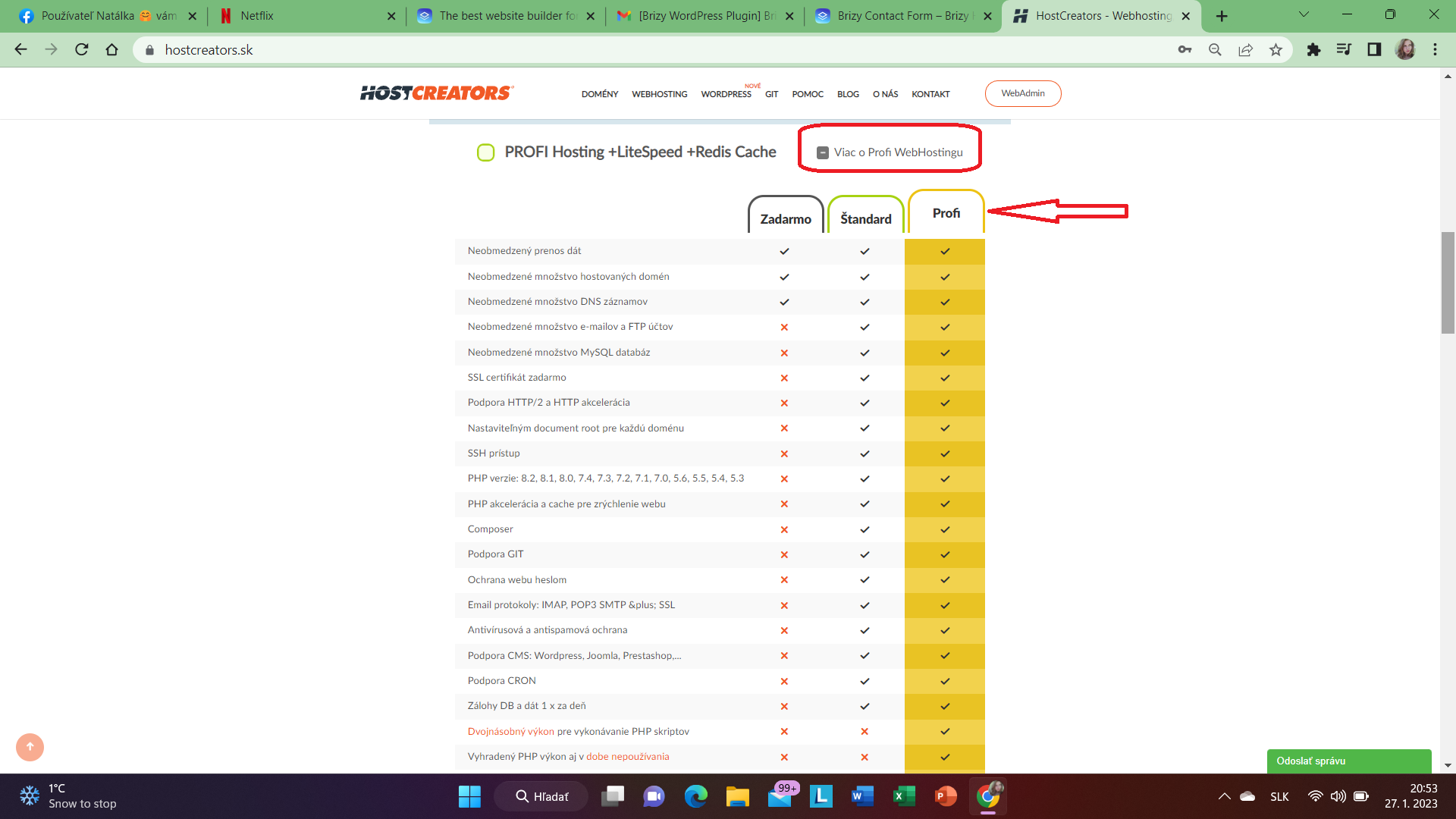
my hosting is this https://www.hostcreators.sk/ (profi hosting with lite speed + redis cache)
Click on "Viac o Profi WebHostingu" and you will see what I have there...
I have the best package they have as you can see.
Thank you for your advice in advance.
Have a nice day.
Kristina
 0
0 -
Hi Kristina,
You are currently using a shared hosting plan with https://www.hostcreators.sk. Multiple websites share a single server's resources while using a shared hosting service (hundreds of websites). Performance of your website on a shared server can vary a lot depending on how other websites on the same server utilize the server resources. You can read more about different types of hosting here https://kinsta.com/blog/what-is-web-hosting/
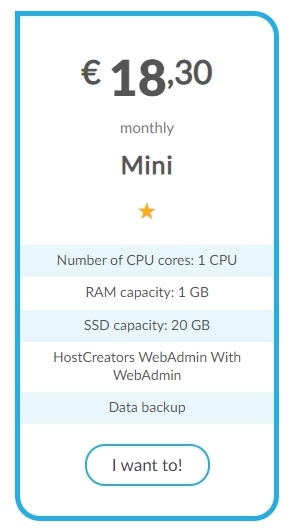
Your hosting company also offers Virtual Servers. https://www.hostcreators.sk/sluzby-a-produkty/virtualny-server.html Your website is likely to perform much better if you migrate to the Mini plan. If you are hosting multiple websites, you can move all of them into a single Virtual Server.
 0
0
Please sign in to leave a comment.
Comments
9 comments