Posts Element not displaying correctly

Hi,
I'm building a blog for a new website, but when I add the Posts Element it disappears and only shows an outline when I hover over it. See Image.
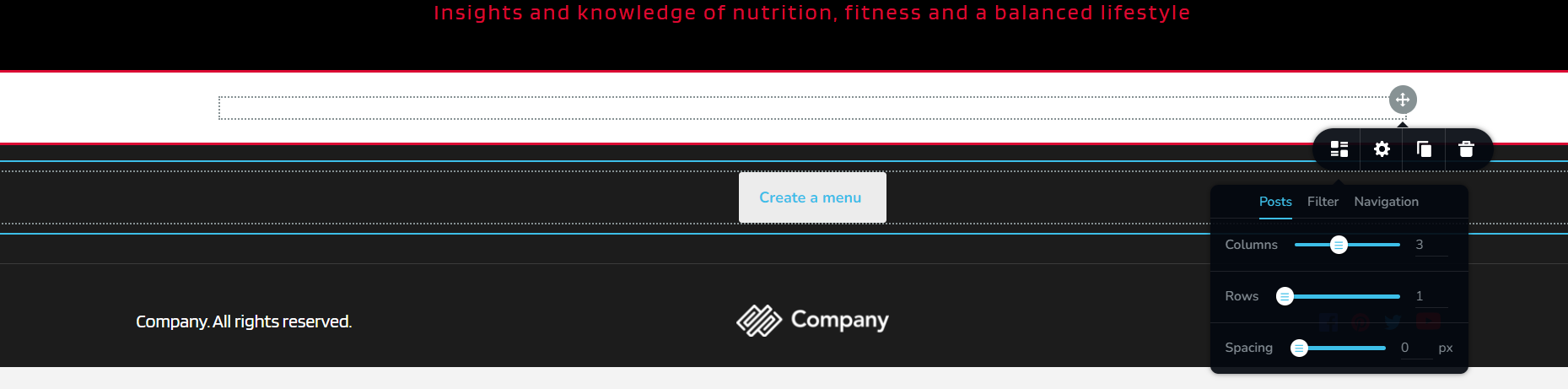
I can open the setting of the Posts Element with the grey dropdown arrow, but any changes I make do not reflect in the element.
I have built blogs before without any problem. This is a first for me. Please help.
-

Hi Hendricus,
Thank you for contacting us.
This is likely due to a conflict, please try the following steps and see if they will help:
1. Please update Brizy and Brizy Pro to the most recent versions - https://prnt.sc/HSuwIS9MDf2_
2. Ensure that you already have existing posts -https://prnt.sc/brG7bhmOyvky
You may create temporary articles as placeholders, as shown in the above screenshot.
3. If this didn't help, try deactivating one plugin at a time and checking if the problem resolves.
4. Temporarily switch to another theme and check if the issue goes away.
5. If, by any chance, you have any embedded code on the template or page, try to temporarily remove it and see if this makes any difference.
5. Also, check that you have PHP version 8 or higher on your server.Please try this and let me know how it goes.
Best regards,
Ariel H.0 -

This was posted in Brizy Cloud not the Brizy Plugin, I'm having the same problem.
I followed your YouTube Tutorial below how to add a Global Footer in Brizy Cloud
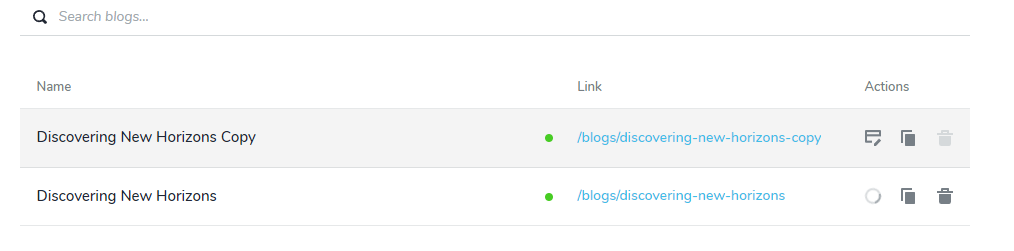
https://www.youtube.com/watch?v=BAVHm9r-r74&list=PLx6F36vGqIn2JFdC3tlyGERDVBgVp2gmcThe post element only shows an outline and the preview only shows a code. I have already created some published posts.
How to fix this please?


 0
0 -

Hello Vincent,
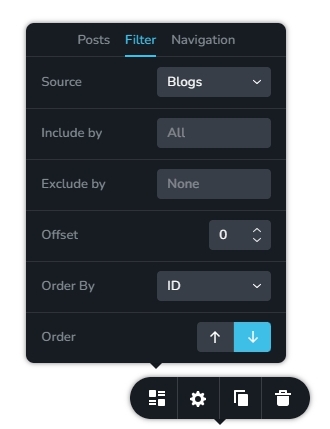
Kindly check the "Filter" options you have selected in the Posts element. If you make the following selections in the in the "Filter" tab, the Posts element will display all blog posts. You can narrow down your listing by selecting a specific category in the "Include by" field.
 0
0
Please sign in to leave a comment.
Comments
3 comments