Posts not showing up

My posts were working fine for years, but now I have two pages that aren't displaying my posts. On these two pages, I have the post category set to "podcast."
Here's the first: https://lifebeyondparenting.com/topic/podcast/
Here's the second: https://lifebeyondparenting.com/podcast-episodes/
When I visit the backend of my site and open the Brizy template, everything looks fine. I tried removing the post category and allowing all posts to display, and none of the posts were visible.
Thank you for your help.
-

Hi Erin,
Your two pages look like these at my end. How do these pages look in the Brizy Editor?
- https://lifebeyondparenting.com/topic/podcast/ https://jmp.sh/5Zg7oiGE
- https://lifebeyondparenting.com/podcast-episodes/ https://jmp.sh/jGTBemcv
If the above pages look different in the Brizy Editor, please share a screenshot so that we can compare.
0 -
I can't get a screen shot of the whole page like you did, but here's a snippet of the posts visible in the Brizy Editor view.
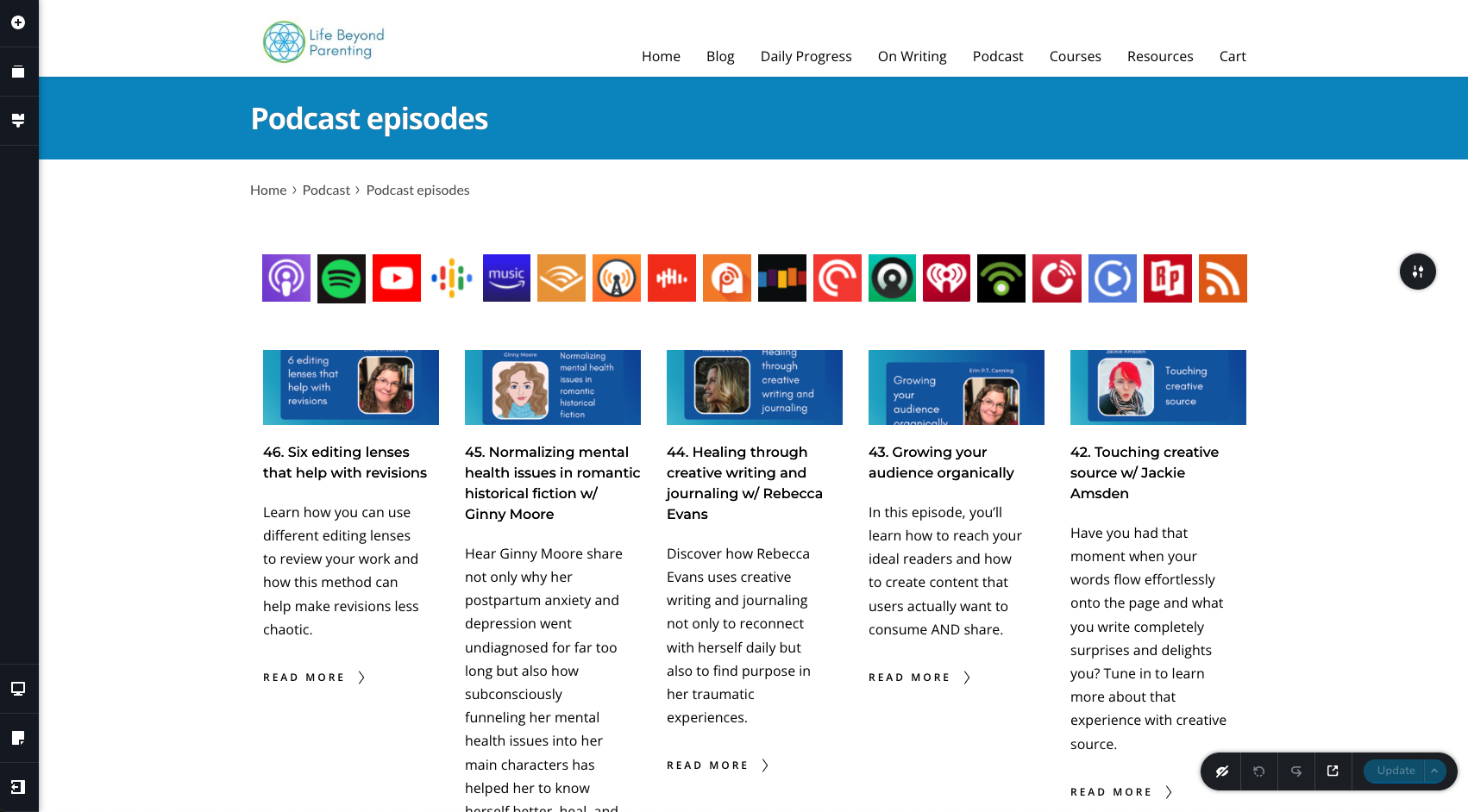
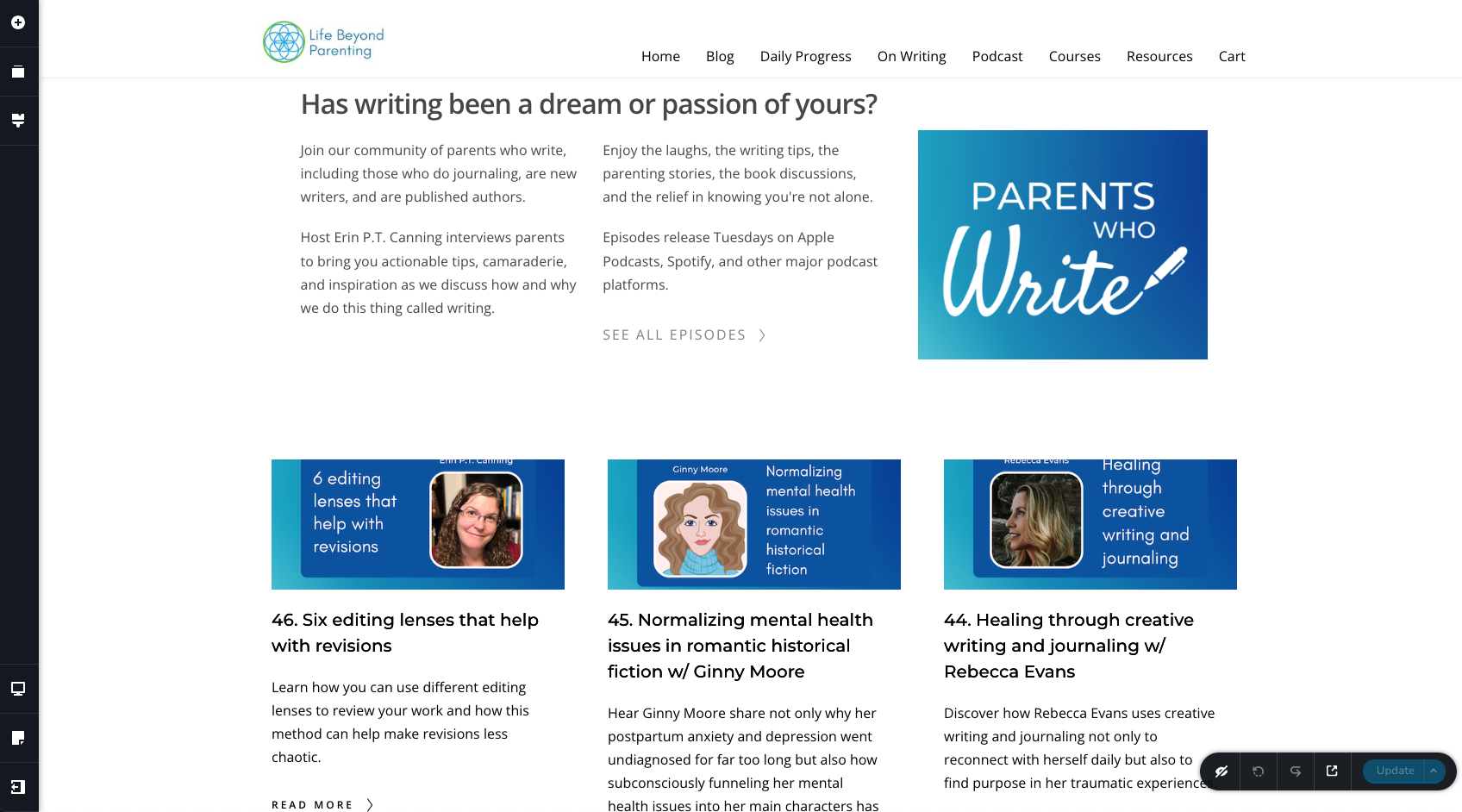 0
0 -
Hi Erin,
Can you please try these and check if the blog posts get listed on both pages?
- Log in to your Bluehost account. Click 'My Sites' on the left-side menu. Hover over the website https://lifebeyondparenting.com. Click on the 'Manage Site' button. Click on the 'Performance' tab and under the heading "Clear Cache for the Entire Site" click on 'Clear All' Please see this screenshot https://jmp.sh/B8l6g8He
- In your WordPress Dashboard, under Plugins - temporarily deactivate the Jetpack plugin.
0 -
I did both of those, and neither of them made a difference.
0 -
Hi Erin,
To troubleshoot this issue for you, we would need access to your WordPress Dashboard. Please add me as a user to your WordPress Dashboard and send the following details to our email: communitysupport@brizy.io
- Community Post link: https://support.brizy.io/hc/en-us/community/posts/12234060297618
- WordPress Admin URL:
- Username
- Password
Please let us know here when you send us the email.
0 -
Am I to use this email (communitysupport@brizy.io) for your user account?
0 -
Email sent.
0 -
So, odd update, my podcast landing page (https://lifebeyondparenting.com/topic/podcast/) is back to normal. Yay.
But my "all episodes" page (https://lifebeyondparenting.com/podcast-episodes/) now shows blog posts, not my podcast episodes. When I limit the post type by category > podcast, then my podcasts posts disappear all together (which is especially odd, given that the other page uses the same category > podcast filter).
0 -
Hi Erin,
In the page https://lifebeyondparenting.com/podcast-episodes/ the Brizy Posts element could not display posts in the Podcasts category because of a setting in the plugin Ultimate Category Excluder Options. By disabling this option the Posts element can display Podcasts category posts.
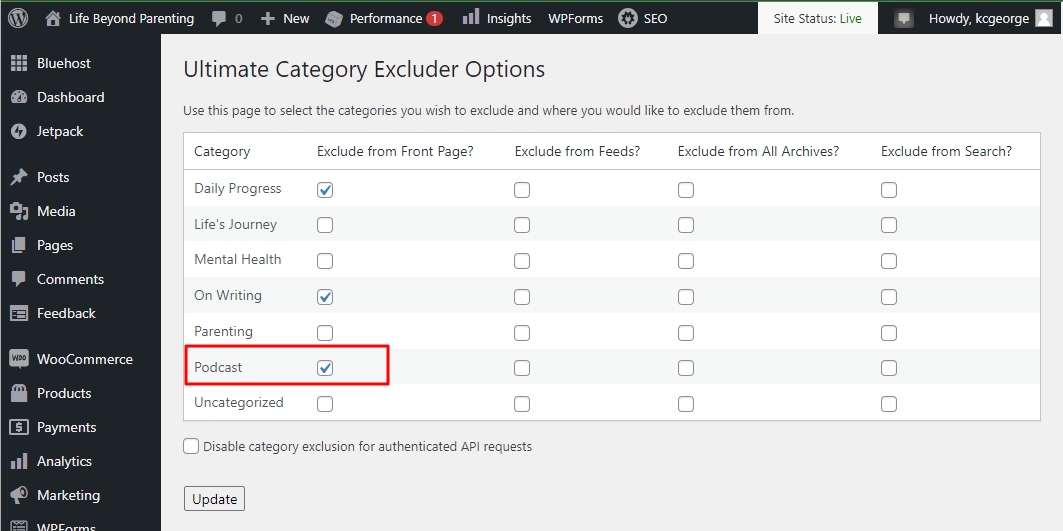
In the blog post category page https://lifebeyondparenting.com/topic/podcast/ you need to use the Brizy Archive element. You are using the Posts element. I have made the following selection to make the Posts element behave like the Archive element
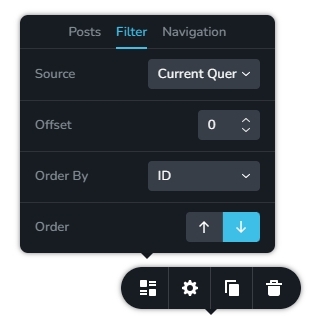
Now both these URL display blog posts within the Podcasts category
0 -
I've been using the Ultimate Category Excluder plug-in for over a year, and everything was working perfectly across all of my pages until a few days ago. By turning off that plug in, now my Blog page is messed up: I don't want my podcast posts appearing on my blog page. So now what?
0 -
Okay, I went into my Blog template and deleted the archive element, added the posts element, and excluded my podcast category from that page, so i think that's now working correctly. I just don't understand why suddenly that plug in overrided the post categories when, as I said, everything had been working fine for over a year. Thanks for your help though.
0 -
Any chance you can now tell me why I can't seem to have any new photos load on my homepage? https://lifebeyondparenting.com/ Check out the empty box. I tried deleting it and adding a new image element. I tried adding an image element elsewhere on the page, and still nothing. It won't let me add any images from my media library.
0 -
Hi Erin,
Most recent Brizy versions are incompatible with Jetpack Image optimizations . If you have enabled any of the following options, please disable it to upload images using Brizy.
- In your WordPress Dashboard under Jetpack - Dashboard scroll down to the heading "Performance and Growth" and disable the option 'Image Accelerator' https://jmp.sh/SU32wfE9
- Under Jetpack - Settings, under the Performance tab, disable the option 'Speed up image load times' https://jmp.sh/neap53iR
- If you have installed Jetpack Boost, under Jetpack - Boost disable the option 'Image CDN' https://jmp.sh/FUSoE1ZP
Please let us know if the issue gets resolved by disabling the above options.
0 -
Thank you. That fixed the issue. Any chance Brizy will be compatible with Jetpack again?
0 -
Yes; we have reported this incompatibility and our development team is working on a fix for this. It would be part of one of the future updates.
0
Please sign in to leave a comment.
Comments
15 comments