Block Inconsistencies!

I've mentioned this problem before, and the only advice I get seems to be 'clear the cache'!
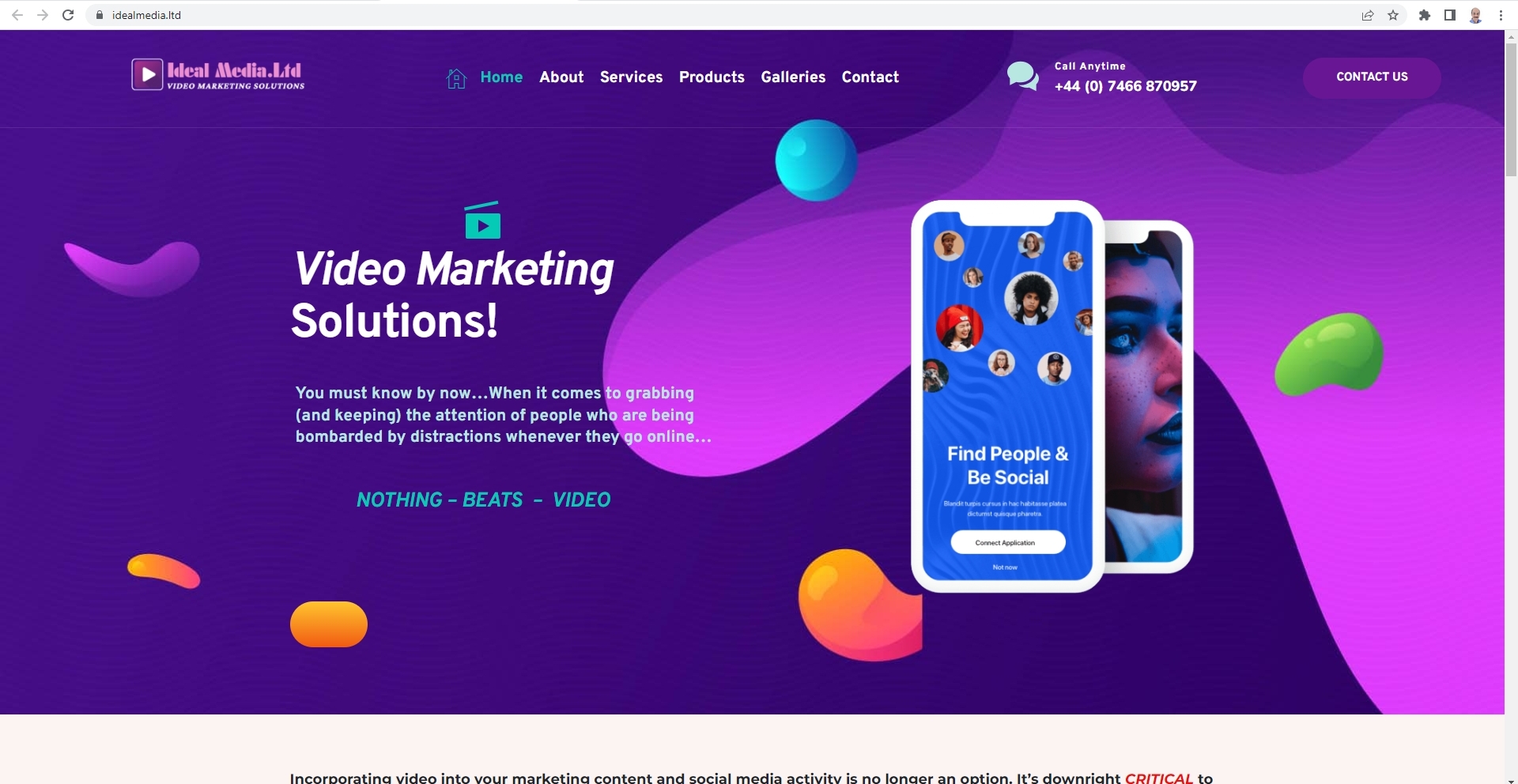
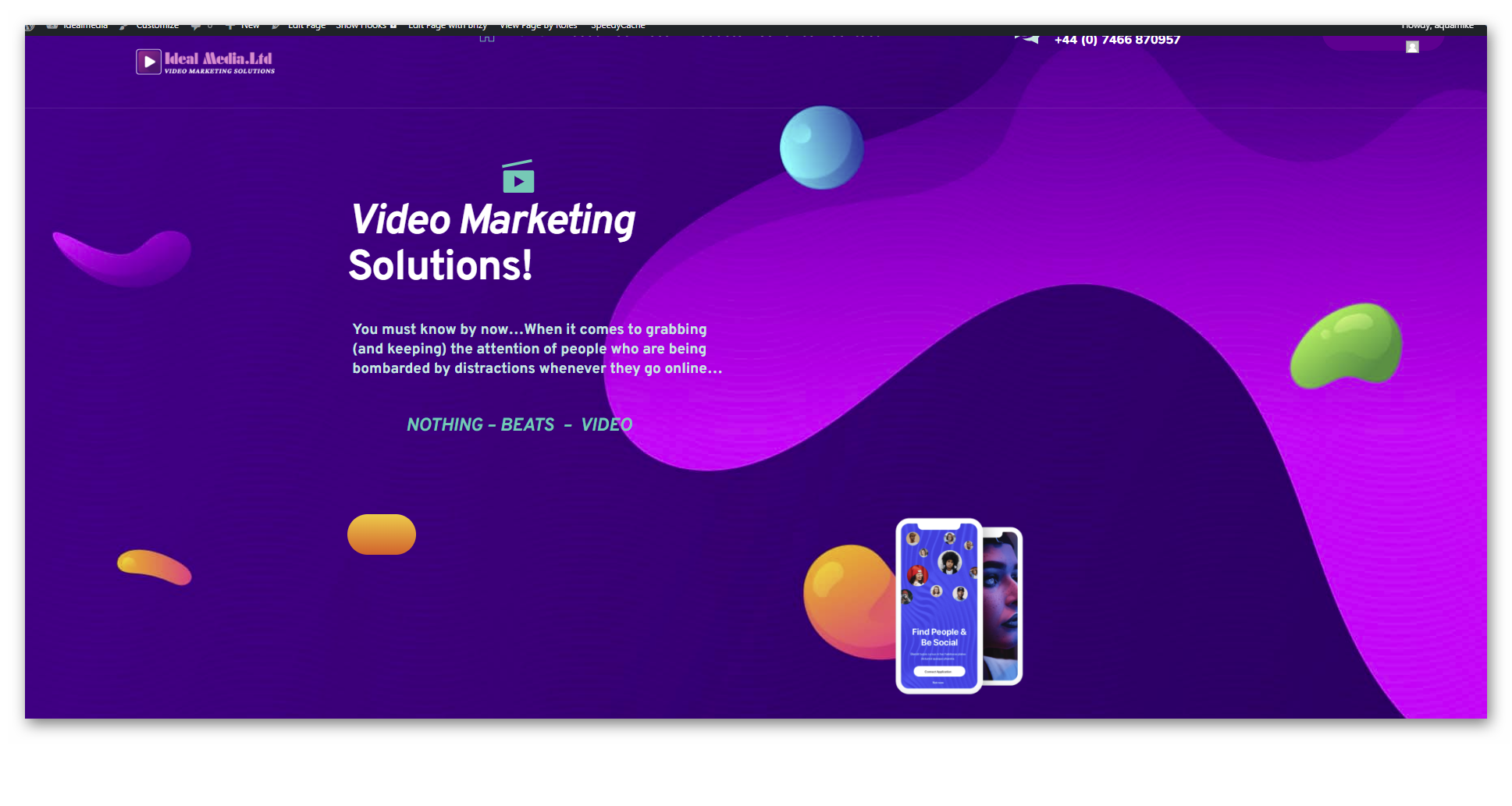
I'm back to report that this is not the problem! Mainly, the Hero Header block (which is a Brizy block), where the image looks fine on the builder, but preview it, or go to the published site, and almost immediately, the image drops down to the bottom of the block as a smaller version, which is totally unacceptable! I could not in all conscious use Brizy for a client with this continuing problem!
The site is: https://idealmedia.ltd
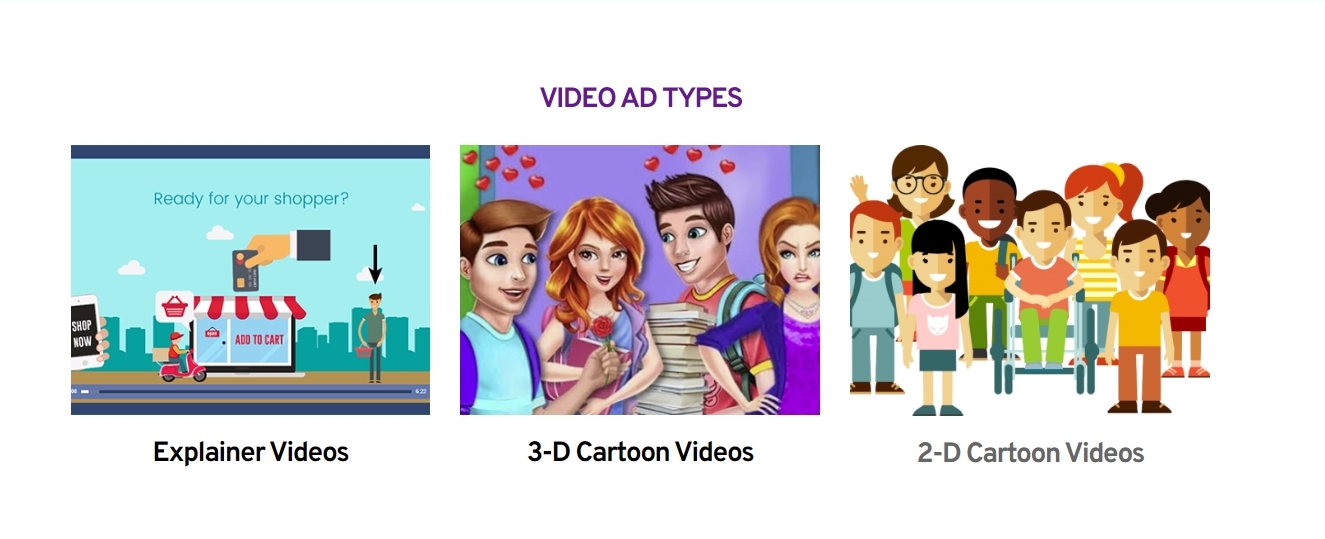
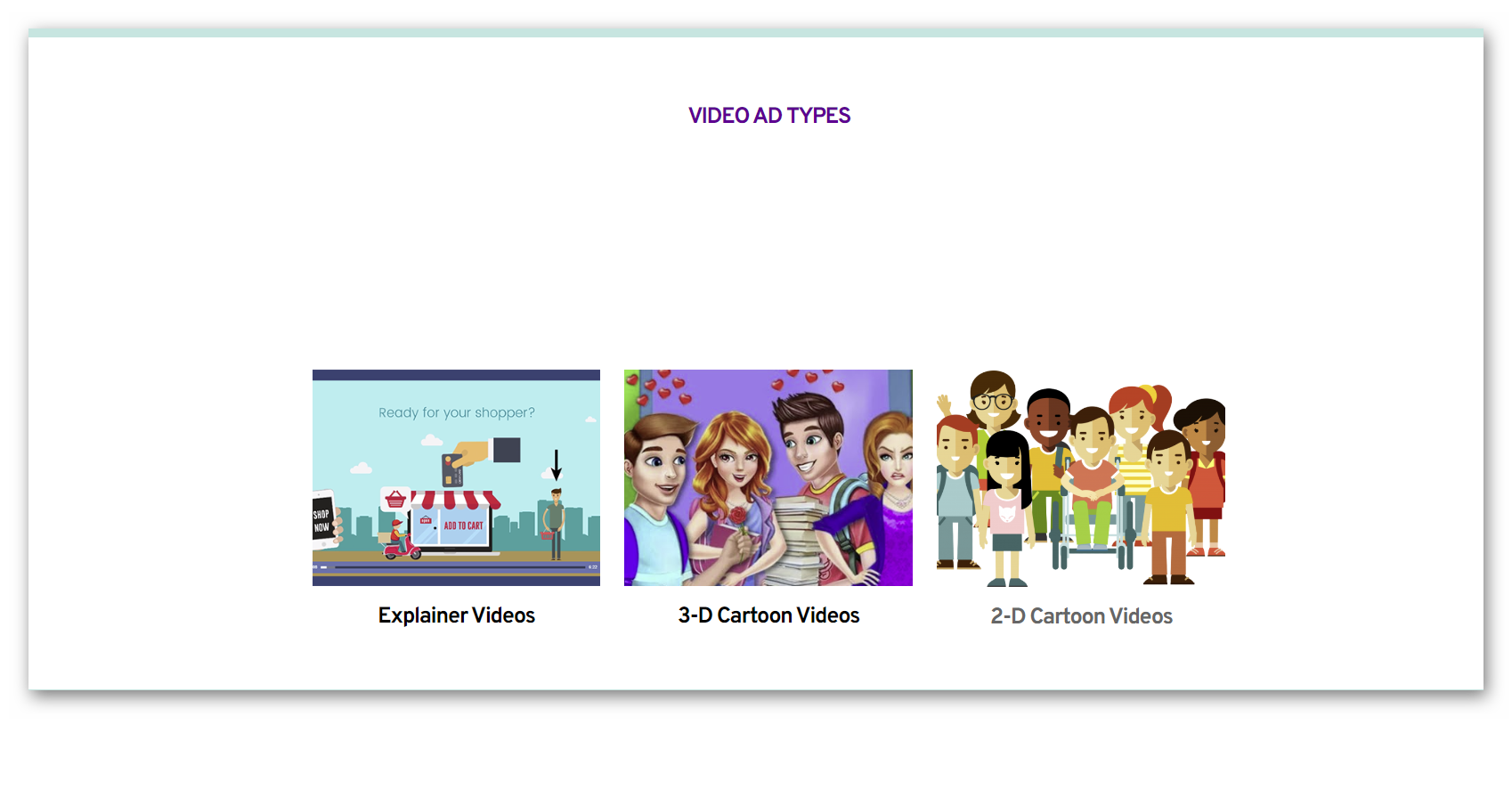
Also, check out the 4th block (VIDEO AD TYPES), where there is a huge blank space above the images, which I cannot remove, despite using different blocks and even creating my own!
I would appreciate any advice or assistance in this matter!
Kindest regards,
Mike Commins
-

Hi Mike,
This is how your homepage hero block looks at my end. When you say "the image drops down to the bottom of the block as a smaller version" are you referring to the mobile phone image? Does this image look different in the editor?
Here is how the 'Video Ad Types' block looks. In the Brizy editor, do you see less whitespace above the image?
 0
0 -
 Hi,
Hi,
This is how these 2 blocks look on the live preview and published on my computer - I'm astonished you are getting a correct view
0 -
What you are getting is what I get in the builder, but when I preview and publish, I see the mobile phones as you see it, but just momentarily, and the the phones drop to the bottom!
I have no answer as to why the 4th block has so much white space above the images. and no amount of styling makes any difference. Other blocks work fine!
I took the drastic step a few days ago to completely remove the domain from WP and reinstall as a clean install, thereby losing all my work to try and eliminate the problem. When I was rebuilding. I used a different Brizy block for the Header/Hero, but the same problem occurred! How is this possible?
0 -
Hi Mike,
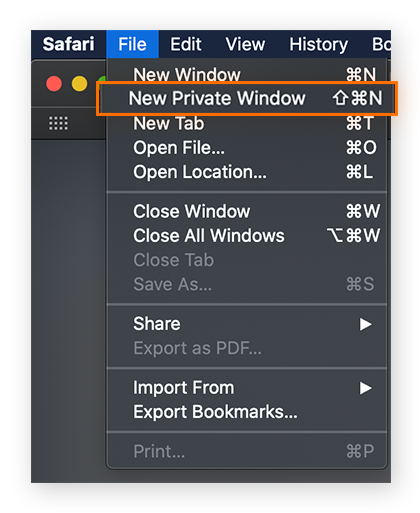
Have you tried checking the preview in a private (incognito) window of your browser? Please also check website preview on a different browser and see if that make a difference.
 0
0 -
Thanks for your reply.
I have just tried Microsoft Edge and the site looks fine, both issues using Chrome browser are gone! This is a great result and I thank you for your suggestion. The problem lies with Chrome.
Don't know how to solve it, and maybe I can't, so I will in future make MS Edge my preferred browser!
Once again, thanks for you expert assistance!
Kindest regards,
Mike
0 -
Hi Mike,
You could try these two to continue using Google Chrome for web development
- Under History - Clear Browsing Data - please clear "Cached Images and files" and check website previews again.
- Open a New Incognito window in Chrome and check website preview.
Please have a look at this video for more detailed instructions. https://jmp.sh/vDJzXMCj
0
Please sign in to leave a comment.
Comments
6 comments