Translate brizy page using WPML translate

Dear Brizy Team,
your support team recommended me using the plugin wpml translate to tranlate my brizy page into a mulilingual page.
Now after completing my first translations I am struggling to display the translated page in the same brizy layout as the original.
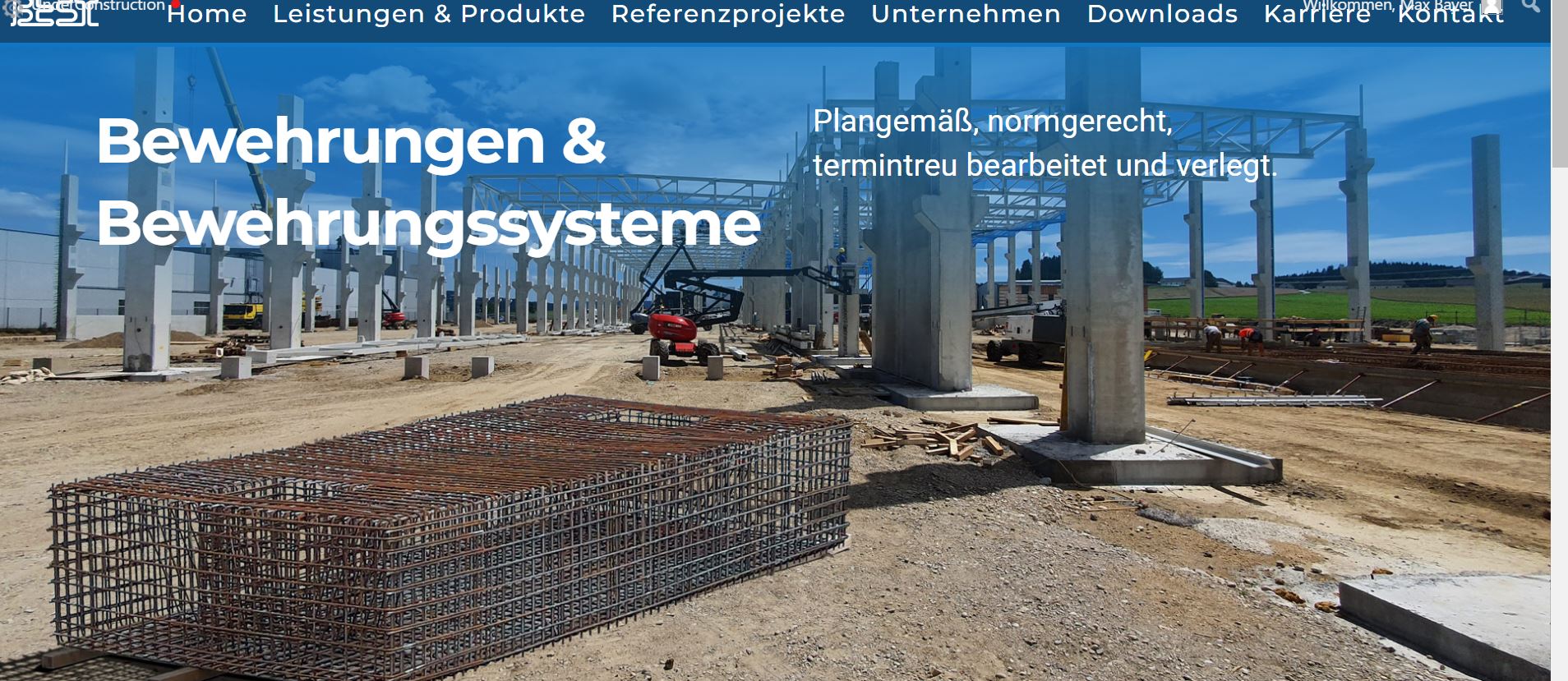
Original brizy page:
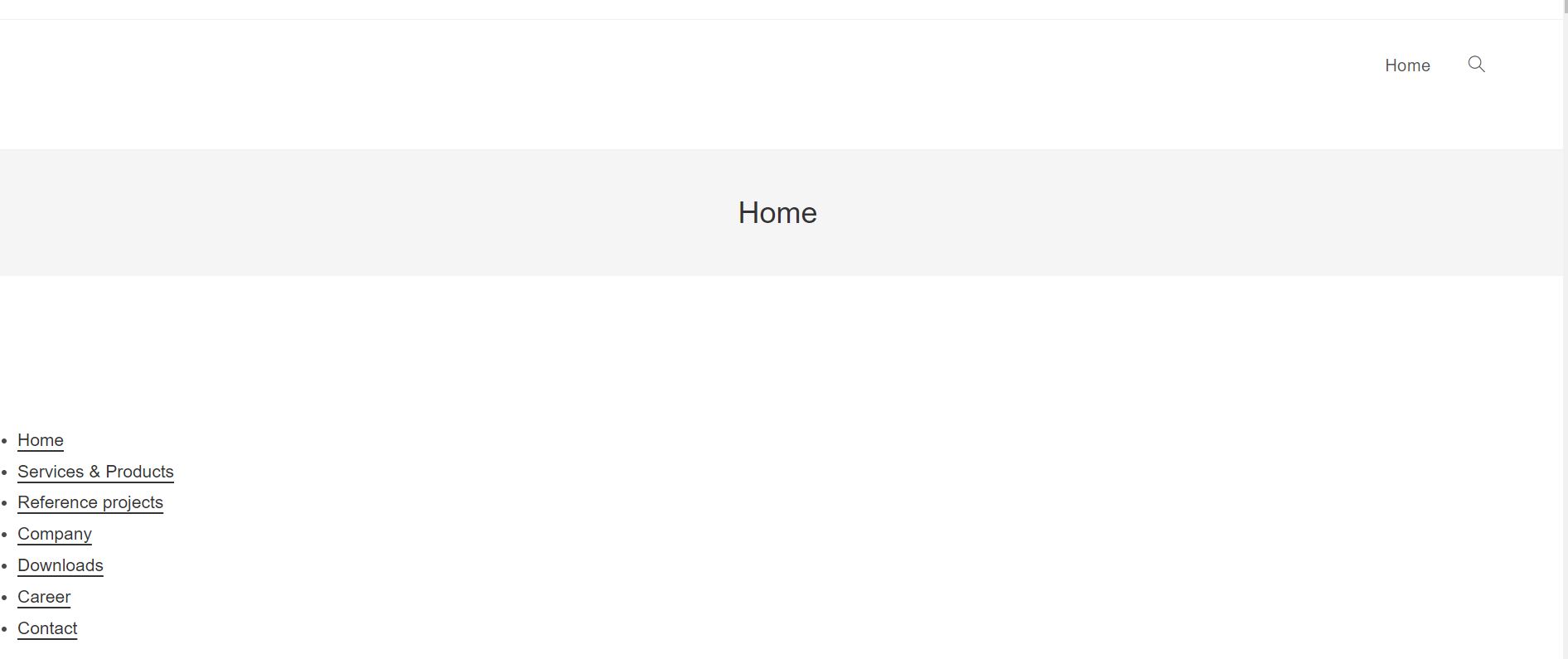
homepage switched to translated version:
Switcher button:

Looking at the pages in the wordpress admin section i can see the page not having an english duplicate but just a translation seetings menu. I can alter the translated text in this settings but not the page being displayed in its brizy edit.
Do you know how to fix this?
Best regards,
Max
-

Hi Max,
The English screenshots you have shared above looks like theme pages and not Brizy pages. What steps have you taken to translate your homepage to English? Can you share with us the process you have followed?
Did you recreate the Brizy design for your current homepage to the English page? May be you could save the German homepage as a layout, and import it into your English page and then change the text to English.
0 -
Hi KC,
the process i followed was:
1) designing a page using Brizy in german
2) installing the plugin WPML translate.
3) the plugin creates duplicates of existing pages, then presents pairs of text that can be translated in different ways (per hand, automatic engine, assigning third party translators) and save the translated text.
It seems the pages are not saved a s separate pages but as an add on to the existing page, only that it is lacking the brizy layout.
The solution you suggested might be possible but the whole point of a translation plugin like WPML is that it does this work for you and keeps things organized. The logistics of pairing pages of same content but different language text together and providing the according menue structure should be managed by the plugin. Since WPML was on top of the list of suggested translation plugins for Brizy I hope there is a way to make this work more efficiently.
Best regards,
Max
0 -
Hi Max,
WPML automatic translations may not create a Brizy design. Please select the "No, I will translate myself" option, click on 'Complete; button at the bottom and then edit the page with Brizy and import the Brizy layout from German page
You can use these online services for translating the German text to English.
0 -
Hi KC, could you please tell me more detailed how you would import the Brizy layout from German page ? Providing this is the best way it seems using a plugin like WPML which costs 100$/Year is not the best way to run multilanguage Brizy pages. Do you know of a better way to translate existing Brizy pages to different languages without having to build a separate new page for each language version?
0 -
I am using the brizy page builder plugin by the way so no cloud.
0 -
Hi Max,
Before you can import the homepage German layout, you need to save the entire page as a Layout. To do this, please open the German Homepage in the Brizy Editor and click on the 'Save Layout' option.
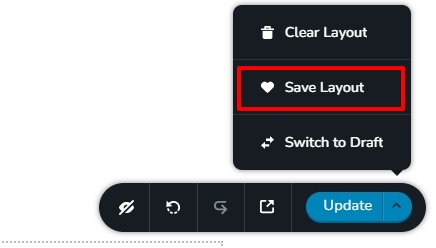
This will save the entire page as a layout in your Saved Blocks and Layouts library. Now click on 'Edit with Brizy' on the homepage English Translation and import the layout from the Saved Blocks and Layouts library.
Broadly there are two approaches to setting up translations.
- Single Page for all languages: In this approach translations for all the text strings within a page are saved in the WordPress database and for different languages, you do not create multiple pages. There is only one Homepage and one Contact page for all languages. TranslatePress follows this approach. You have less design flexibility in this approach as all languages share the same page design.
- Multiple Pages for multiple langauges. Pages are recreated for every language you add. For 5 languages, you will have 5 associated pages. You have higher design flexibility in this approach. Polylang and WPML follows this approach.
0 -
Hi KC,
sorry for being so persistent. How do I import the saved layout then? When editing the home/en page with brizy i get this.
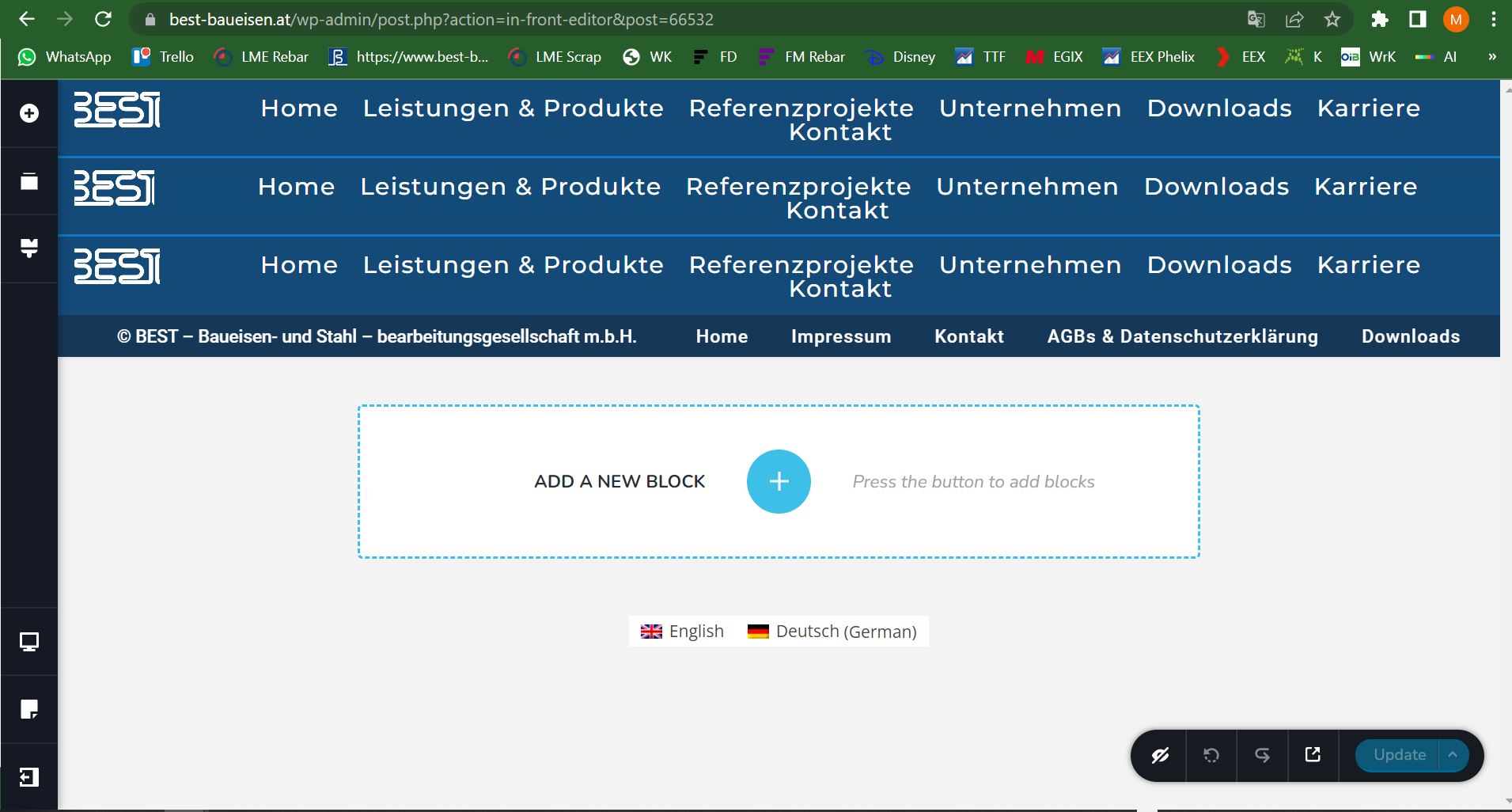
I now struggle to import the layout and have the translations put in place where they belong.
Thank you for your support,
Best regards,
Max
0 -
or is this just the process of duplicating the design in the new page. Do I then have to copy place each text into the actual page builder and adjust the styling again?
If I just copy paste the translated text into the page builder there will be settings lost like font color that then have to be applied again manually.
How would i create a translated version of the main menu? simply by creating a new menu and exchanging it manually on all pages?
0 -
Hi Max,
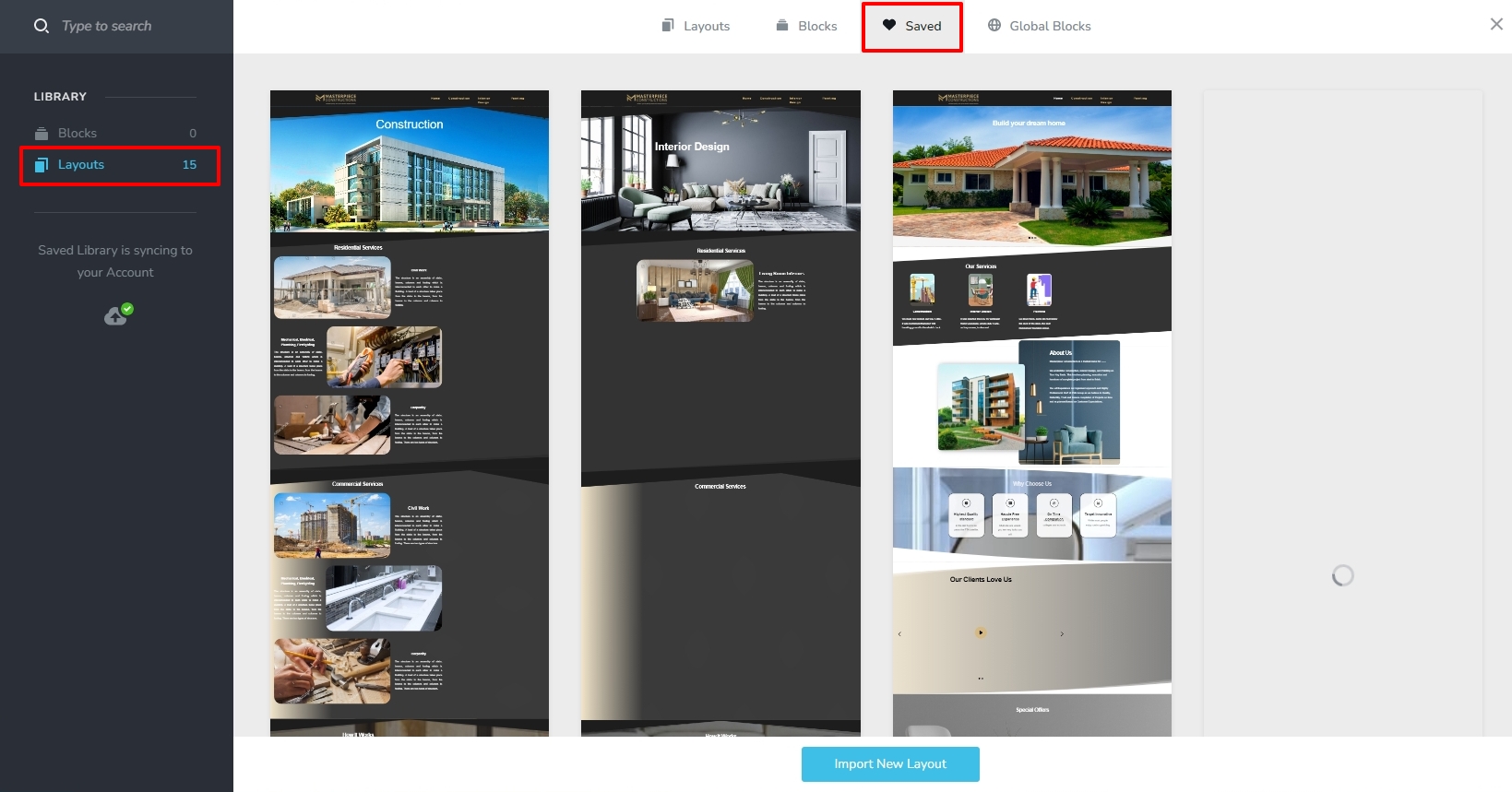
Please click on the + sign next to the ADD A NEW BLOCK (in your screenshot). Then select the 'Saved' tab and on the left sidebar select Layouts. Identify the layout you have saved and click on it to import. https://jmp.sh/zLgtgsk0
Yes; usually the English pages will have English header and the German pages will have German header. You need a separate header for English pages.Once you have one header for German and another for English, you need to apply Display Conditions to the headers in such a way that the German header will display only on German pages and the English header on English pages.
0 -
Hi KC,
ok I did follow your instructions and was able to implement the saved layout.
How would I get the translated text to load into the correct positions?
If I just have to manually copy and paste the translated strings, this does not seem to be very practical since some design attributes like font color get lost ond pasting. Provided this is the correct way to setup a multilanguage website I do not really understand what benefit an expensive plugin like WPML is providing since everything has to be done manually. The only time saver is the saved layout and this is coming from Brizy not from WPML.
Would this process be more efficient using another plugin?
Best regards and thank you for your advice and help,
Max
0 -
Hi KC,
according to WPML Brizy can only use the manual translation.
The translation process is discribed as such.
Taking this information into account can you recommend me the best plugin to use for brizy to translate into English. I think the Multiple Pages for multiple langauge approach seems the way to go since translation of text usually imposes changes of word structure aso.
For example if i have a big headline split up in two lines.
REINFORCEMENT SYSTEMS
TAILORED TO YOUR NEEDS.
When translating this to another language the sentenceorder might have to change to:
WE TAILOR TO YOUR NEEDS
OUR REINFORCEMENT SYSTEMS.
If I understand you correctly this slight change of text already represents a new grafic layout, since the meaning of each text element changed. Therefore it seems multible pages seem the way to go.
Please let me know what would be your thoughts on this?
Best regards,
Max
0 -
Hi Max,
You have mentioned that "If I just have to manually copy and paste the translated strings, this does not seem to be very practical since some design attributes like font color get lost while pasting". The formatting gets pasted along with the text. There are two ways you can solve this problem.
- If you have set up global typography for your project, you can assign the appropriate typography to the pasted text and it should fix the font issue.
- You could also paste the text into a Text editor like Notepad first and then paste into Brizy to remove the previous formatting.
If your website has 20 pages, adding one more language will require you to add 20 more pages. Therefore, creating English pages would require the same effort as creating German pages. Your efforts will multiply with each additional language you add.
Following the approach of a single page for multiple languages can save sometime. However you will have some design constraints. If you want to add a specific font for a specific language, you can't. If you want to have some minor design change in one of the translations, you can't.
Check out this article for a comparison of the various multilingual plugin options: https://www.wpbeginner.com/showcase/9-best-translation-plugins-for-wordpress-websites/ I suppose you should remain with WPML as you value the design flexibility that comes with having multiple pages for different languages.
0 -
Hi KC,
thank you for your input and expertise. Ok so following the multipages approach I can translate the text upfront and then paste into English page and assign the global font design, no problem.
My question to you is, is it worth paying a yearly licence of 100 $/ year for WPML if all this plugin contributes for my setup really is a "language switcher" button.
All the other elements of establishing an english version of our page (creating English pages, loading the layout, translating the text, logistics of matching language pairs....) are done manually and using Brizy/Wordpress not WPML.
Is there no cheaper simpler Plugin that does just the same for my setup without having a yearly 100$ licence?
I would basically look for a plugin that works with brizy, provides a switcher button, to jump between the pages and then lets me manually create duplicated pages and enter text translations manually, while ideally providing some sort of overview of what German text translates into what English text....Polylang seems to be a good option.
I´ll check you link and do my own research of course but if you have a tip, please let me know.
Would love to hear your thoughts on this,
best regards,
Max
0 -
Hi Max,
Please have a look at the comparison of the Polylang Free and Pro plans here. https://polylang.pro/downloads/polylang-pro/. Looks like you may not need any of the Pro features; hence Polylang free may be sufficient for your need.
However, Polylang does not support different Brizy blog Templates for different languages. Hence setting up a multi-lingual Brizy blog is not possible with Polylang. You may need the Multilingual CMS version of WPML in case you would like to set up a multilingual blog in the future. Assuming you don't have to setup a blog in the future, Polylang Free could be a goof choice for https://www.best-baueisen.at/
0 -
Hi KC,
just to make sure I understood you right with your last argument.
We do not need a blog but a Website using brizy and our own layout. Then we would need to have those webpages in another language. The second language might make it necessry to change the layout a little bit here an there, like changing the size of a picture or flipping text blocks from left to right.
Apart from that the basic look should be the same. In this case Polylang could be sufficient correct?
Best regards, thank you for your support,
Max
0 -
Hi Max,
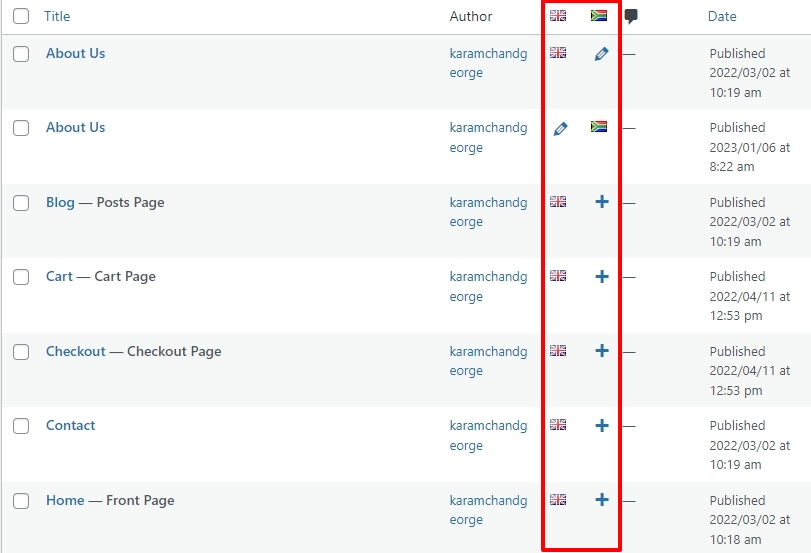
In Polylang, you create different pages for different languages just like in WPML You have full flexibility to design it in the way you like.
Please have a look at this video to get a broad idea of how Brizy works with Polylang. https://youtu.be/FfAQyzu92EE Even though this video is 4 years old, you will get a broad idea.
 0
0
Please sign in to leave a comment.
Comments
16 comments