Brizy Issues with lightning cache

Dear Brizy Team,
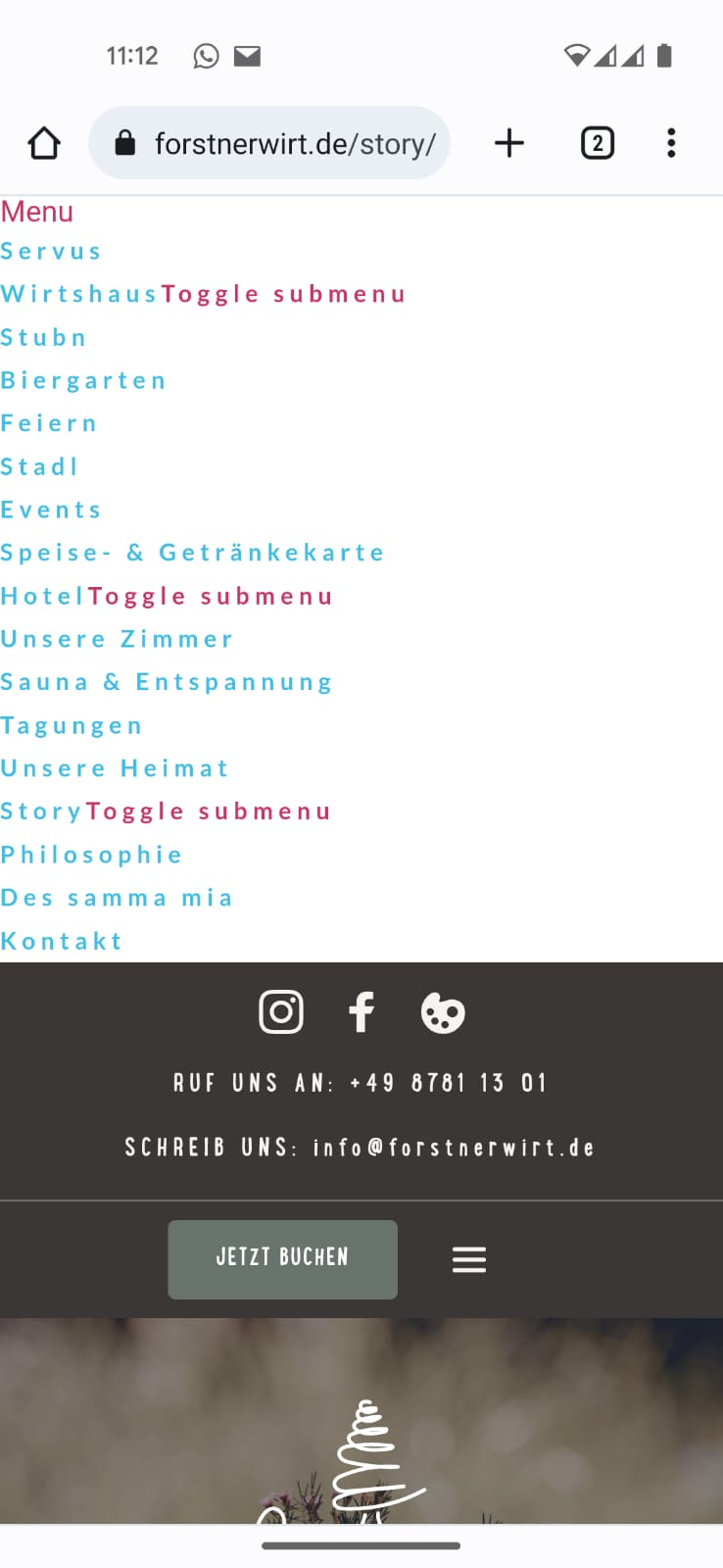
we are encountering a strange Problem with Brizy in combination with lightning cache. When the Cache plugin is activated, at first everything works normal, but after a while the Menu Breaks (as shown in the photos), and the Slider falls apart (showing all slider under one another).
This happens only in the Mobile Version of the Website.
We currently reverted to another Cache Plugin (in which case everything works normally), but would preferably use lightning cache (as far as we have seen, this is also a recommended Cache Plugin for Brizy).
If you need more Information, we stand at your disposal.
With regards,
Filip

-

Hi Filip,
I'm sorry, but I've never heard of the lightning cache plugin. Are you referring to the Litespeed Cache plugin? This is the recommended plugin when your website is hosted on a Litespeed Webserver. If not, kindly include a link to the plugin page on wordpress.org.
0 -
Hi George,
Yes, i was referring to Litespeed Cache Plugin. Sorry for the confusion.
Best regards
0 -
Hi Filip,
The most recent Brizy versions and the Litepseed Cache plugin have some incompatibility. We are looking into this issue. To fix the problem at your end, please consider rolling back to the previous Brizy versions.
- Brizy 2.4.13: https://jmp.sh/coQtD5Vd
- Brizy Pro 2.4.12: https://jmp.sh/EWWmBbAR
Please follow these steps to roll back.
- Deactivate and delete Brizy Pro
- Deactivate and delete Brizy
- Download Brizy 2.4.13 and in your WordPress Dashboard under Plugins - Add New - Upload Plugin, upload Brizy
- Download Brizy Pro 2.4.12 and under Plugins - Add New - Upload Plugin, upload Brizy Pro
0 -
Hi George,
thank you for the fast reply and the instructions. We’ve decided to temporarily use another Caching Plugin, for the period until the problem with Litespeed Cache is being sorted out.
As we would ultimately still prefer to use Litespeed, we would be very thankful if you could inform us when the problem is sorted out, and which version of brizy is then compatible with Litespeed.
Thank you, and keep up the good work.
With Regards,
Filip0 -
Hi Filip,
We have taken the first step towards working out compatibility with Litespeed Cache plugin. We have opened a ticket with them at. https://wordpress.org/support/topic/not-included-css-by-minifier/
We will keep you informed as we work out a solution between us.
0 -
Hi Filip,
We have been in touch with the developers of the Litepseed Cache plugin. They have agreed to include a patch for this problem in their upcoming version. If you disable the CSS Minify setting in Litepseed Cache for the time being, as shown in this screenshot: https://jumpshare.com/j/5AOqjezAttg1SpwcOxBT you can fix the problem.
0 -
Hello George,
as we are currently starting a new Project, which i would like to do again with Brizy, i was woundering if the issue with Litepseed Cache plugin was resolved?
With Regards,
Filip0 -

Hi Filip,
Thank you for keeping in touch.
Unfortunately, this issue is still ongoing, and we are unable to provide an estimated resolution date. Please continue to use your current Cache Plugin until we resolve the issue.
Sorry for the inconvenience.
Best regards,
Ariel H.0
Please sign in to leave a comment.
Comments
8 comments