Why does my WooCommerce product have two stock fields?

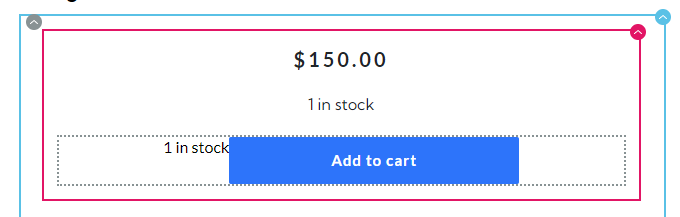
Hi. Why does Brizy have two stock fields on my product page? As you can see, there are duplicates of the "1 in stock" fields. How can I fix this??

-

Hi Matthew,
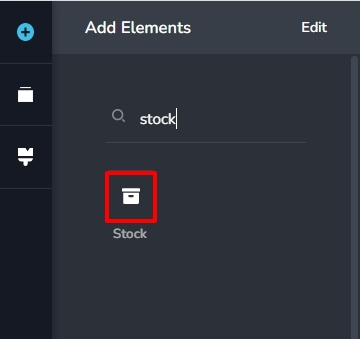
Brizy has a 'Stock' element which can be used to display the product stock. The 'Add To Cart' button automatically displays the number of products in stock if you have enabled stock management at product level in WooCommerce.
If you have added the Brizy Stock element below the Price please consider deleting it.
 0
0 -
It looks like the problem is the "Add to Cart' button. How can I remove the stock wording from the button element?
 0
0 -
Hi Matthew,
Displaying stock along with the Add To Cart button is a WooCommerce feature. When you enable Manage stock level (quantity) for a product, the stock quantity gets added to the Add To Cart button.
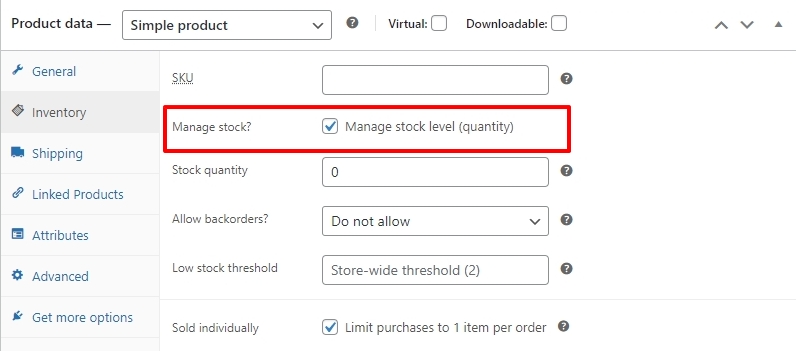
You could try hiding the stock quantity from your product page using CSS. For example, if you are using Astra theme, this CSS would hide the stock value attached to the Add To Cart button
/* Hide Avaiable stock attached to Add To Cart when using Astra theme*/
p.ast-stock-detail {
display: none
}
0 -
Thanks. This solved it, but now it's hiding all stock text.

p.in-stock {
display: none;
}
0 -
This is the CSS on my page to help you find the right CSS code I need.
 0
0 -
Okay, I found a solution. This code will fix it so I can use stock management and remove the broken 'in stock' text from the 'Add to Cart' button.

.brz-woo-add-to-cart .stock {
    display: none;
}
1
Please sign in to leave a comment.
Comments
6 comments