Timeline Elements Error

Hi Brizy,
I have a problem using the element Timeline.
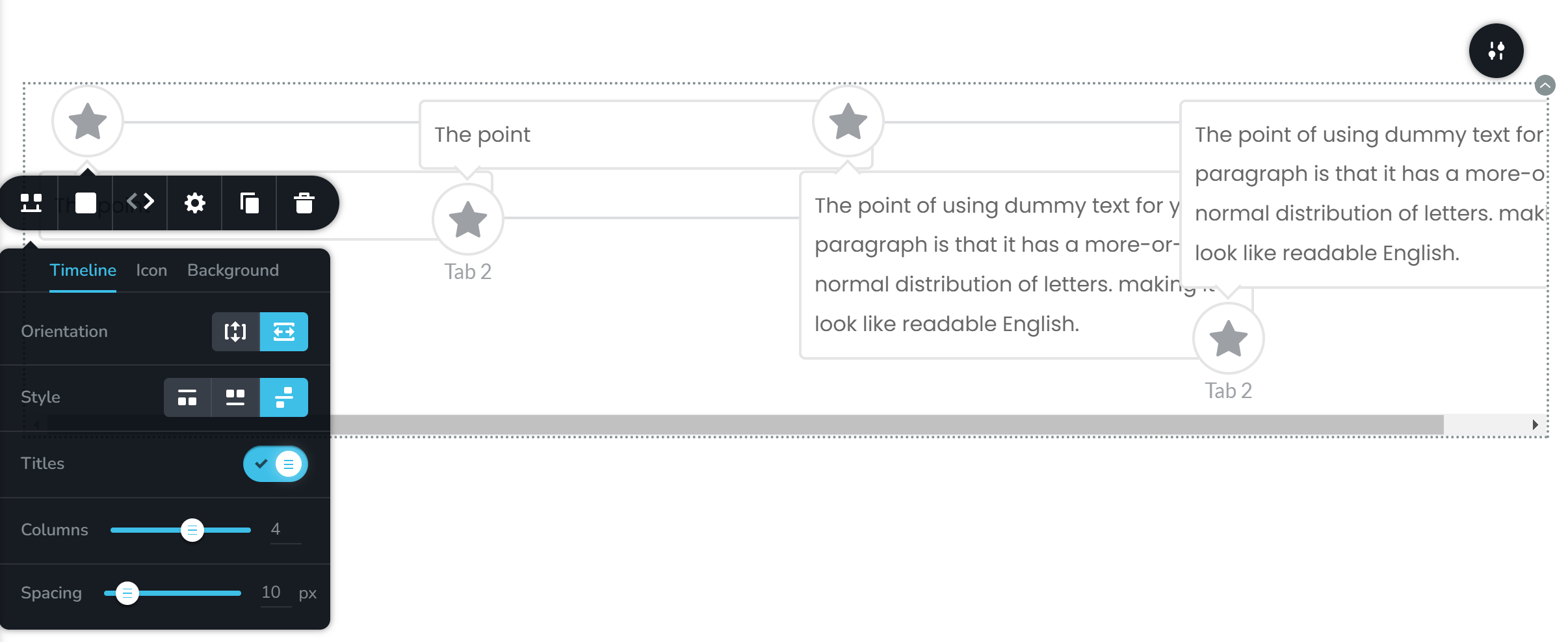
The style is not working properly. If I press the preview button, it looks like this:
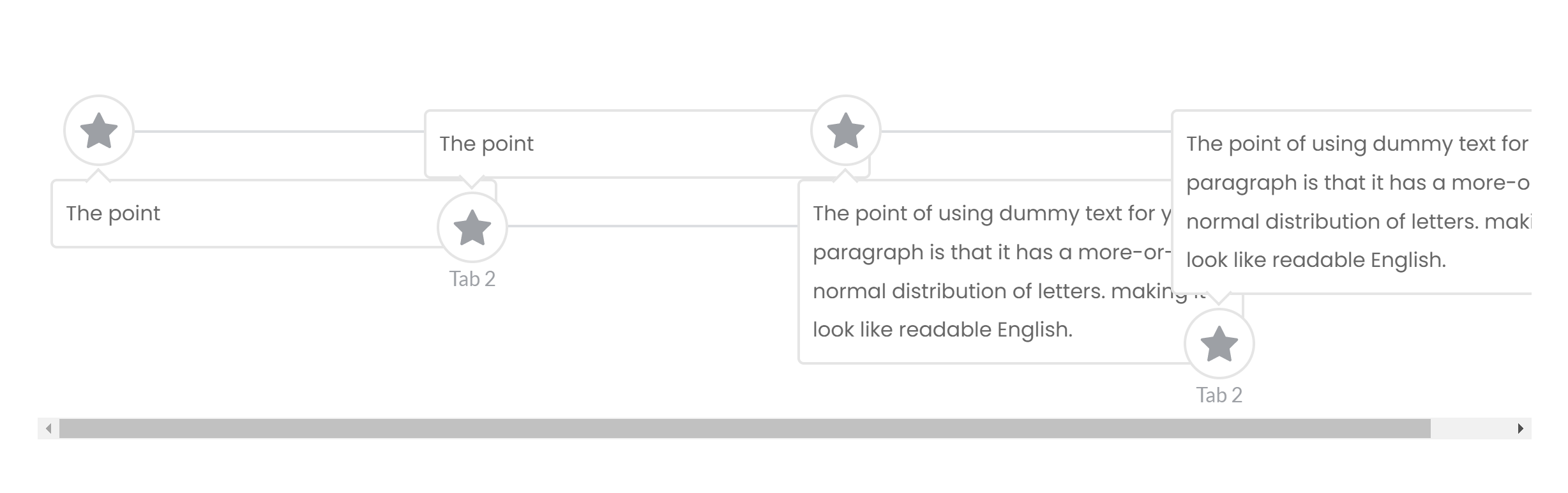
-

Hi Ganjar,
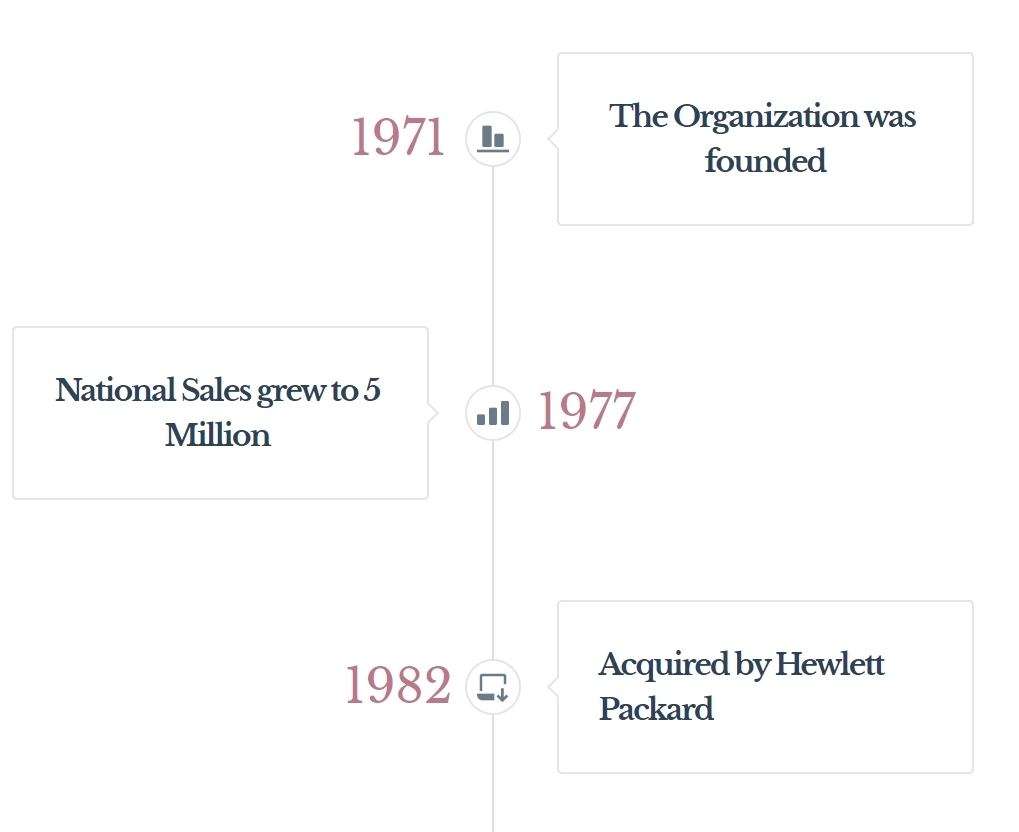
You are right; the two sided timeline does not look nice when using the horizontal orientation. Timeline will look better if you use the vertical orientation. Please have a look at this page for an example https://brizytest.online/timeline Please try the vertical orientation.
 0
0 -
Hi George,
Thanks for the reply. Actually, I used a timeline style several times and the two-sided style works well before so I guess there is an error in the back. Right now all the element timeline with orientation horizontal is not working well.
I need a horizontal view because my timeline is too long to be viewed in a vertical orientation, hope the Brizy team will investigate and fix it.
0 -
Hi Ganjar,
Yes; I have reported this issue and we will work on correcting it. Until we have a fix, please use the one-sided horizontal style.
0 -

Hello, i have same issue here, the design in a client website is broken now after update, one sided horizontal style are ugly for the website and client is not happy, do you have any work around to fix this urgent?
0 -
Hi Rafael,
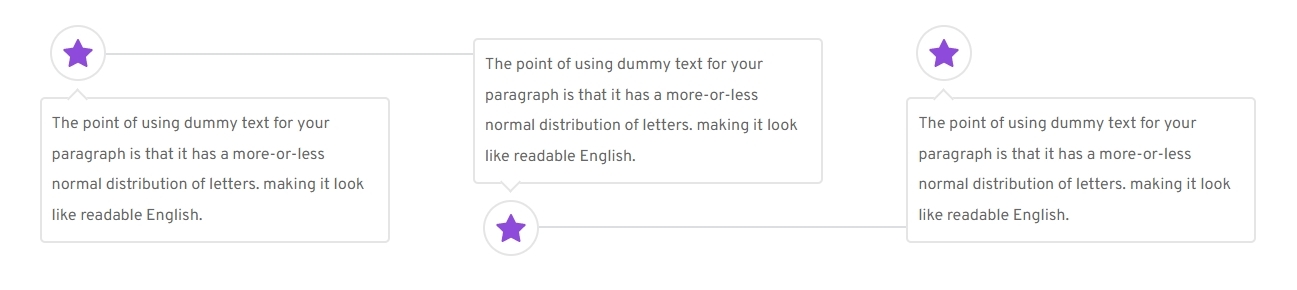
On a test website, I rolled back Brizy to a few previous versions including Brizy 2.3.37 and Brizy 2.3.30. In all the previous versions I checked I see the same design for the horizontal timeline. You have mentioned that "the design in a client website is broken now after update". Do you know which older Brizy version had a better horizontal timeline?
Were you updating Brizy after a long break of a year or so?
 0
0 -
website has auto update for both free and pro, so the website is always updated, also has wp rocket so cache maybe has hidden this issue for the client to see before, so i dont have info of previous version working, website is two years old aprox.
Regards
0 -
Hi Rafael,
Do you have a website backup? You could consider restoring from a backup to bring back the previous design. If you do not have a backup, I guess your options are limited. You may have to switch to the single side timeline design until we can fix the issue.
0
Please sign in to leave a comment.
Comments
7 comments