Survey Forms

Hi There, I want to create a multi Question form which is in multiple layer,
So its a bit like a SUrvey function,
SO I can write
How many Users, They make a selection then it goes to another question. Rather than 1 long form.
I see there were a lot of requests a year ago and wondering if there has been any update as I can't find anything.
I thought I would try Fluent forms and integrating their form but its very hard to integrate and have the styling correct as need CSS knowledge etc.
-

Hi Yilmaz,
Brizy does not support a multistep form. It is included in our roadmap. https://trello.com/c/oMIGPQCp
You will need the premium version of one of these plugins to create a multistep form at the moment https://wptablebuilder.com/best-wordpress-multi-step-form-plugins/
0 -
Thank you for your response I saw a reply from Dimi saying it should be available by the end of this year so are there any beta available I can try I have ptonedition and Brizy pro cloud Sent from my iPhone SPAM"
0 -

Hi,
You can find the beta version here: https://www.brizy.io/beta-testing and see what option we will release soon.
P.S. please do not reply to the notification email noreply@rizy.zendesk.com. The email will be received as spam and they will not be posted here.
Best regards, Nelea.
0 -

Yes the survey tools are needed! This would benefit Brizy as it gets also in the markets of Tally, surveymonkey, wp-forms, fluent forms etc. All these are billing 20 usd-35 usd/month!!
This would be even a strategic and smart business move from Brizy. Hire a team for this! The easy but versatile design tools for surveys, quizes, polls etc. are needed! Matrix format is needed and multiphase form etc.
0 -
Hello J P
You can design a multi-step form like the one at https://brizy.online/test/ using Brizy forms. Are you thinking about something like this?
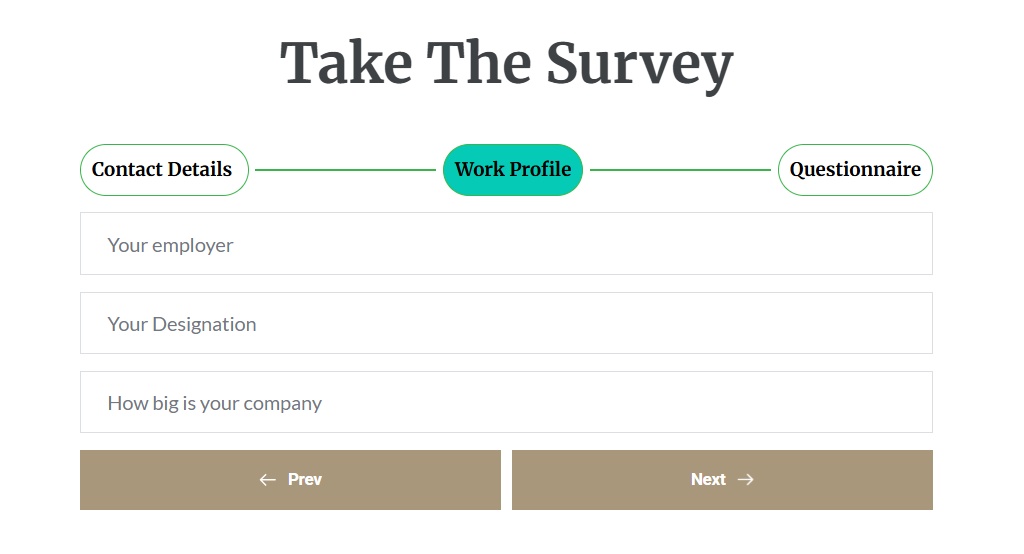 0
0 -

How can we create the form above?
0 -

Hi Alam,
Thank you for reaching out.
You can achieve this by using the Brizy Form element and enabling the Multi-Step option, just like what’s shown on this screencast: https://youtu.be/86scobQInNg
This allows you to split the form into multiple steps.To add more fields, you can duplicate an existing field and then make sure the correct field type is selected. For example, use Email for email addresses, Text for single-line inputs, and Paragraph for message or longer text fields.
If you have any other questions, please feel free to let us know.
Kind regards,
Ariel H.0
Please sign in to leave a comment.
Comments
7 comments