I can't enter the key

I find this custom version of brizy but I can't change and update it, can you help me?
I attach screen
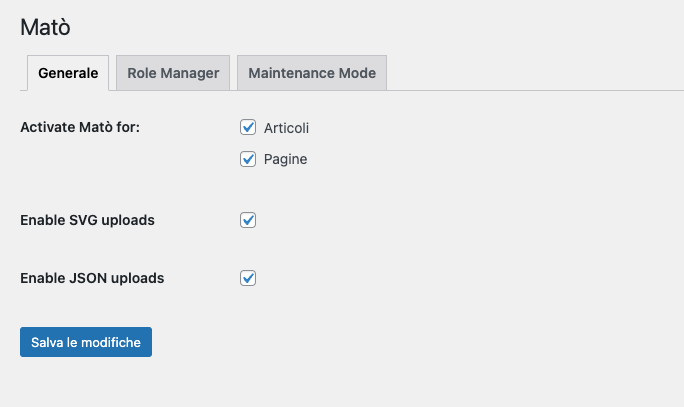
as you can see, the section to enter the key is missing
-

Hello Luciano,
Thank you for contacting us.
You don't have the Licence tab in the setting because you have activated the white label option in the Brizy dashboard. Please disable first the white label option, then add the key to the license tab.
For more information about how to disable the white label please see this video: https://www.youtube.com/watch?v=jx5df3RmdMo and check this article: https://support.brizy.io/hc/en-us/articles/360040493171-The-White-Label-Options
Best regards, Nelea.
0 -
Hi Nelea,
Thanks to the immediate response.The thing is, this client was managed under another lively account that I don't have access to, I'd just like to enter my own.
How can I do?
Thank you.
0 -
Hi,
If you don't have the license tab you cannot add another key. You need to deactivate the white label option that was added in the Brizy setting. After this, you will be able to add a new license key.
Please see this video about how to disable the white-label option in your account: https://www.youtube.com/watch?v=jx5df3RmdMo
Best regards, Nelea.
0
Please sign in to leave a comment.
Comments
3 comments