Text Formatting

Merry Christmas!
When I want to format the text to insert a web link, I need this menu.
https://share.getcloudapp.com/NQu4obn9
However, when I mark text in order to format it, all I can see is this menu.
https://share.getcloudapp.com/jkuOPqjj and
https://share.getcloudapp.com/E0uRA8Nv
How can we solve this?
-

Hi Stephan,
Let me restate what I have understood. You are looking for the Text toolbar to insert a hyperlink to a text within your paragraph. You can't see the Text toolbar and hence can't insert the hyperlink.
The Text toolbar usually pops up outside the Text element. Let's say you have pasted 10 paragraphs into a Text element and the text area fills the entire height of your laptop screen. In this case, when you click on the Text element, you can't see the Text toolbar because it appears outside the Text element and hence outside your laptop screen. To see the Text toolbar, you must either scroll up or down.
Ideally you should use different Text elements for different paragraphs. For example, you should paste 10 paragraphs into 10 different Text elements (instead of pasting all 10 paragraphs into a single Text element). If you follow this best practice, the Text toolbar would be available to you just above the current paragraph.
You also watch this video https://jmp.sh/NC0GbigF
0 -
Hi,
Thanks for your feedback.> Let me restate what I have understood. You are looking for the Text toolbar to insert a hyperlink to a text within your paragraph. You can't see the Text toolbar and hence can't insert the hyperlink.
That is correct.
> The Text toolbar usually pops up outside the Text element.
My point is that it doesn’t. It is not that I have to scroll up or down to see it. It is that even if I scroll up or down, it is not there. The toolbar only appears immediately after pasting in text, but not later when I mark a word or sentence inside the paragraph.
> Ideally you should use different Text elements for different paragraphs.
I get your point, and I watched your video. The thing is: I want to produce many pages with prefabricated text. Splitting it up into many separate text elements would take far too long, maybe three times as much time or more. That Is not economical from my point of view. This is why I prefer using one box for a longer text segment.
I would appreciate if you would consider finding a solution for this for an upcoming version of brizy. Thank you.
Best wishes
Stephan Meyer0 -
Hi Stephan,
The toolbar appearing immediately after pasting the text and not appearing later is an unusual behavior. Can you do a few compatibility checks?
- Are you using WordPress 5.9 or above? https://jmp.sh/iqlQrFw
- Are you using PHP 7.4 or above https://jmp.sh/XrkFgLV
- Are you using a theme compatible with Brizy? Twenty Twenty One and these themes work well with Brizy. Please change your theme to one of these and check if the problem persists. https://www.brizy.io/theme-partners
- Do you have a plugin which is incompatible with Brizy? If none of the above helps, please deactivate one plugin at a time and check if the problem persists.
If you are not able to find a solution, please get back to us; we will need access to your WordPress Dashboard to troubleshoot this for you.
0 -
To answer all your questions, I am using Brizy Cloud.
Best wishes
Stephan Meyer0 -
Hi Stephan,
I am sorry; I misunderstood your request.
I would like to take a look at this issue from your project. Can you please invite me as a Team Member to your project? My email: kc.george@brizy.io. Please assign me 'Manager' role
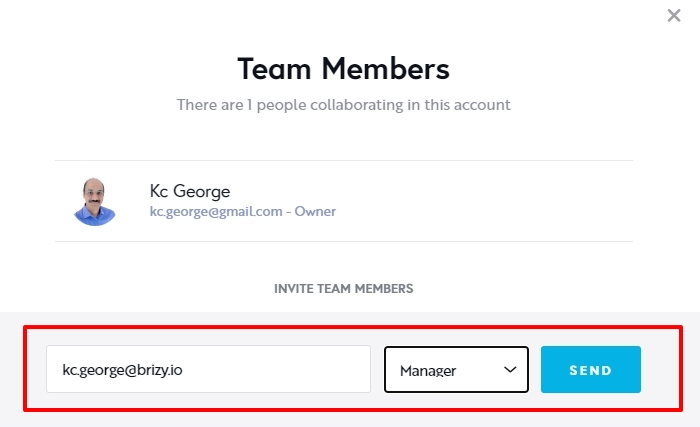 0
0 -
Hi Dr. Stephan,
I have looked at your project. I am unable to reproduce the issue you have reported. You said
It is not that I have to scroll up or down to see the Text toolbar. It is that even if I scroll up or down, it is not there. The toolbar only appears immediately after pasting in text, but not later when I mark a word or sentence inside the paragraph.
Please have a look at this screen recording. https://jmp.sh/YcXbSty9 The issue does not occur at my end. What steps should I follow to see the problem you are seeing?
Can you try these at your end and see if it makes a difference.
- Can you sign in to your Brizy Cloud Dashboard from the browser's private (incognito) window and see if you face the same issue?
- Can you try signing into your Brizy Cloud Dashboard from an alternate browser and check if the same problem occurs?
0
Please sign in to leave a comment.
Comments
6 comments