Add to cart button

Hello,
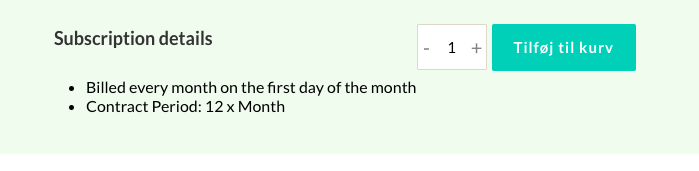
I have issues removing this text beside my ''add to cart'' button (it comes with it when i add the button).
Also I would like to remove the the part where you can choose to buy more that one item, as it is not possible in my shop.
Hope u can help as fast as possible.
-

Hi Malak,
To remove the quantity field next to the Add To Cart button,
- In your WordPress Dashboard under Products - edit the specific product and scroll down to the Product Data Metabox and select the 'Inventory' tab. https://jmp.sh/6CWhWTUU
- On the right pane, enable the "Limit purchases to 1 item per order" option
When you say removing text beside my ''add to cart'' button, are you referring to text like "Subscription details" and "Billed every month on the first day of the month"? This text is not part of the Add To Cart button. May be you/someone else added it using the Brizy Text element in your Brizy Template. You will need to delete the text.
0 -
Hello George,
Thank you.
Im also facing another issue. When I press the add to cart button for a specific product, it gets added to the cart, but I get sent back to my homepage instead of the cart page. How can I fix that?
0 -
Hi Malak,
In your WordPress Dashboard, under Woocommerce - Settings - Products tab - please enable the option "Redirect to the cart page after successful addition" https://jmp.sh/N78oPw0x
0
Please sign in to leave a comment.
Comments
3 comments