Pop-Up Triggers/Conditions setup problem

Hello,
I have created a Pop-Up on my page and I want to have the setting
- Only appear on first visit/page load
- Appear again after 300 sec of inactivity
I tried with the setting "Trigger Popup Only Once" Active and not active
I tried with the triggers "On Page Load" 1 sec and "After Inactivity" 300
The Popup either appeares on every page click or only one time and then never again.
How can I setup my required condition?
Thanks for your help!
Cheers
-

Hello,
Thank you for contacting us.
Please see this video about how to set Popup Triggers & Conditions: https://www.youtube.com/watch?v=LuJdeewseZY
Please delete all the conditions from the pop up then select the page where you want this pop-up to appear.
You can add the pop-up to appear on the first visit, also you can select, After inactivity,, - then add 300 sec. see here, please.
Best regards, Nelea.
0 -
Helle Nelea,
I have set my Triggers exactly as requested (and deleted them first and tried with a totally new created one) but it does not function as expected/desired.
What I need:
- The Popup appeares one time only when a user enters the website (no matter what page).
- The Pop-Up should not appear again during the time the user is opening other pages on the website (user is active)
- When the user is closing the browser or is inactive for 300 seconds, the Pop-Up should appear again one time when the user comes back to the website.
When I set up the trigges like in your example screen, the Pop-Up appeares every time I load a page. This is not what I want.
How can I configure the Pop-Up for my needs?
You can seen it on our Website: www.urologie-oldenburg.de on the pages home, Kontakt and Sprechzeiten
Thank you for your help
Bernd
0 -

Hi Bernd,
With Brizy popup builder, you can implement something close to what you are looking for. I am afraid you may not be able to implement the conditions exactly as you have mentioned above. For example, you could try these Triggers and Conditions
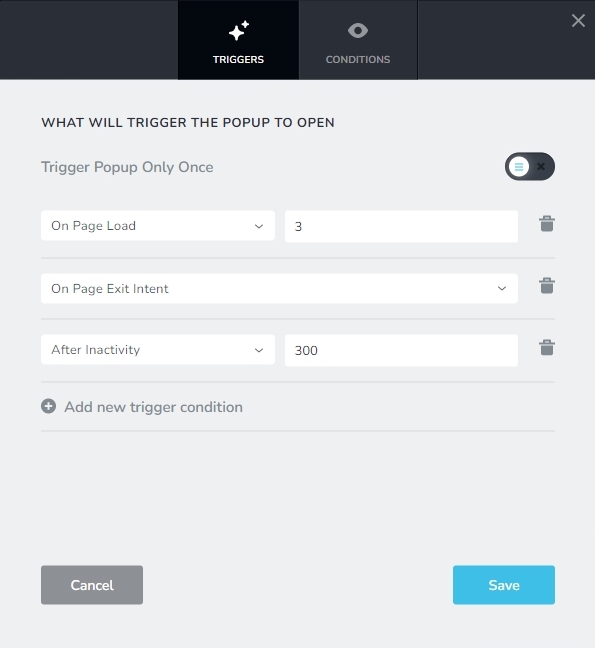
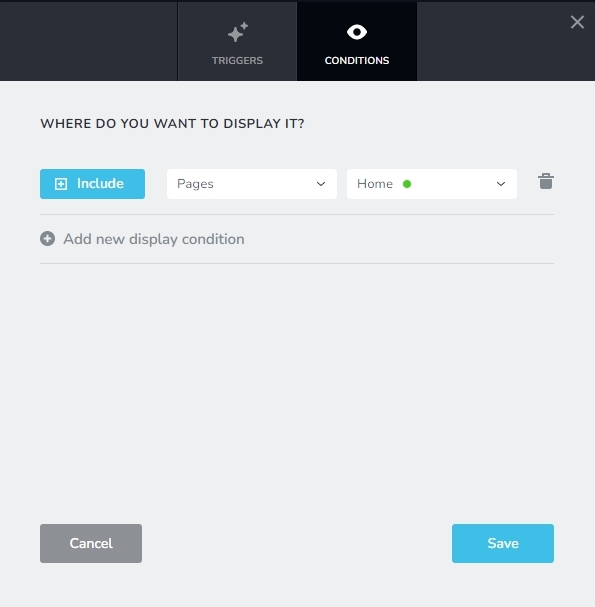
This will show the popup just once on the homepage and when the user is about to navigate away from the website. If the user visits any other page directly, popup will not show.
0 -

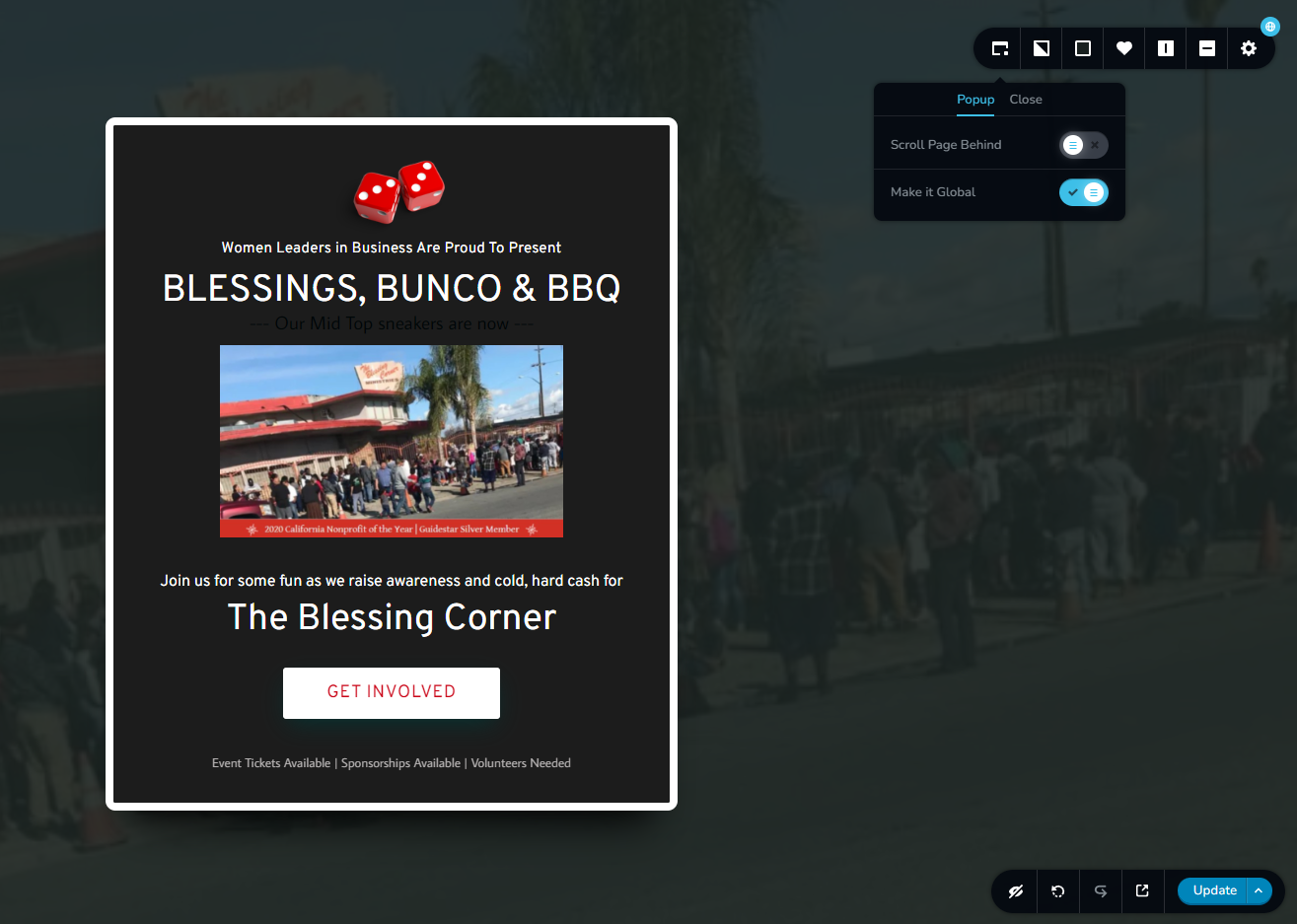
I'm not getting an opportunity to set triggers and conditions on my pop-up....
 0
0 -
Hi Shannon,
With the Brizy Popup builder, you can setup two types of popups and only one of them have Display and Trigger conditions and the other does not have.
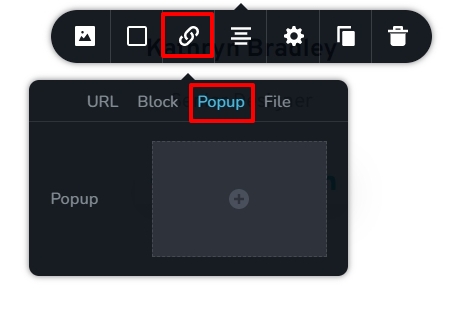
- On-click popups. These popups are triggered when clicking on a button, icon, text or an image. You design an on-click popup by selecting the popup tab under the link toolbar. On-click popups do not have Display and Trigger conditions.
- Conditional Popups. These popups are triggered automatically when a condition is fulfilled. You design conditional popups under Brizy - Popups in your WordPress Dashboard. These popups have trigger and display conditions.
If you are not seeing an option to set Display and Trigger conditions, you have probably designed an on-click popup and not a conditional popup.
0
Please sign in to leave a comment.
Comments
5 comments