Blog post template previews fine but page is blank

Hi there
I've created a blog post template, with dynamic fields that previews fine:

However the actual page doesn't show the published template, just a blank page:

The rules look correct and both the template and posts are set to be the 'brizy template'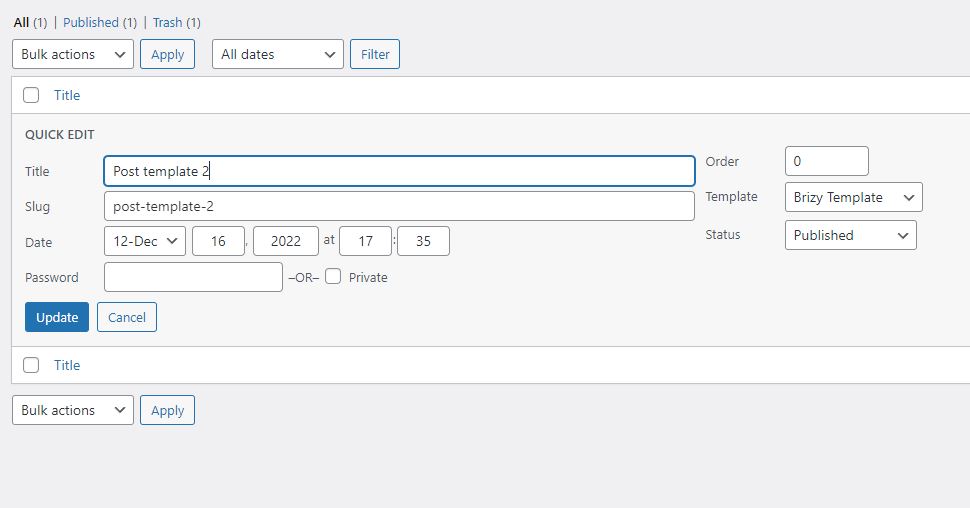
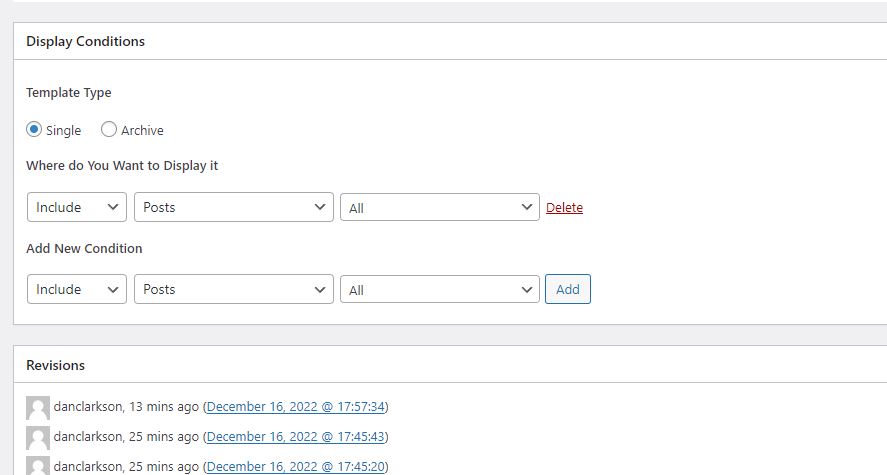
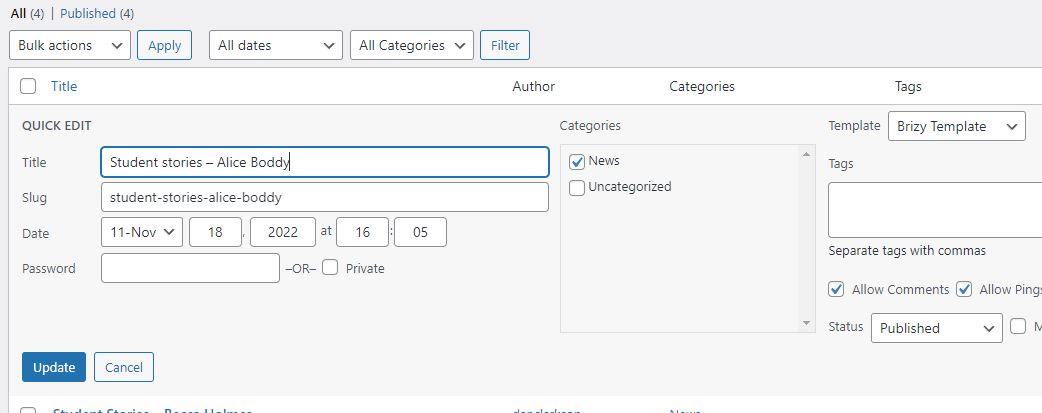
Not sure where I'm going wrong?
Thanks
Dan
-

Hi Dan,
Your Brizy Template settings look good. However I see a problem with one of your screenshots. For the Brizy blog post template to work well, your blog posts should have 'Default Template' and not 'Brizy Template'. Please do not change to Default Template; you can lose your blog post content permanently if you do this.

Please carryout this test. Add a new test blog post and add some dummy content from https://www.lipsum.com/ in Gutenberg and publish it. Please ensure that you do not click on 'Edit with Brizy' here. https://jmp.sh/LiYGZdM9 Please click on the preview URL and check if the blog post is displayed in the Brizy Template design.
Once you confirm this, I will give you further instructions on how to convert Brizy Template blog posts to Default Template.
0 -
Thanks for getting back to me KC George: I've created a test post - like the other posts they 'preview' fine, but once published the page is still blank sadly. Happy to provide admin details securely if needs be.
My Brizy WP plugin is also indicating it's not the 'pro' version when it is: could it possibly be related?
Thanks
Dan
0 -
Hi Dan,
You have mentioned that "My Brizy WP plugin is also indicating it's not the 'pro' version when it is" This could be reason for the unusual behavior. We need to take a look at your WordPress Dashboard to investigate the cause.
Please add me as a user to your WordPress Dashboard if you need assistance with this. My email: kc.george@brizy.io. As shown in this screenshot: https://jmp.sh/sOSGGR3, please turn on the option "Send the new user an email about their account"
Please let me know here when you send me an invitation.
0 -
Thanks George - the invitation is on its way to you, let me know if you don't receive it. Best, Dan
0 -
Hi Dan,
The issue you had previously mentioned is no longer present. All of these blog posts are visible to me in preview. Can you please confirm if it works at your end too?
0 -
Hi George - how odd, yes I can see the posts now. And you didn't make any config changes? (Thanks for you time on this).
Dan
0 -
I didn't make any change. Possibly some cache has expired and then the blog posts started working fine.
0
Please sign in to leave a comment.
Comments
7 comments