How to assign or exclude popups from templates?

How do I assign a popup to a template, for example a product category template or product template? And the same for excluding the popup?
-
I just found a way to exclude products (not by template but by products).
0 -

Hello,
Thank you for contacting us.
In order for the popup to appear on a certain page, you must set certain conditions for that popup. For this click on the display condition, then add the page where you need that this pop-up appeared. For more information please see this video : https://www.youtube.com/watch?v=LuJdeewseZY
Best regards, Nelea.
0 -
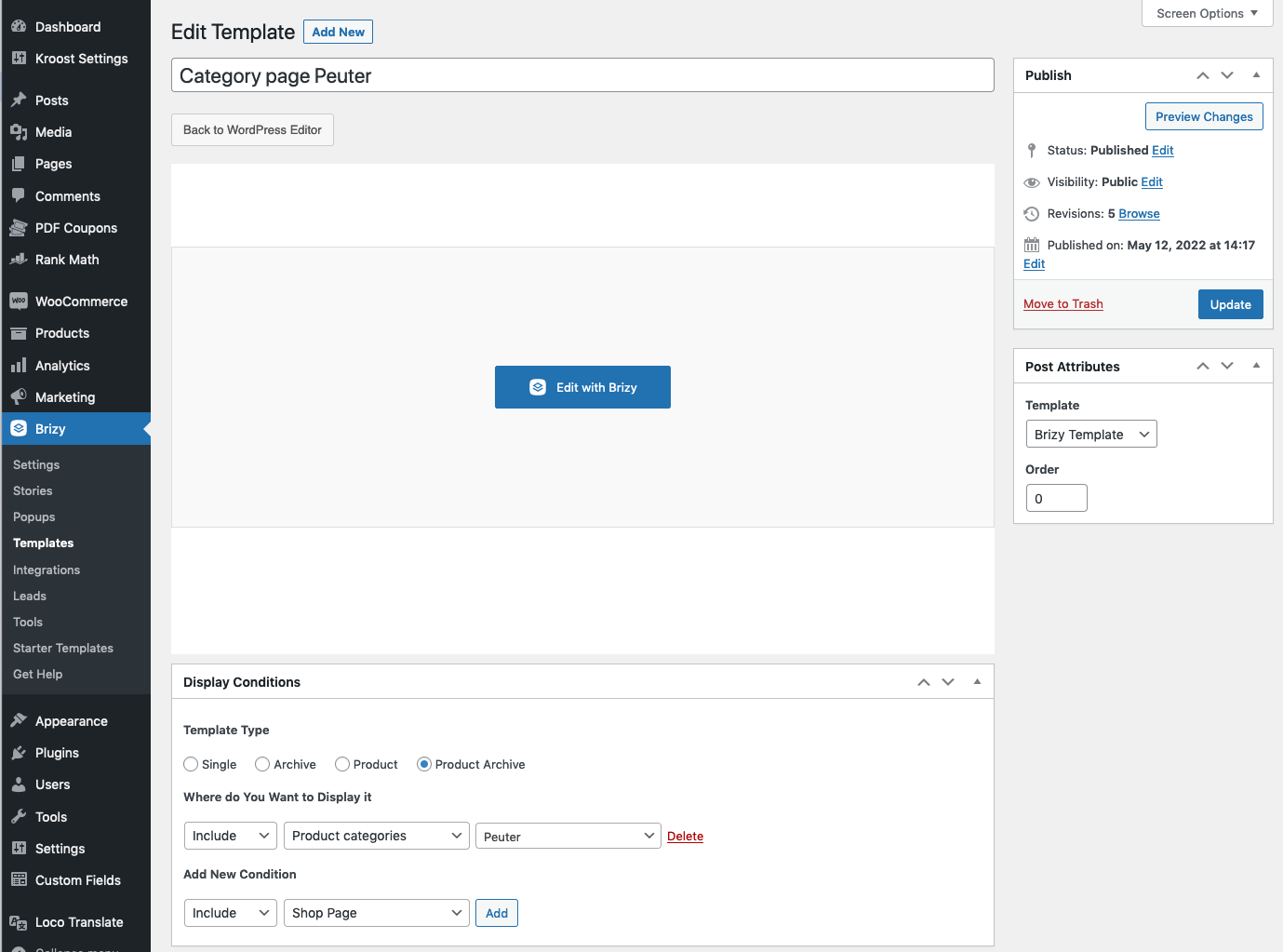
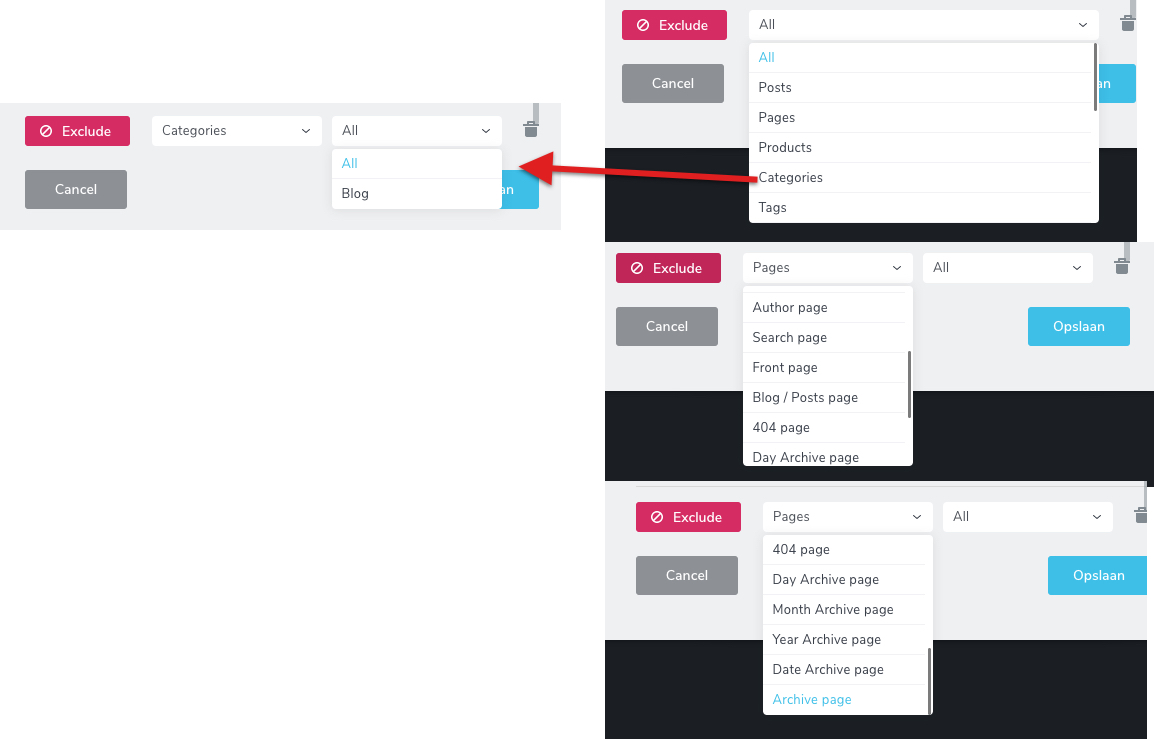
Hi Nelea, thanks for the explainer video. However my question is not addressed. I can not exclude product category (shop) page templates (see screenshot example). I tested all options (see screenshot) but can not find the right one. Please advise :)
 0
0 -
Hello,
Thank you for contacting us.
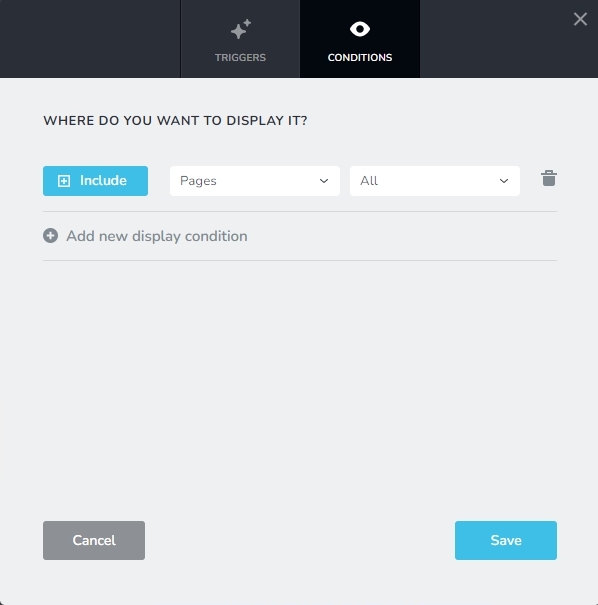
If you would like your popup to be displayed only on Pages and not display on blog posts and products, please set the Display Condition for the popup in this manner.
Best regards, Nelea.
0
Please sign in to leave a comment.
Comments
4 comments