Full editation of website is unable

Hello, I am contacting you with confidence and with a special question. I took over the site from the previous website creator. The client wants me to build a new website on Brizy. But I found that the current site is "locked" by the previous creator. A lot of items in the menu are not visible, the pages have only a limited editing options and I am not able to edit the homepage at all. Is there any way to unlock it all again? I assume it is due to some plugin or WhiteLabel function. But is it possible to somehow find out how to unblock the website and make available the full range of its modifications? Although I have the role of "administrator", the administration interface is very limited.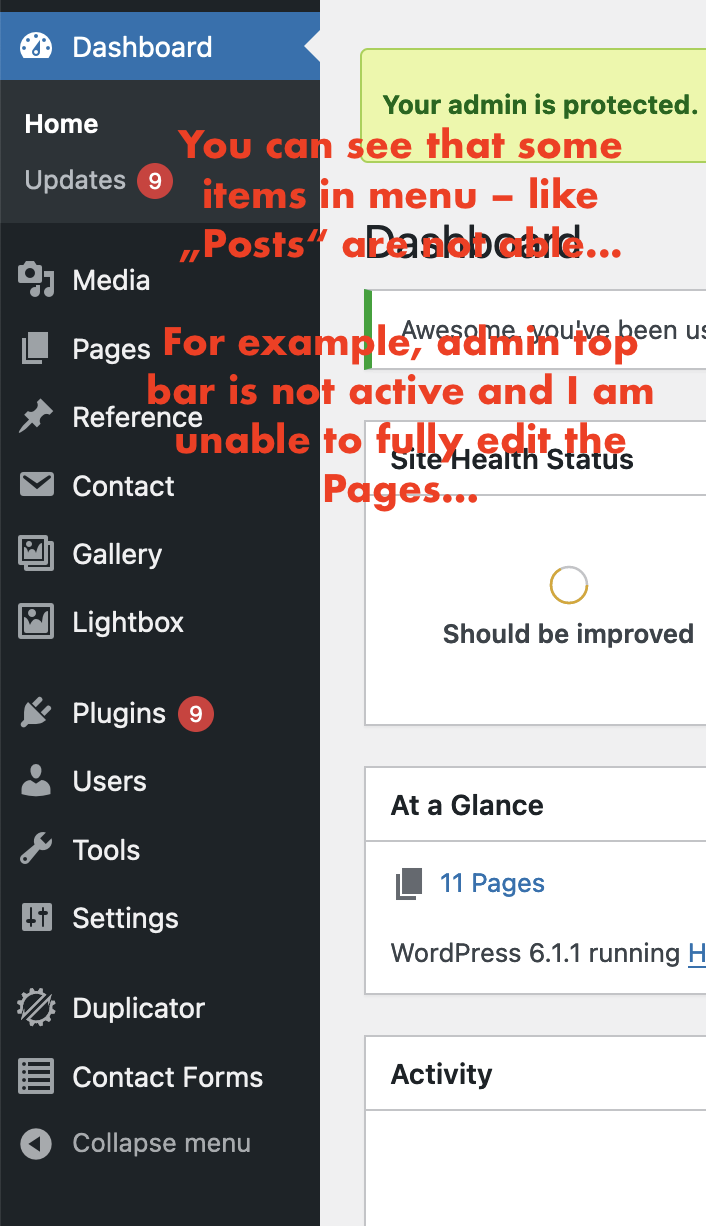
-

Hi Michal,
Do you see any user management plugin in your WordPress Dashboard? Here are a few examples. https://wplift.com/wordpress-user-plugins
Under Users do you see that your username has the administrator role?
 0
0 -
Hi KC George,
thank you for your message – the interesting thing is that I have the "administrator role" and there is no unusual plugin that could cause this. So I hope that there is some safe way, how can I investigate this further.
0 -
Hi Michal,
This is indeed strange. If you give me access, I am open to take a look at your WordPress Dashboard. You could also take the help the hosting provider.
Please add me as a user to your WordPress Dashboard if you need assistance with this. My email: kc.george@brizy.io. As shown in this screenshot: https://jmp.sh/sOSGGR3, please turn on the option "Send the new user an email about their account"
Please let me know here when you send me an invitation.
0 -
Hi KC George,
please use these credentials (my temporary credentials on this page):
Please be careful when handling the website :-) Thank you very much.
0 -
Hi Michal,
I spent some time looking through your WordPress Dashboard. Here are my findings
- The website is developed using a Custom Theme 'Holnar' developed by David Mysak. This is not a regular theme listed in the WordPress theme repository.
- The Appearance Menu is missing from the WordPress Dashboard. You can't see themes from the sidebar. Please use this link to check the installed themes https://holnar.cz/wp-admin/themes.php
- Post is renamed as References. https://holnar.cz/reference/ is designated as the Posts page.
- Looks like pages are not developed using WordPress pages feature. May be the developer custom coded the pages.
Since the history of the previous development is unknown, I would advice not to do any development on the live server. You could make a staging site and then change theme to Blocksy, Astra or any of the themes listed here https://www.brizy.io/theme-partners. You could also install Brizy and Brizy Pro and recreate the design in Brizy in the staging server.
0
Please sign in to leave a comment.
Comments
5 comments