brizy menus not working

Hi guys, sub menus on brizy wp plugin, havent been working for months now can you help, please
0
-

Hi Daniel,
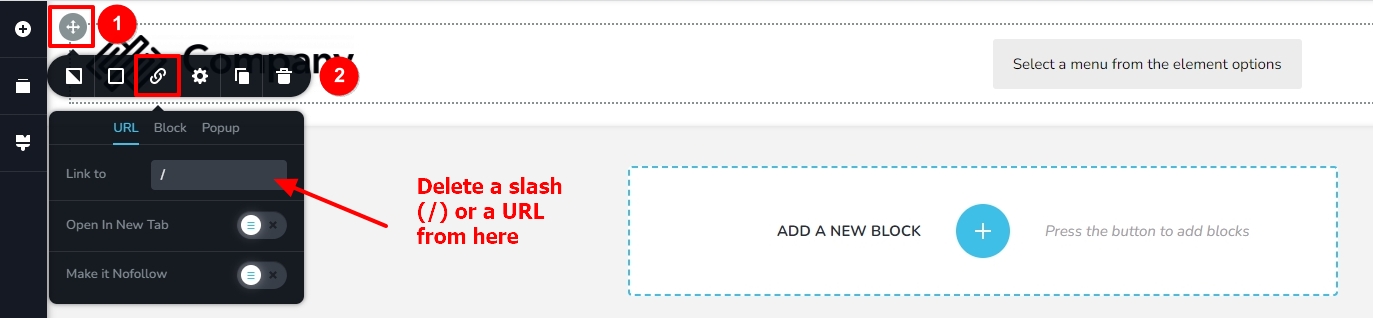
In your page header, at the left top corner of the Row element, please click on the cross icon with the grey background. Select the link icon in the screen that pops up. If you see a forward slash (/) or a URL in the Link To field, please remove it. Save your work and check if the sub menu starts working again. https://jmp.sh/Ofq0BngO
 0
0 -
Hi Guys
Yes that resolved the issue, thank you for checking this out :)Dan0 -
Hi Guys Yes that resolved the issue, thank you for checking this out :) Dan
0
Please sign in to leave a comment.
Comments
3 comments