cant insert product template

Hello, I have created a single product template with brizy. But when I try to add the product page and embedd it on my website, it uses the default template and not the brizy template I created. How can I solve this?
-

Hi Amer,
Please confirm that
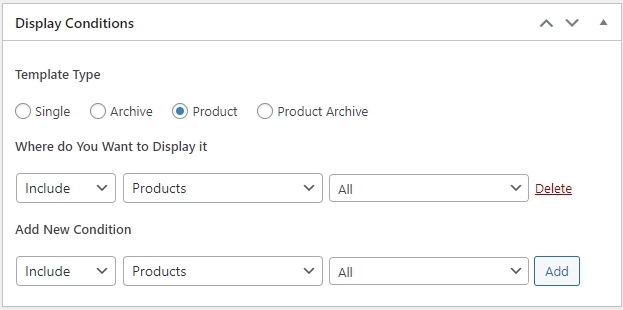
- The Display Condition for the Brizy Template matches the below screenshot
- The Product Template is published and not in Draft Mode. When you edit the Template using Brizy if you see 'Update' at the bottom right corner, you have published it. If you see "Save Draft' you have not published it.
- Ensure that you are using a Brizy Compatible theme. Twenty Twenty One and these themes work well with Brizy. Please change your theme to one of these and check if the Product Template works. https://www.brizy.io/theme-partners
Please share a product URL so that we can check it at out end.
If the product template does not work after ensuring the above, please get back to us. We will need access to you WordPress Dashboard to offer further help.
0 -
I did everything as you described and im using Blocksy. But its still not working. When I try to embedd the product page on my landing page it uses the default woocommerce template and not the brizy template I created.
0 -
Hi Amer,
Can you please share a product URL?
0 -
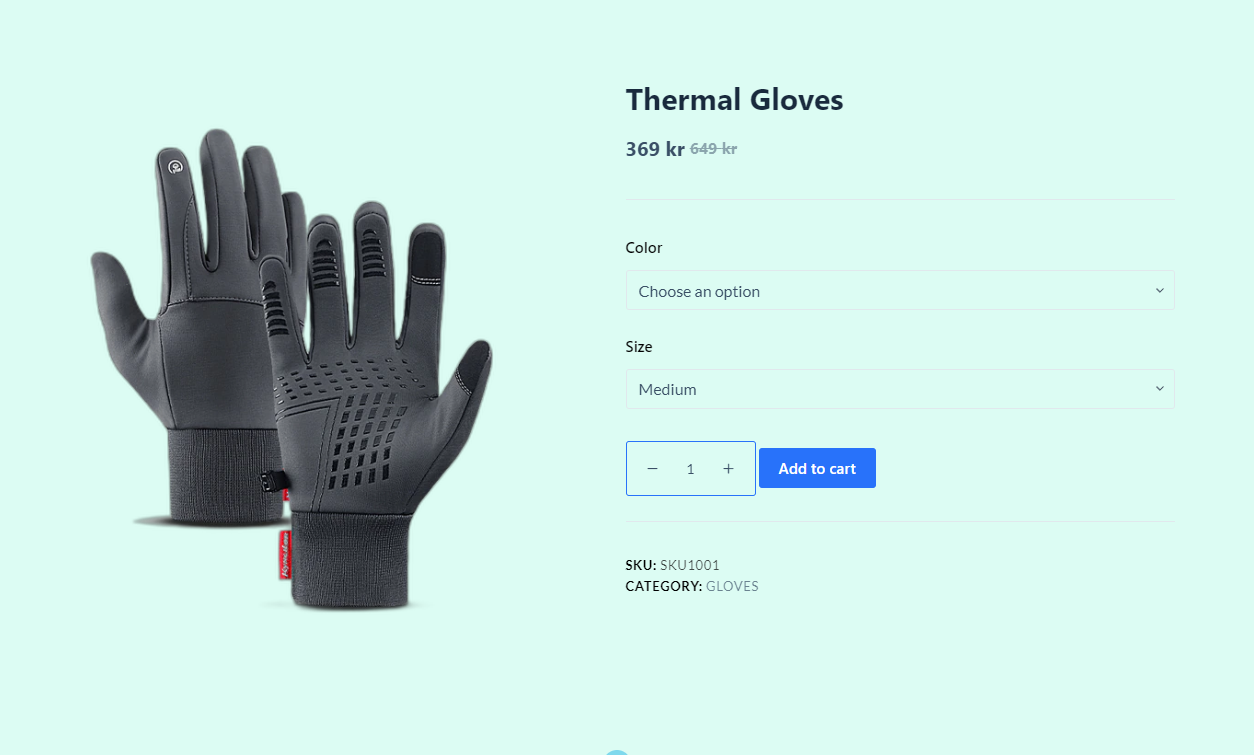
https://sorala.se/product/thermal-gloves/
it works when viewing the product url directly, but not when embedding
 0
0 -
Hi Amer,
I have embedded your product page here. https://digital-works.brizy.site/iframe Please have a look
I have used this code
<iframe src="https://sorala.se/product/thermal-gloves/" width="100%" height="680"</iframe>
How are you embedding the product page?
0 -
Hello, im doing it using the woocommerce page element, shouldnt it also work that way?
0 -
Hi Amer,
I apologize; I did not completely understand the process you have followed to embed the product page. Can you video record your screen while demonstrating how you used the embed?
0 -
Hello, please see this video record
https://www.veed.io/view/fe6b56f0-6aec-4e4e-afd0-90f8622f4735?sharingWidget=true&panel=share
0 -
Hi Amer
The Brizy Page element displays the different woocommerce pages following the design set in your theme. It does not show the Brizy Product template design. The Brizy Pages element works similar to the woocommerce shortcodes listed here https://woocommerce.com/document/woocommerce-shortcodes/
0 -
Okay so is there another easy and visually better way to do it than the ifreame?
0 -
Hi Amer,
Please watch this video for the procedure to embed a specific product details within your landing page. https://jmp.sh/uoEtLcC0
0 -
Thanks for ur suggestion, I think it will solve my problem.
Im having another issue though, Im not able to change the label size and color. Please check the linked video.
https://www.veed.io/view/4a5494f0-17f7-40d6-8fab-cf8b60fe9d80?sharingWidget=true&panel=share
0 -
Hi Amer,
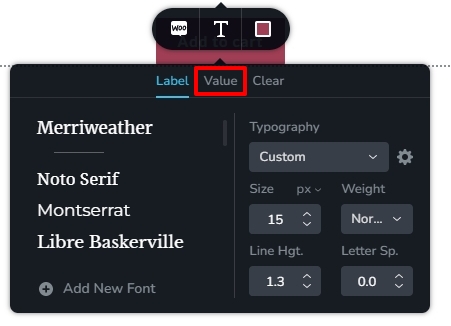
To change the label size, please set the font size for your values.
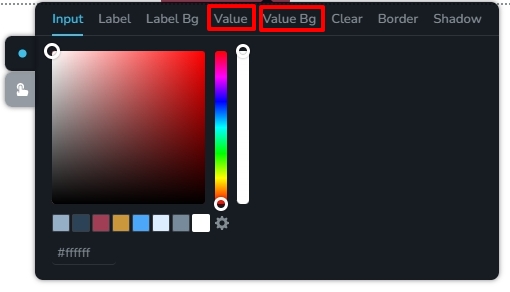
 You can set the Value and Value Bg colors, to change the color of your fields.
 0
0
Please sign in to leave a comment.
Comments
13 comments