Popup not showing

Dear support:
The popup is now showing after adding the code to the footer.
see site: hlcwholesale.com
popup I installed is: https://www.brizy.cloud/projects/14497444/editor/external_popup/2124503
There is no condition issue, everything is set properly.
You can even see the embeded code is in the footer when view source html from the page
Can you please check why?
-

Hi Anson,
What is the trigger condition for your popup. I tried pasting your popup embed code on a WordPress test site. It is not getting triggered at my end either.
Can you please do this test? Please remove the code you have added and paste this code and check if a popup shows within a second after the page load.
<script>!function(p,n,o){if(!(o=n.getElementById("brz-external-popup")))return(o=n.createElement("script")).async=1,o.id="brz-external-popup",o.src="https://2d4bd1e243f43c90c8d937fcda13dbcf.s3.amazonaws.com/assets/popup/v2/popup.js",o.onload=e,void n.body.appendChild(o);function e(n,e){e="https://pineapple14784282.brizy.site",p.brzExternalPopup?p.brzExternalPopup(e):(n=o.onload,o.onload=function(){n(),p.brzExternalPopup(e)})}e()}(window,document);</script>Please have a look at https://pineapple14784282.brizy.site/ The popup embed is expected to be displayed just like the way it works on this URL.
0 -
Hi, the trigger is ON PAGE LOAD : 1
see: https://share.getcloudapp.com/d5uy08Rb
I tested your code, and it does show up on the website after a few second.
However the code I added from: https://www.brizy.cloud/projects/14497444/editor/external_popup/2124503
This does not show up.
Please chekc.
0 -
Hi Anson,
When I added your code to a test page, it did not trigger any popup. The front end URL of your popup project https://fig14497444.brizy.site/ does not show a popup as well.
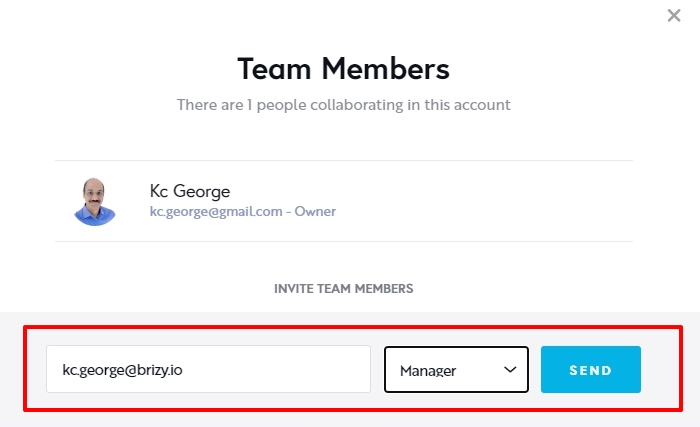
The problem could be with the way the popup is setup. I will need access to your project to help you fix the issue. Please add me as a Team Member to your project. My email: kc.george@brizy.io. Please assign me Manager role.
 0
0 -
Just added you, and here is the popup url: https://www.brizy.cloud/projects/14497444/editor/external_popup/2124503
Thanks!
0 -
Hi Anson,
You had not published the popup. It is working now after I published it. You can check it here https://fig14497444.brizy.site/
Please paste the embed code into https://hlcwholesale.com/ again and check if the popup works.
0 -
Strange, I did click on publish on my end, and there is no place indicate it's not published. So you just click on the 3 dots then select PUBLISH? that's it?
0 -
Hi Anson,
In the Brizy editor where you create the popup design, on the right bottom corner it said 'Save Draft'. This means that the page is not published.

If the page is published, it would say 'Update'
 0
0
Please sign in to leave a comment.
Comments
7 comments