Custom Links to Blocks

Hello,
I'm using Brizy Pro and I am trying to add custom links to blocks! I cannot see how I can get the page they show on their tutorials that allows me to add these links!
It states 'click on settings and click on the 'hamburger menu' and it shows a black page. Unfortunately I do not see any black page with a hamburger menu.
Can anyone help with a bit more specific information as to how I can reach this magical page, as Brizy needs to elaborate more in their tutorials to make it easy to follow!
-

Hi Mike,
Please have a look at these tutorials for the procedure to add an anchor link to a specific block within a page. The first one is a more recent tutorial whereas the second and third ones are few years old.
- Links & Anchors | Brizy WordPress 101 | Lesson 11
- Anchor Links | Brizy Feature Update
- How To Create a Jump Link to a Specific Block or Element on another Page
-1 -
Hello George,
It’s very kind of you to reply as I’ve spent numerous hours today trying to sort this and actually got to the point of moving away from Brizy to another builder!
Those tutorials are very good and I can see how they work with text and other buttons because there is the link chain to use, however this is not so with the primary header menu which is my issue!
I have named all the blocks on my page using the # tag, but I noticed that the tutorial didn’t do this, so maybe I’m wrong.
I have a dropdown menu that needs to be linked to the homepage blocks so I was trying to use ‘custom links’ in the WP dashboard, but that didn’t work! Unfortunately the tutorial videos don’t cover that which I think is most important for landing pages!
Kindest regards
Mike Commins
0 -
Hi Mike
You are right; we do not have a video for creating a navigational menu for a landing page. Please watch this video I have recorded now for the procedure. https://jmp.sh/cmpQzZCd
If you have more questions, please let me know
0 -
Hello again George,
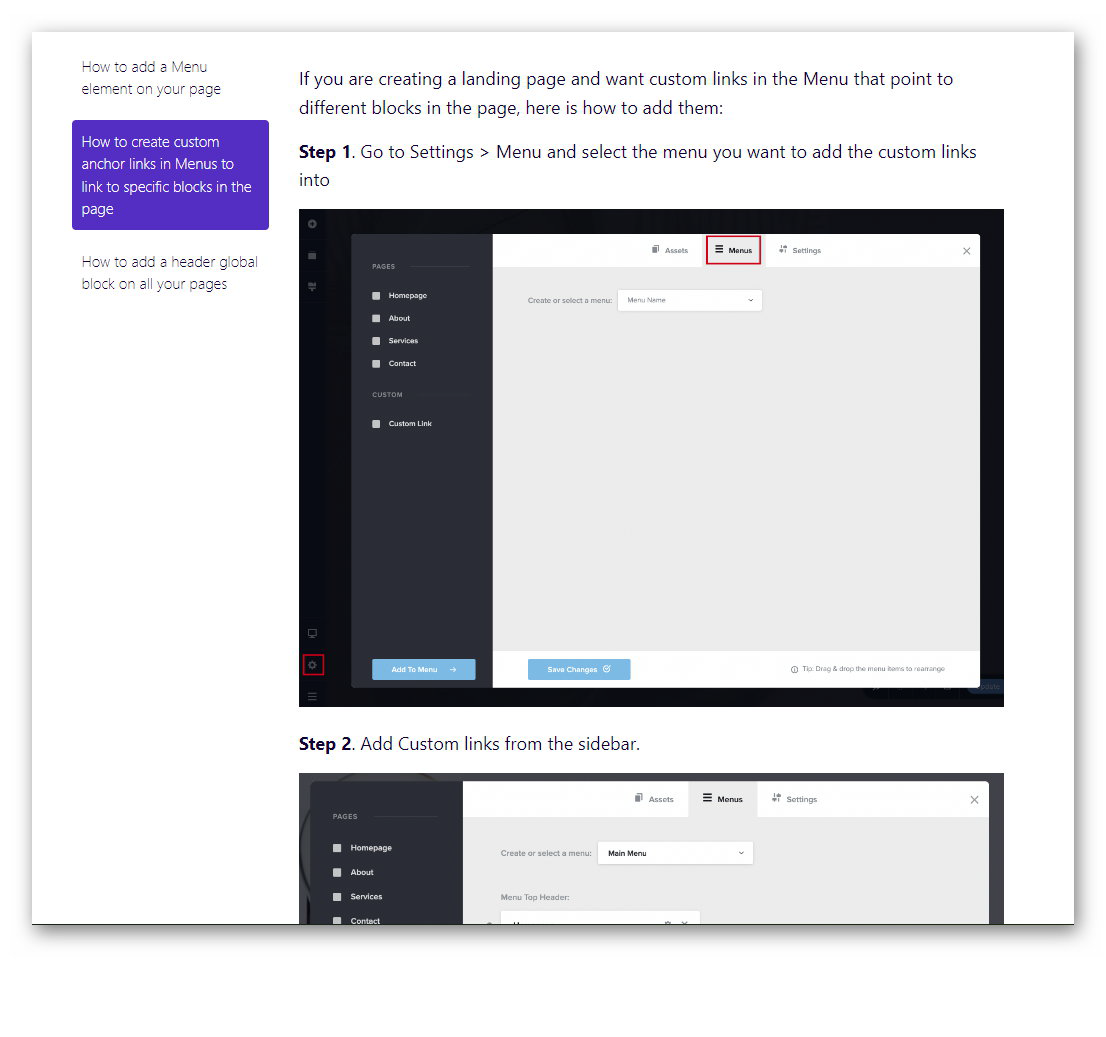
Further to my initial query and your kind response, I've decided not to link blocks but instead use separate pages!I've tried all the tutorials you mentioned below as well as other Brizy tutorials but none give the answer, i.e, I cannot find the methods they show on the tutorials - I have attached 2 screenshots from these tutorials!For the first one, I don't see any WP Menu in the WordPress section only Sidebar and Shortcode to click on.The second one I have no idea how to reach this menu page which would solve my problem. TBH George I find Brizy tutorials are not very clear!Kindest regards,Mike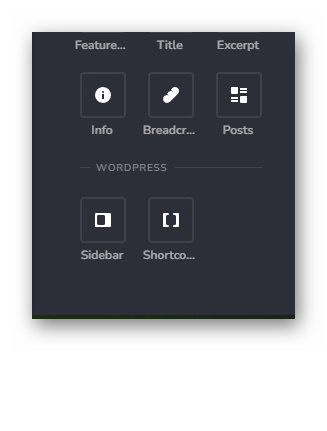
 0
0 -
Hello again George.
I have good news to report; your recent video tutorial ( https://jmp.sh/cmpQzZCd) helped immensely, and I have been able to set up block links successfully!
Thank you so much for bearing with me! When we offer 'explainer videos' to our clients, this is how a detailed video tutorial can be so helpful i.e, showing several repeats of the same method so as to sink in!
Kindest regards,
Mike
0
Please sign in to leave a comment.
Comments
5 comments