Bild Mediathek öffnet nicht

Hallo Zusammen,
sobald ich mit Brizy ein bestehendes Bild ändern möchte, habe ich Probleme mit der Bilder-Mediathek. Sie öffnet sich beim anklicken des Bildes nicht. Somit kann ich weder neue Bilder hinzufügen noch bestehende Bilder ändern.(Siehe Bild) Wenn ich auf den Bereich "Bild" klicke öffnet sich wie sonst üblich kein Fenster mehr.
Habe bereits versucht das Plugin neu zu installieren, sowie es auf einem anderen Gerät getestet. Beides erfolglos
Besten Dank für Ihre Hilfe.
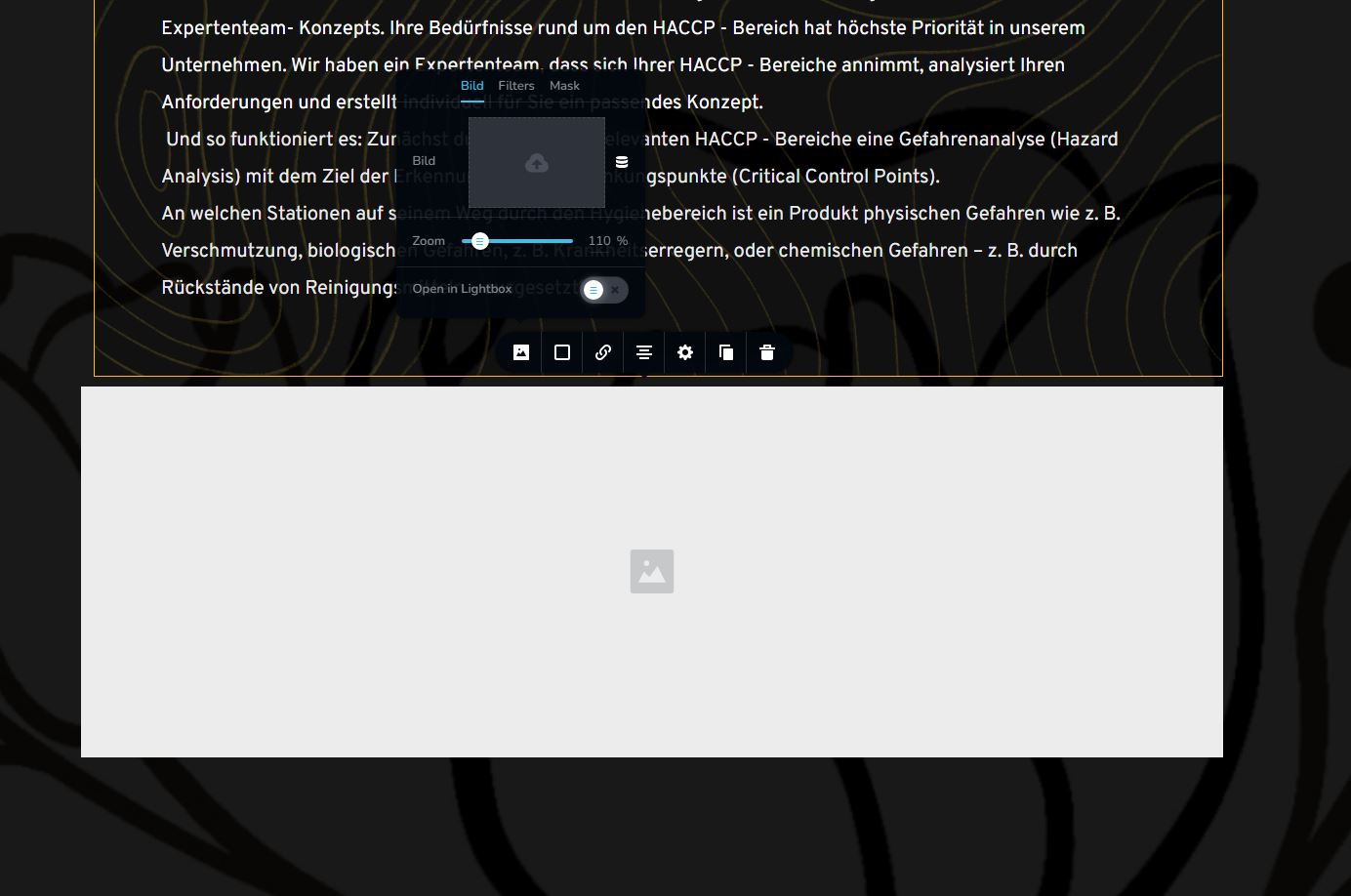
-

Hi Sarah,
Can you do a few compatibility checks?
- Are you using WordPress 5.9 or above? https://jmp.sh/iqlQrFw
- Are you using PHP 7.4 or above https://jmp.sh/XrkFgLV
- Are you using a theme compatible with Brizy? Twenty Twenty One and these themes work well with Brizy https://www.brizy.io/theme-partners Please change to one of these themes and check if the image upload problem persists.
- Do you have a plugin which is incompatible with Brizy? If none of the above helps, please deactivate one plugin at a time and check if the problem persists.
If you are not able to find a solution, please get back to us; we will help you troubleshoot
0 -
Hey George,
i have tried all of the above, nothing works.
Still the same Problem. Also tried to open the picture library in firefox, Chrome and Edge.
Nothing works
0 -
Hi Sarah,
We will need to do some troubleshooting on your WordPress Dashboard to identify the cause. Please add me as a user to your WordPress Dashboard if you need assistance with this. My email: kc.george@brizy.io. As shown in this screenshot: https://jmp.sh/sOSGGR3, please turn on the option "Send the new user an email about their account"
Please let me know here when you send me an invitation.
0 -
Done, thanks a lot
0 -
Hi Sarah,
The Brizy image upload issue is due to a conflict with Iubenda plugin. If you deactivate the plugin you would be able to upload images using Brizy.
Under Iubenda - Cookie Solution - Configure - disabling the option "Automatically block scripts detected by the plugin" helped to resolve the conflict with Brizy for another user. https://jmp.sh/6OUb4syR When I attempted to disable the option in your WordPress Dashboard, the changes did not get saved. Hence I could not disable the option.
You have also installed Cookiebot plugin. Please consider using Cookiebot in place of Iubenda.
0 -
Thanks a lot George,
it is working again. I appreciate your quick help and response, you have propably saved me of loosing a client of mine. Have a nice Weekend.
0
Please sign in to leave a comment.
Comments
6 comments