Domain was not found

Hi,
we are having a problem with the following domain https://www.getdollar.it/
All the DNS records are correctly configured as shown by Brizy dashboard and the project is editable, but when trying to reach the website, we get "Domain was not found" error.
How can we proceed?
Regards,
Francesco
-

Hello,
Thank you for contacting us.
We have fixed this issue, please clear your browser cache and check again. Please let us know if you have any other questions.
Best regards, Nelea.
0 -
Hi,
thank you, it's fixed now. Is it possible to know what the issue was?
0 -

Hi Francesco,
Projects which were developed before Feb 2021 follow an older Brizy Cloud project format and projects that were created after Feb 2021 follow the current project format. The issue was because you were publishing a website developed using the older Brizy Cloud project format.
0 -

Hello
This is happening to me, and my project was created a few days ago, the page sometimes loads and some other shows "Domain was not found". What should I do?
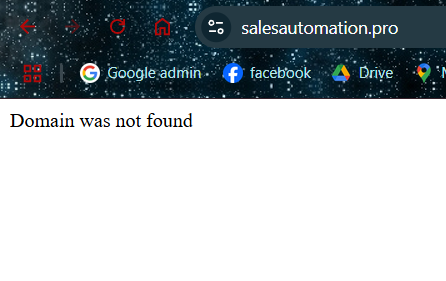 0
0 -
Hello there,
We do not find a reason why you should see the error "Domain was not found". Can you do some more tests and get back to us with your finding?
- Visit the website from different browsers and different devices and check if the error persists
- Visit the website from a "New Private Window" of your browser and check if you see the same error.
- Delete cached imaged and files from your browser following the procedure at https://uaptc.edu/clear-cache and check if the issue persists.
0
Please sign in to leave a comment.
Comments
5 comments