WooCommerce Category Issue

In the past the same exact setup worked with Brizy Pro (WP Plugin), but now it only works when I deactivate Brizy (which obviously destroys the esthetics of my website)...
Attached screenshots show the identical URL with Brizy activated and deactivated:
• In the screenshot with Brizy *deactivated* you can see the WooCommerce *Product Category* is displaying *Products* (which is what it should do)
• In the screenshot with Brizy *activated* you can see the Blog *Post Category* is displaying *Posts* (which is NOT what it should do)
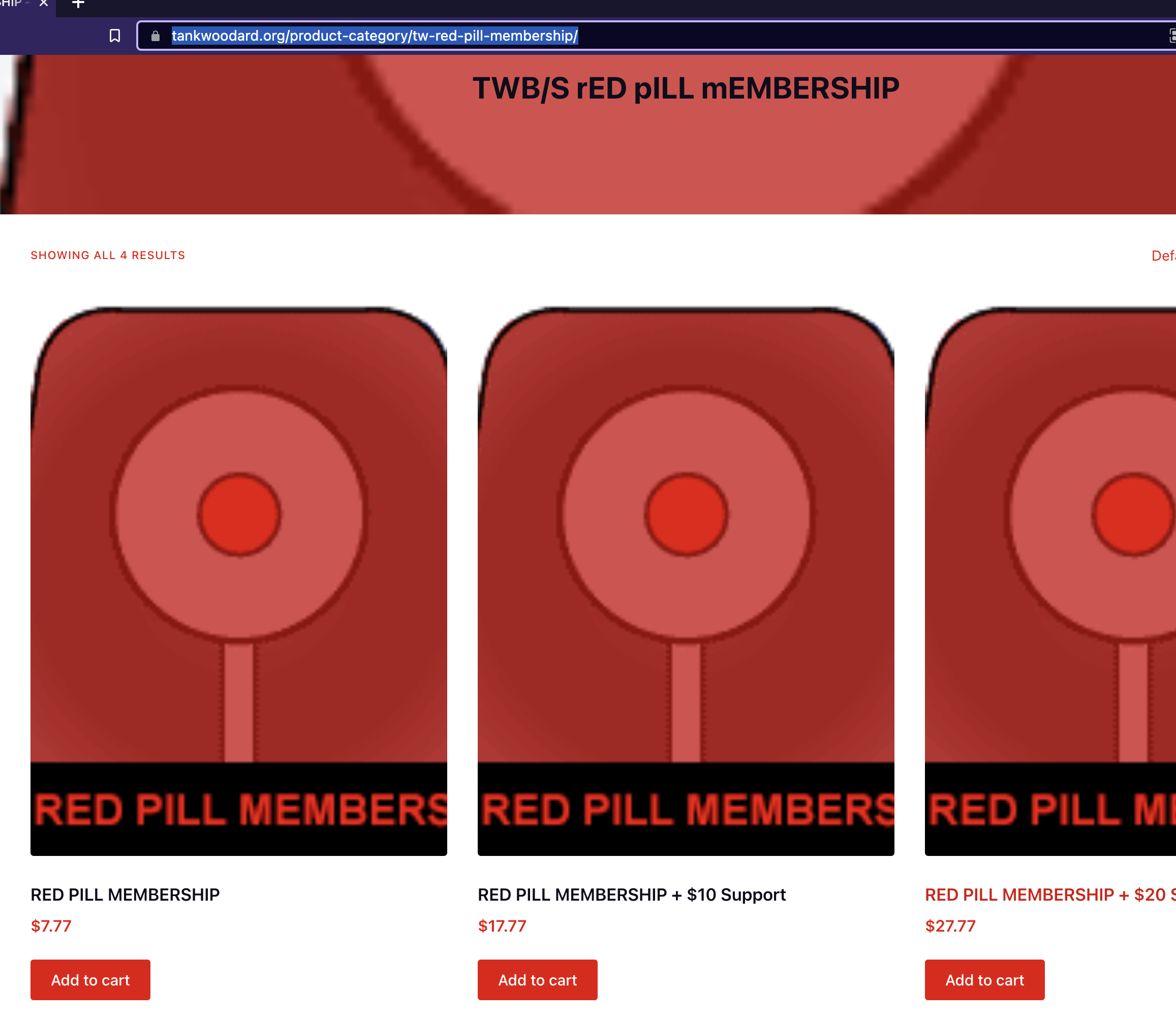
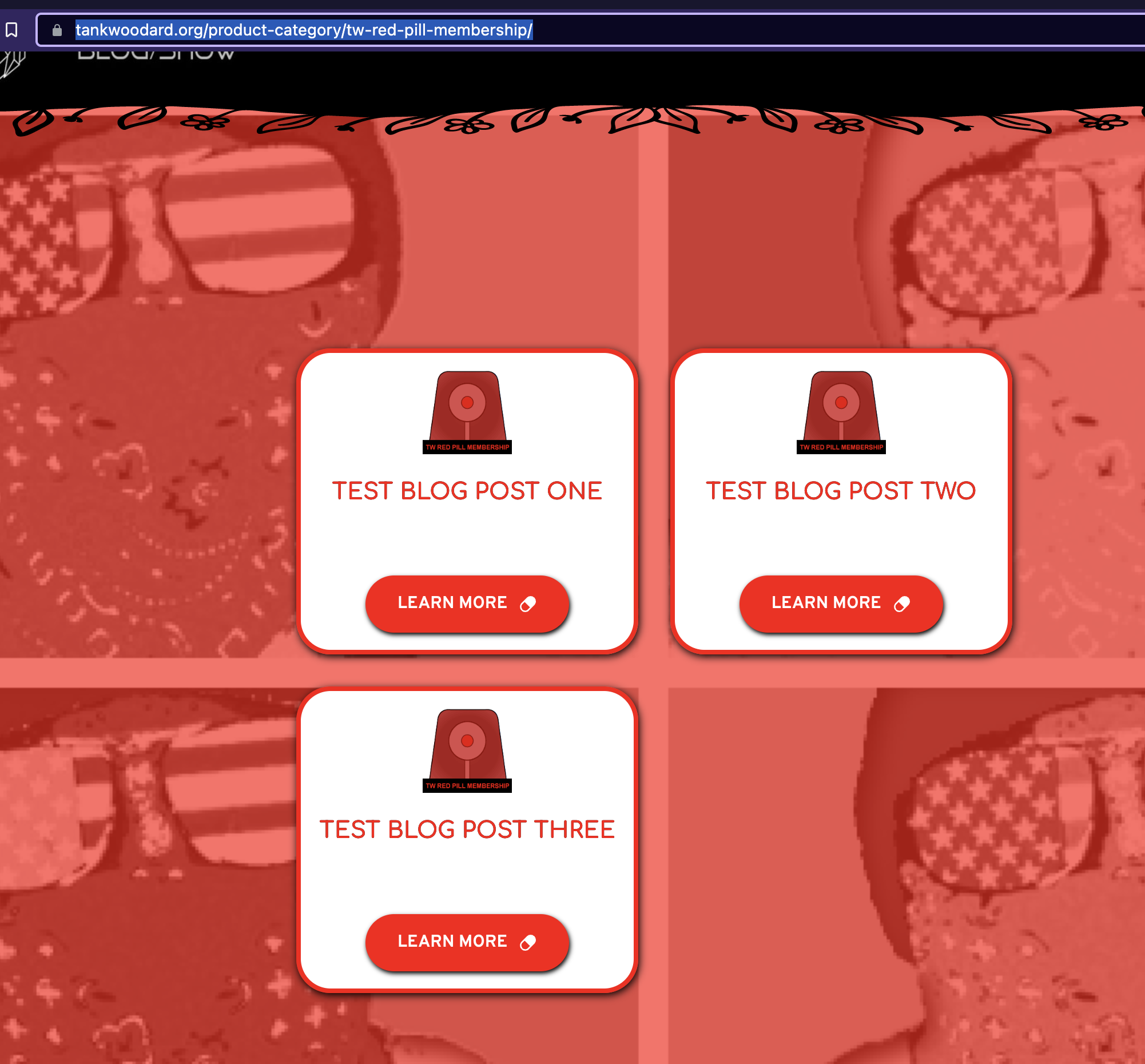
-

Hi
We need to look at your project to troubleshoot this issue for you. Please add me as a user to your WordPress Dashboard if you need assistance with this. My email: kc.george@brizy.io. As shown in this screenshot: https://jmp.sh/sOSGGR3, please turn on the option "Send the new user an email about their account"
Please let me know here when you send me an invitation.
0 -
KC,
I sent it... thank you, sir.
0 -
Hi
In the Product Category Template, instead of adding the Archive element, you had added the Posts element. Hence it was displaying Posts.
I have now added the Archive element to this template. Please have a look at https://tankwoodard.org/product-category/tw-red-pill-membership/ I have copied the design from the Posts element to the Archive element. The Posts element is available at the bottom; If you need to fine tune the Archive element design, please do it.
0 -
Thank you, KC.
That's strange because it was setup properly before and I never changed it... but that's good to know!
Last thing on this, I don't want the Posts element at the bottom (I only want the Products)... I'm failing to find how/where to remove it...
0 -
Never mind... I figured it out...
The "source" was set to "auto" so it made the Posts element look like it was a Products element (it was listing Products titles rather than Posts titles which threw me off)... I deleted the Post element at the bottom and it now it's correct... thank you!
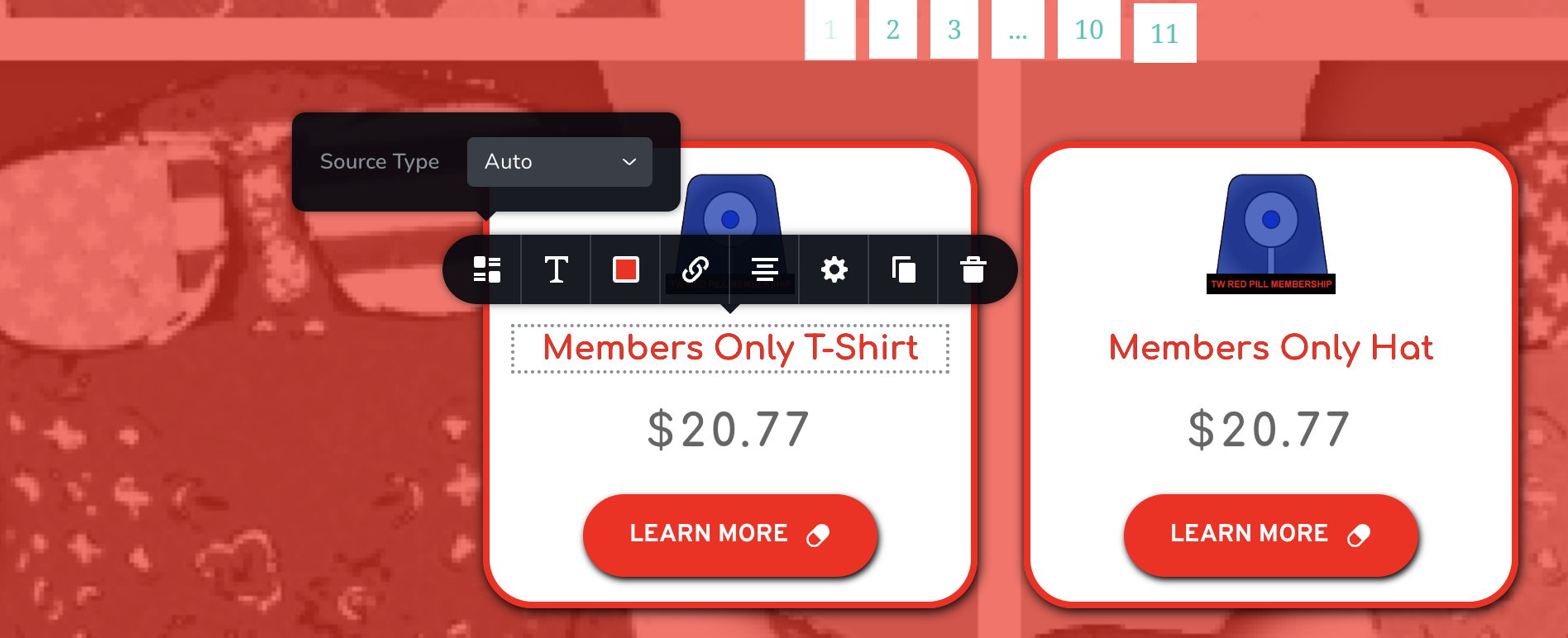 0
0 -
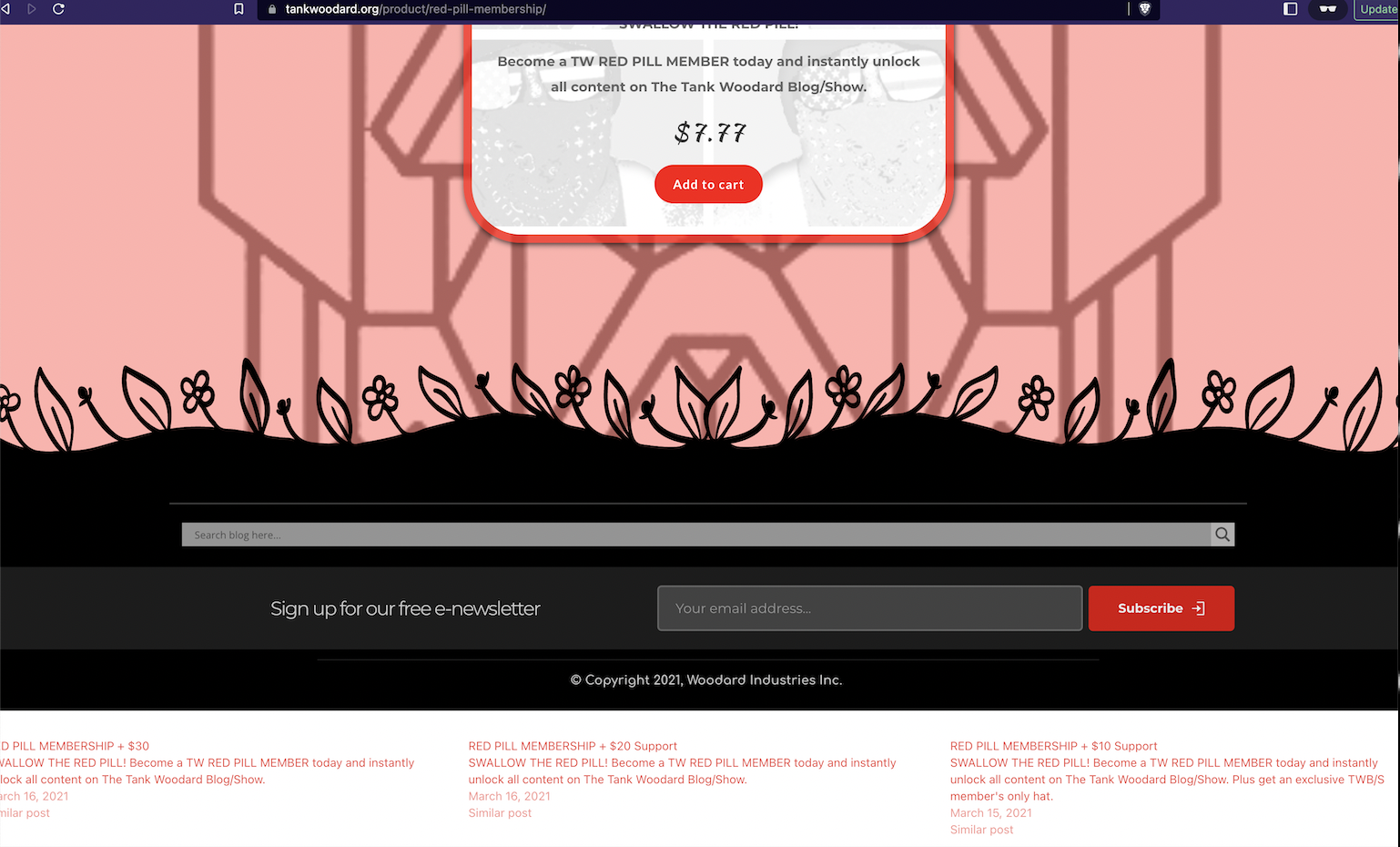
I do have a new question... how do I remove the "similar posts" at the bottom?
 0
0 -
Hi
I checked few of your pages; I could not find a page with Similar Posts. Can you please share the URL of the page where you would like to remove Similar Posts?
0 -
KC,
They're "Product similar posts"... you can see the URL and the "similar posts" on the bottom of the screenshot I included in my question (white background with red text underneath the footer...
But here it is again: https://tankwoodard.org/product/red-pill-membership/
FYI: I wouldn't necessarily mind them being there *IF* they were formatted like "Blog similar posts" that are "decorated" and not below the footer... example below to contrast with the aforementioned "Product similar posts"... Although the "Blog similar posts" are more accurately described as "Next/Previous Posts" (see URL below):
https://tankwoodard.org/video-three/
Ps. I'd still like to know how to remove the "Product similar posts" and I definitely want to keep the "Blog similar posts"
Thank you, KC!
0 -
Hi Tank Woodard,
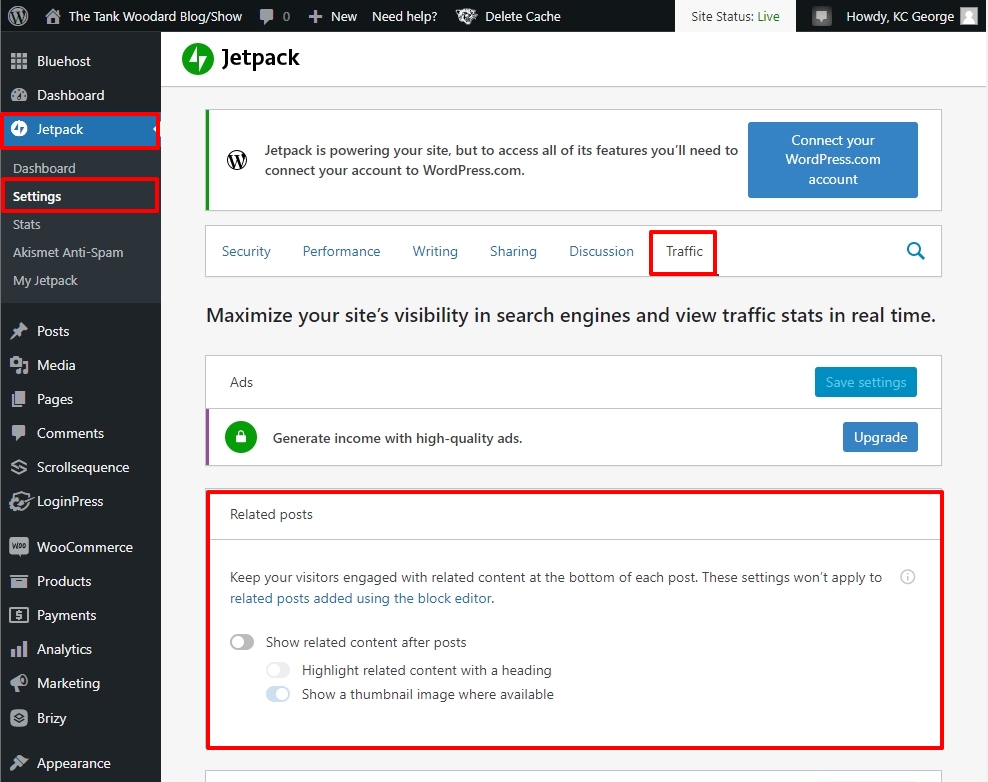
In your WordPress Dashboard, under JetPack - Settings - Traffic, "Show related content after posts" option was enabled. I have now disabled it.
 0
0
Please sign in to leave a comment.
Comments
9 comments