one "see more" button and one "add to cart" button

Hello,
I want to add an "add to cart" button in addition to the "view more" button in the product archive.
With a classic theme, I add the following code in the function.php file:
add_action( 'woocommerce_after_shop_loop_item', 'woocommerce_template_loop_add_to_cart', 20 );
But this code doesn't work with brizy.
Can you give me the good code to add.
Cordially
Patrick
-

Hi Patrick,
If you would like to add the Add To Cart button on your Product Catalog along with Read More, you have broadly two options.
- Place the Add To Cart button to the Brizy Archive element: Please have a look at this test page for an illustration: https://brizytest.online/shop If you are interested in this option, I can make a video explaining the procedure.
- Display the Product Catalog using the woocommerce shortcode [products]. Please have a look at the test page here https://brizytest.online/shop1 Your shop page will display the product catalog following the design you set in your theme. You can also customize your shop page by adding PHP code. In my test page, I have enabled 'Add To Cart' button in the customizer. You will have to use the Default Page Template (instead of Brizy Page Template) if you follow this approach. If not, the Cart would not get updated when adding products to the cart. Your page header and footer need to be designed using your theme when choosing the Default Template.
0 -
Hi George !
Thank you for your reply.
Yes your first proposal is exactly what I want to do. I tried but I can't find the option to add the "add to cart" button. I want to see the video :)
Thanks in advance
Cordially
Patrick0 -
Hi Patrick,
Please have a look at this screen recording for the procedure to add the Add To Cart button to your Shop or any another Product Archive page. https://jmp.sh/18xZkL4a
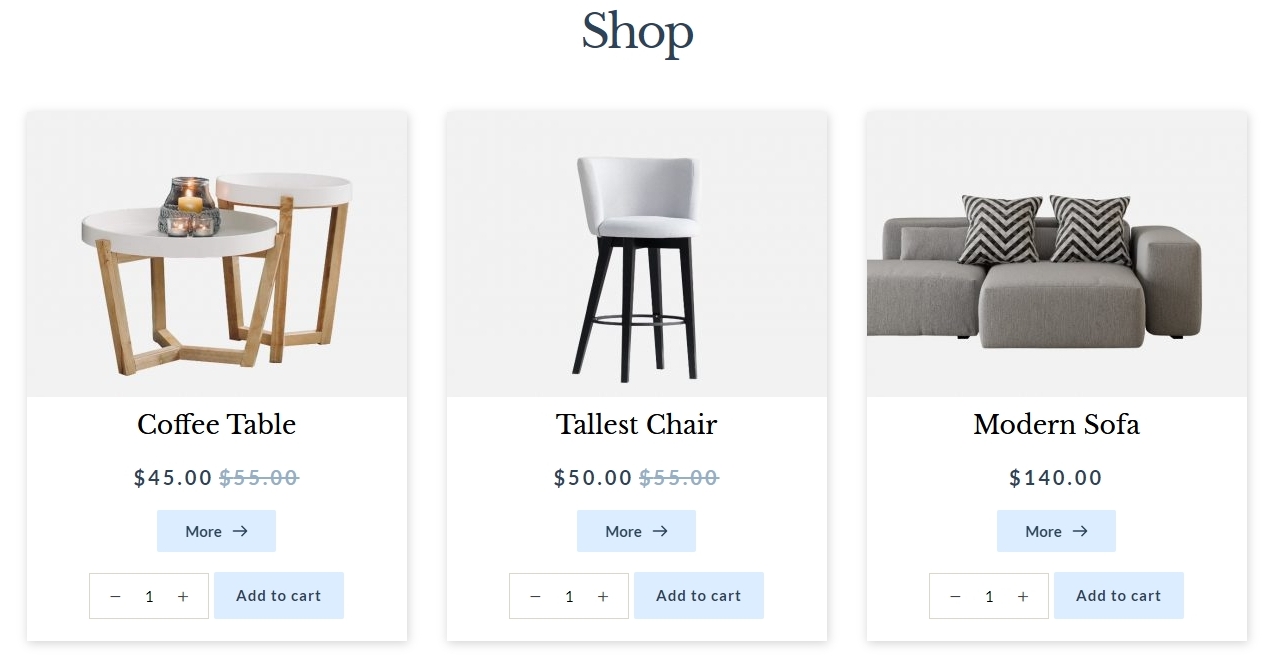 0
0 -
Hi George, you are the best :)
Thanks for that
Patrick0 -

Hello,
Your explanation is very good but personally, I don't have a templates in the brizy tab.
Is it possible to have the lines of code to be able to add it by hand with one of the "short code" or "embedded" functions?
Additionally, I think this function should be native to Brizzy's functions. This is a function found on many e-commerce sites.
Looking forward to hearing from you, I send you my most cordial greetings."By google translate"
Hello,
Votre explication est très bien mais personnellement, je n'ai pas de templates dans l'onglet brizy.
Est-il possible d'avoir les lignes de code pour pouvoir l'ajouter à la main avec l'une des fonction "code court" ou "embarqué"?
De plus, je pense que cette fonction devrais être native dans les fonctions de Brizzy. c'est une fonction que l'on retrouve sur beaucoup de site e-commerce.
Dans l'attente de vos nouvelles, je vous adresse mes plus cordiales salutation0 -
Hi Caryl,
I am not sure if I understand your question. Are you saying that in your WordPress Dashboard, you do not see the 'Templates' option under Brizy?
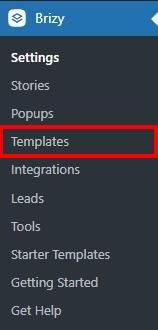
Can you please share with us the Brizy and Brizy Pro version numbers?
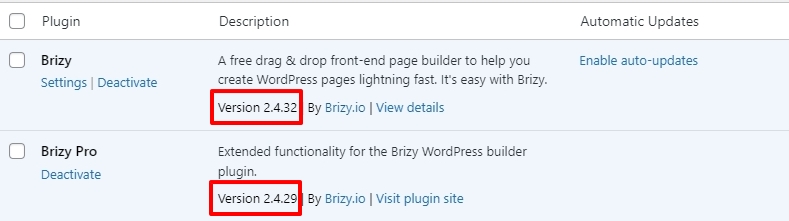 0
0
Please sign in to leave a comment.
Comments
6 comments