ACF Pro Google Maps & Flexible field

Hi,
How can I display the Google Maps field from ACF Pro in Brizy?
And how can I display the flexible field from ACF Pro in Brizy?
Many thanks
-

Hi Stijn,
Displaying the Google Maps field from ACF PRO in Brizy may not be possible. However, you can display maps on a Brizy page based on an ACF custom Text field. Please watch this video for the procedure: https://jmp.sh/a9sGRHIZ
We are not sure if the ACF Pro flexible field works with Brizy since we do not have access to ACF Pro. Please add a flexible field in ACF and and try displaying the content in a Brizy page like you would display any other custom field content and let us know your findings.
What type of content are you trying to display using the ACF flexible field? In case this field does not work with Brizy, we can possibly suggest an alternate solution to achieve the same results.
0 -
Hi KC George,
The map works! Many thanks.
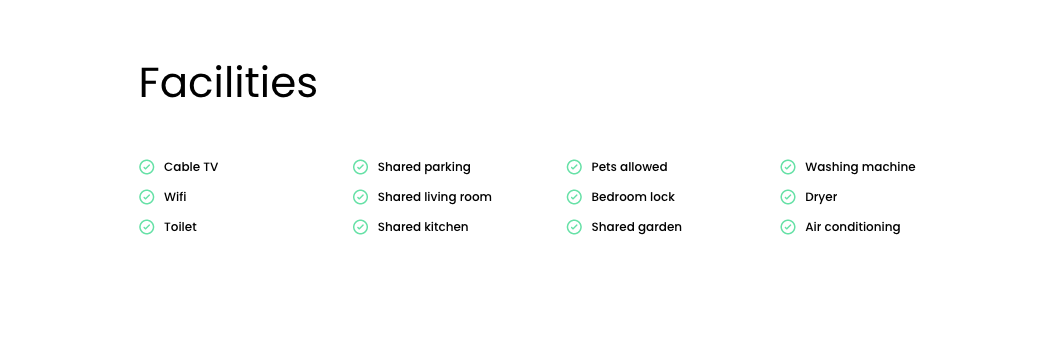
Concerning the flexible field, I want to show different facilities as shown below (which depend on the house/appartement). I work with one template for all houses. Normally the # with the label displays the field. In this case that won't work.
I can give you access, or do you have another work around?
 0
0 -
Hi Stijn,
One option to add Facilities as you have given above is to add these as static content directly in the Brizy editor instead of displaying it as dynamic content. If you add properties using blog posts, you can edit the blog posts with Brizy and add this content directly in the Brizy editor.
In this approach, you can set up a template using global blocks and display conditions (instead of using Brizy templates). I can demonstrate how this can be done in a video lesson if you like.
0 -
Hi Stijn,
I added a new product with the same specifications as your original one to illustrate the idea. Right now, you have two products.
- https://rotterdamhome.com/product/aelbrechtskade-156b/ You had created this product using the Place Brizy Template
- https://rotterdamhome.com/product/aelbrechtskade-156c/ I have added this product. It has the same specifications as the first, but is created by editing the product with Brandbits Builder. The Brandbits builder design overrides the Places Template design in this product. I have added static content under the Facilities section using the Brizy Icon Box element. To view the design, kindly click on "Edit with Brandbits Builder" here. https://jmp.sh/a3ChB0ii
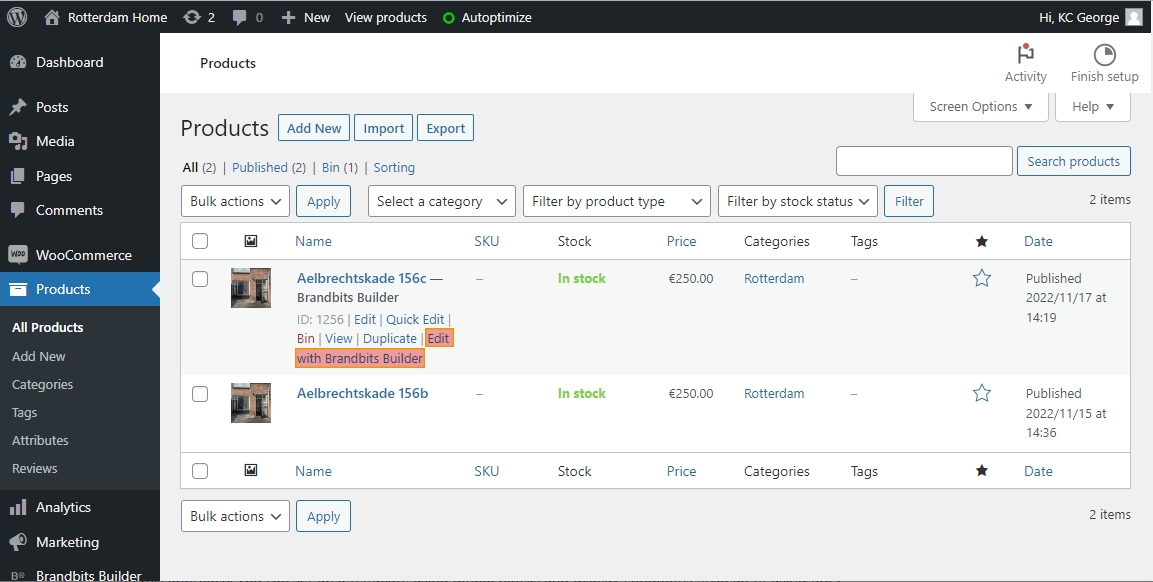
You have more design flexibility using this method. You can design your product pages with the help of all the Brizy elements. You can lessen the amount of dynamic content and increase the amount of static content in each product if you choose to implement this idea.
0
Please sign in to leave a comment.
Comments
4 comments