Google Page Index Error

Hello, I received this error message from Google on https://www.pchomehealth.org. Can you please provide guidance on what I need to do? Thanks
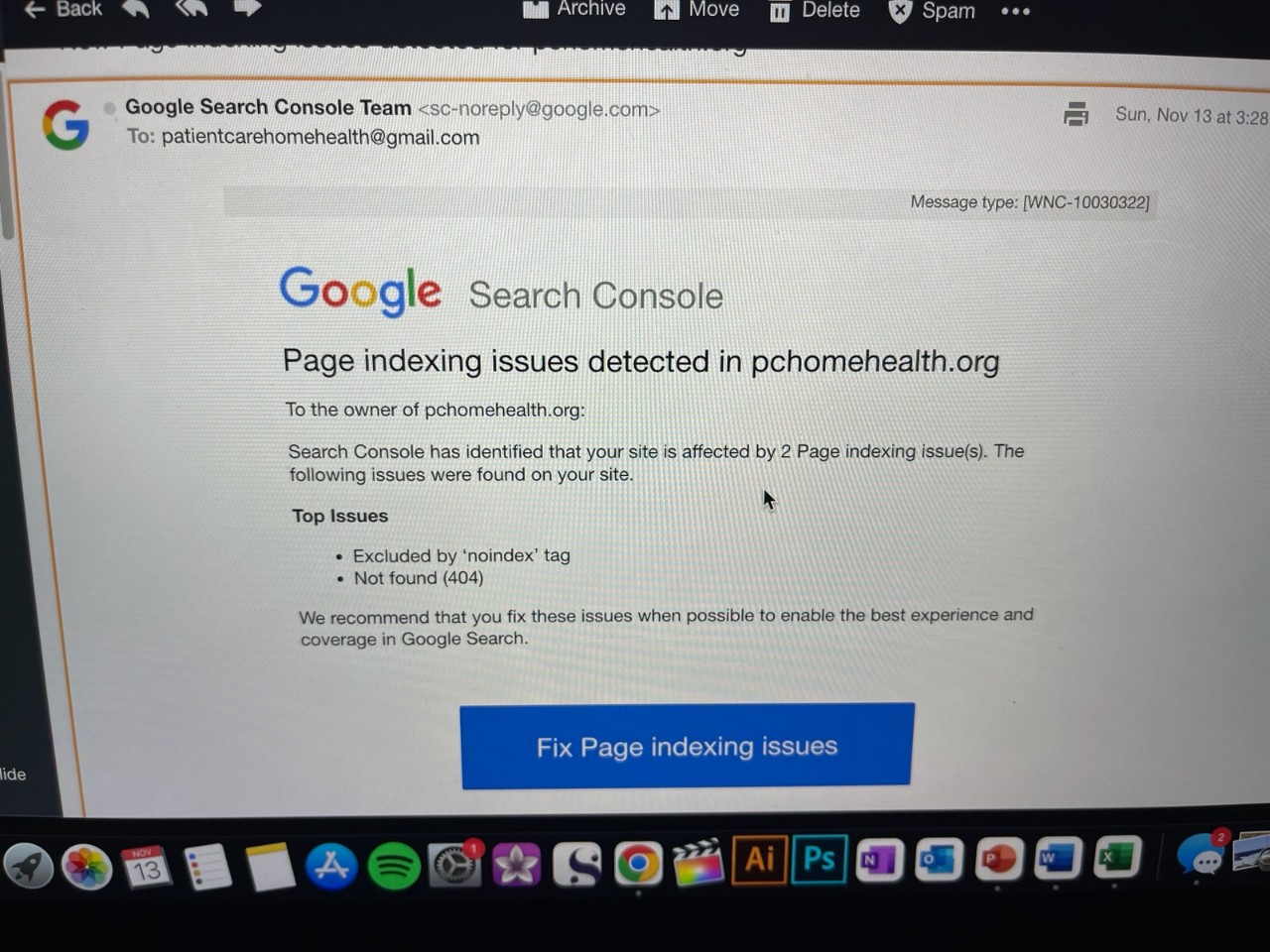
0
-

Hi Mark,
Please follow these steps to fix this issue
- Sign into Google Search Console and select "Pages" from the sidebar on the left.
- Click on the reason "Excluded by 'noindex' tag" in the right pane's "Why pages aren't indexed" section.
- A list of pages that are not indexed will appear on a new page that will open. The two pages that are not indexed should be noted.
- Sign into your Brizy Cloud Dashboard. Check to see if the "Search Engine Visibility" toggle switch is turned on for the two unindexed pages. Please switch it on if it is currently off. https://jmp.sh/9zq2otMK
- Request indexing for the pages for which you have enabled search engine visibility in Google Search Console under Pages: https://jmp.sh/wkHclUIM
- Allow 5-7 days for Google to index the two pages.
- Enable Page Not Found (404 page) under CMS - Project Settings - System Pages. https://jmp.sh/VA4pzAay
0
Please sign in to leave a comment.
Comments
1 comment