brizy handles single product and variable product different

Hi.
I made a brizy template for products. I notice a single product is shown different than a variable product. I use to use Astra theme and now switched to Zakra theme with no difference. I use latest version of Brizy pro and standard woo commerce.
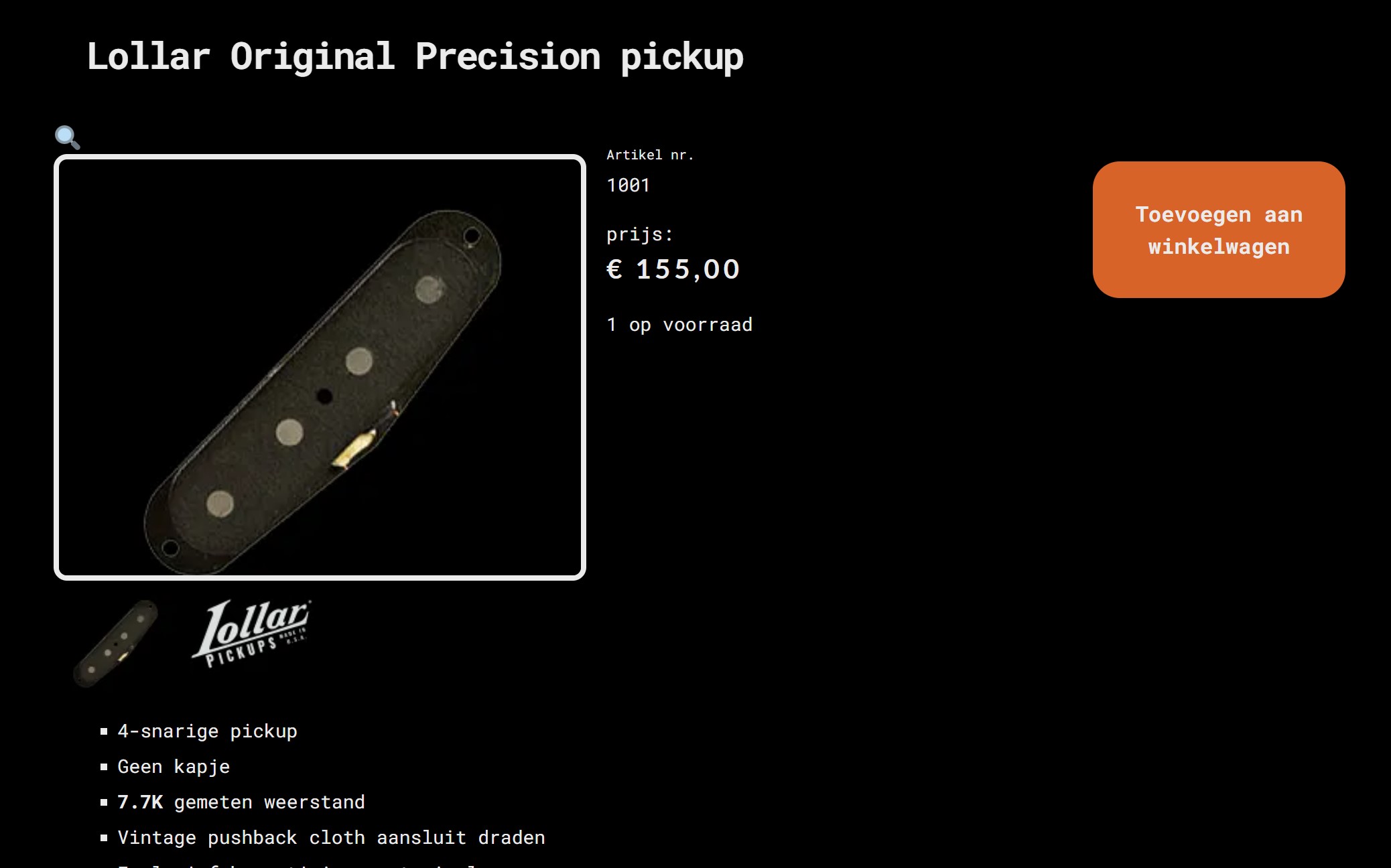
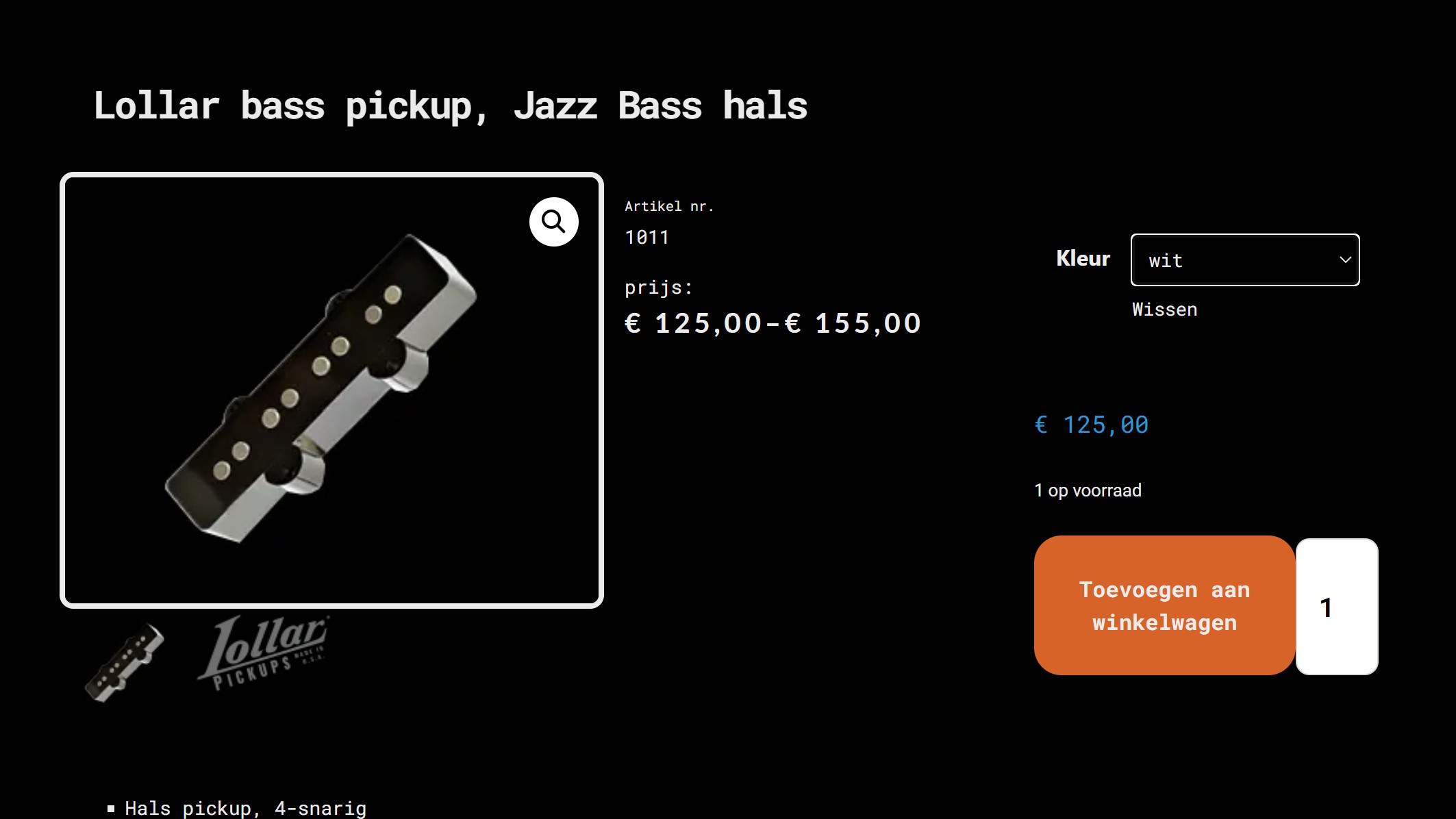
When a single product is selected, I see the magnifying icon on top of the image. Variable product has the icon on the image, wich I prefer.
With a single product, no quantity field is shown next to the add to cart button. With varaible products it is generated.
What to do? This looks quite clumsy.
Thanks!
******
Edit: I realised for a single product with only 1 in stock, no quantity field is generated. However, I made a variable product with one variation stock 1 and the other variation stock 2, where both variations get a quantity field. Not very consequent and intuitive for the customer.
*******
Single product:
Variable product:
-

Hi Ferdinand,
Brizy does not stylize the lens icon. The Gallery Zoom function is stylized by the theme. You could try a different theme to try a different Gallery Zoom design. For example, please have a look at the product gallery when using the Blocksy theme here
- Simple Product : https://brizytest.online/product/tallest-chair
- Variable product: https://brizytest.online/product/coffee-table
You could try out these themes https://www.brizy.io/theme-partners.
0 -
Thank you KC George, the Blocksy theme improves that. Just one more question, I can't seem to display stock amounts. It must be due to the Blocksy theme, before I could see stock amounts. I tried to alter colors in the theme, and tried to use CSS in Brizy, but no result. Also in the Brizy builder, adding the stock block in a template leaves a blank square. If items are not in stock, the theme does display 'out of stock'though.
Thanks in advance if you knew about this behaviour!
0 -
Hi Ferdinand,
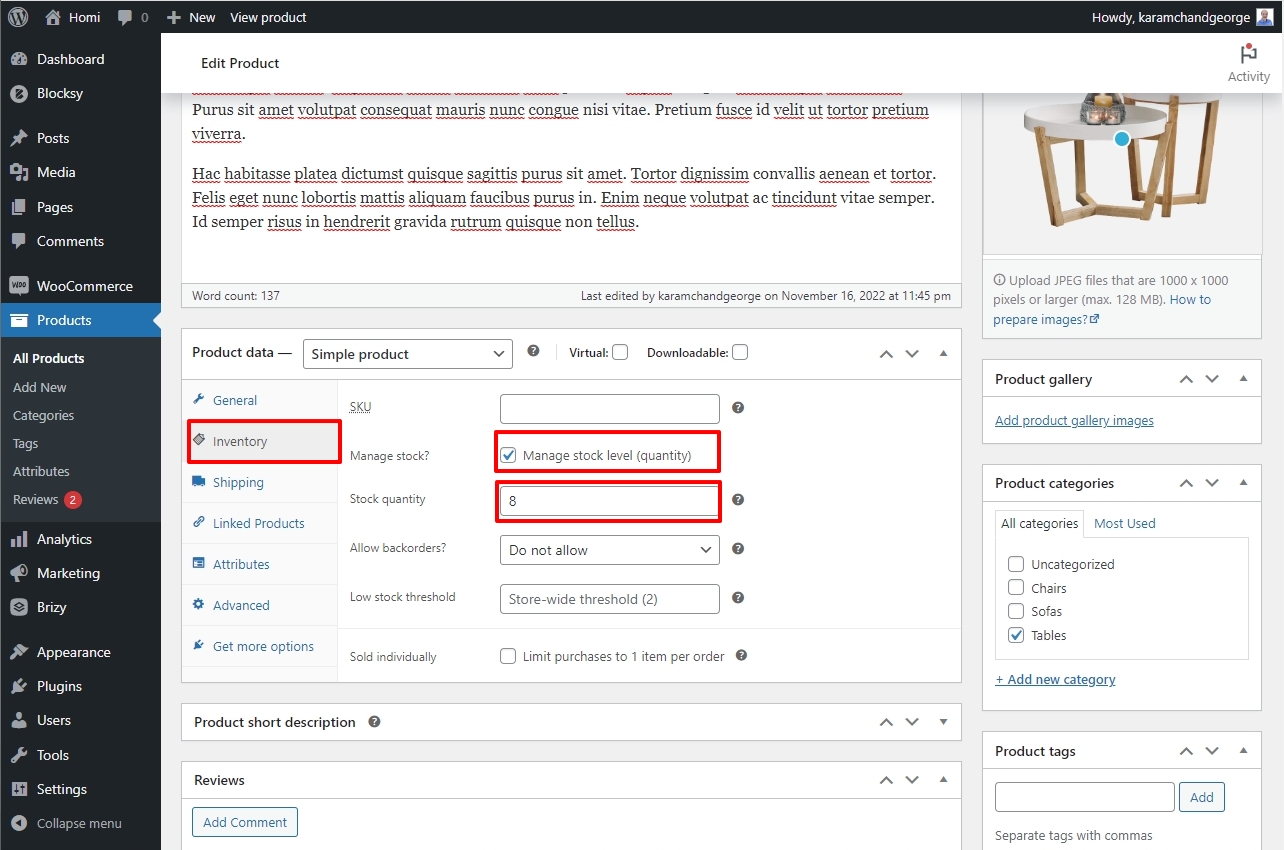
In your WordPress Dashboard under Products, edit a product and under the Product Data section, click on the Inventory tab. If you have enabled the check box "Manage stock level (quantity)" and have added a stock quantity, normally you will see the stock quantity displayed next the the Add To Cart button. https://jmp.sh/rAz4WieN Please have a look at this test page. https://brizytest.online/product/coffee-table
If the stock quantity is added, the Brizy stock element should also display the stock correctly.
 0
0 -
Hi KC George,
As for the invisible stock quantity, changing themes somehow damaged the brizy template. I rebuild the single item template and now stock quantity is back visible. Will stick to the Blocksy theme.
Thanks!
0
Please sign in to leave a comment.
Comments
4 comments