AddThis Sharing Button Does Not Work

Hello Brizy,
I want to be able to embed an HTML code to blog posts only (not the entire website). My original thought was to create a block and embed and HTML code into that blog and make it global to show only on Blog Posts.
The website I'm using is AddThis.com , the steps of adding the code is very simple https://www.youtube.com/watch?v=0DTHf7NwREY but when I add it in my website's posts section (Brizy Cloud) it doesn't show at all.
Please let me know what are the right steps to do this.
Thank you,
Ahmed
-

Hi Ahmed,
I have added the floating sharing icons from https://www.addthis.com/ to my website https://digital-works.brizy.site/ I dragged the Brizy Embed element to the footer and pasted the code in the Embed element. The floating icons appear to work fine on my test page.
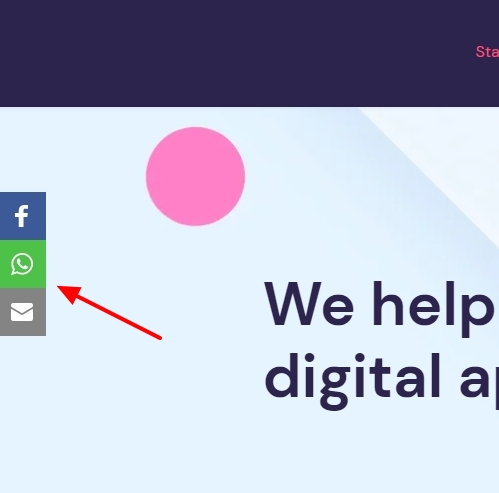
This is the code I have added
<!-- Go to www.addthis.com/dashboard to customize your tools -->
<script type="text/javascript" src="//s7.addthis.com/js/300/addthis_widget.js#pubid=ra-636f7357d4dba1ad"></script>
Can you please elaborate the problem you are facing?
- What steps have you followed to embed the code?
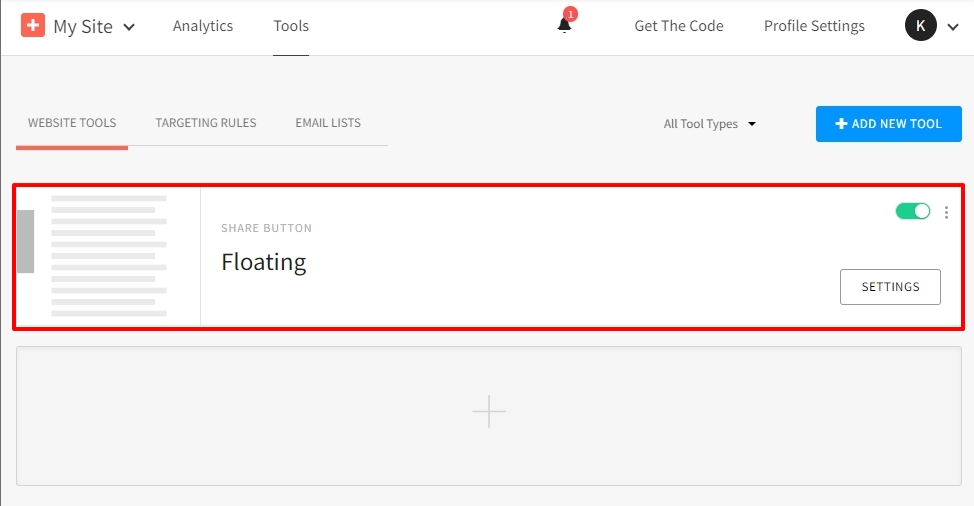
- Could you add a tool in your AddThis Dashboard?
 0
0 -
Hi KC,
I was able to make it work.
The sharing button style I was using is called inline which has two codes. The first code must be placed in the footer or header. The second inline code must be placed where you want it to show.
Thank you
0
Please sign in to leave a comment.
Comments
2 comments