Wordpress Plugin Embed feature not working

It seems to be a common issue that the embed feature stops working. I'm also having an issue with the embed feature working when trying to embed my Book Like a Boss form.
I've deactivated what few plugins I have and still experienced the issue.
I'm using
WP: Version: 6.1
Brizy: Version 2.4.12
Brizy Pro: Version 2.4.11
-

Hi
I have just signed up with Book Like A Boss; please have a look at my booking page here https://bookme.name/kcgeorge I also embedded the booking form to a Brizy page here. https://brizytest.online/book-like-a-boss The embed code appears working fine on my test page.
This is my embed code
<script src="https://bookme.name/js/booklikeaboss.embed.js?i=19537&h=Fp2YmhoeE29jGpj6Z6GUNYnBH64TGo5Lo1YPGaoipJIm8tbFlWCXZ3vuwTUK" async></script>
Can you elaborate the issue you are facing in more detail?
- What issue are you facing when trying to embed the Book Like a Boss form?
- Can you share a screenshot of the problem you are facing?
- Do you have a URL where the embed form is added?
- Can you share the embed code with us so that we can try it at our end? If you would like us to delete your code before publishing your comment, please let us know; we will do it.
0 -
the url is: www.crystalassists.com
Thank you!
0 -
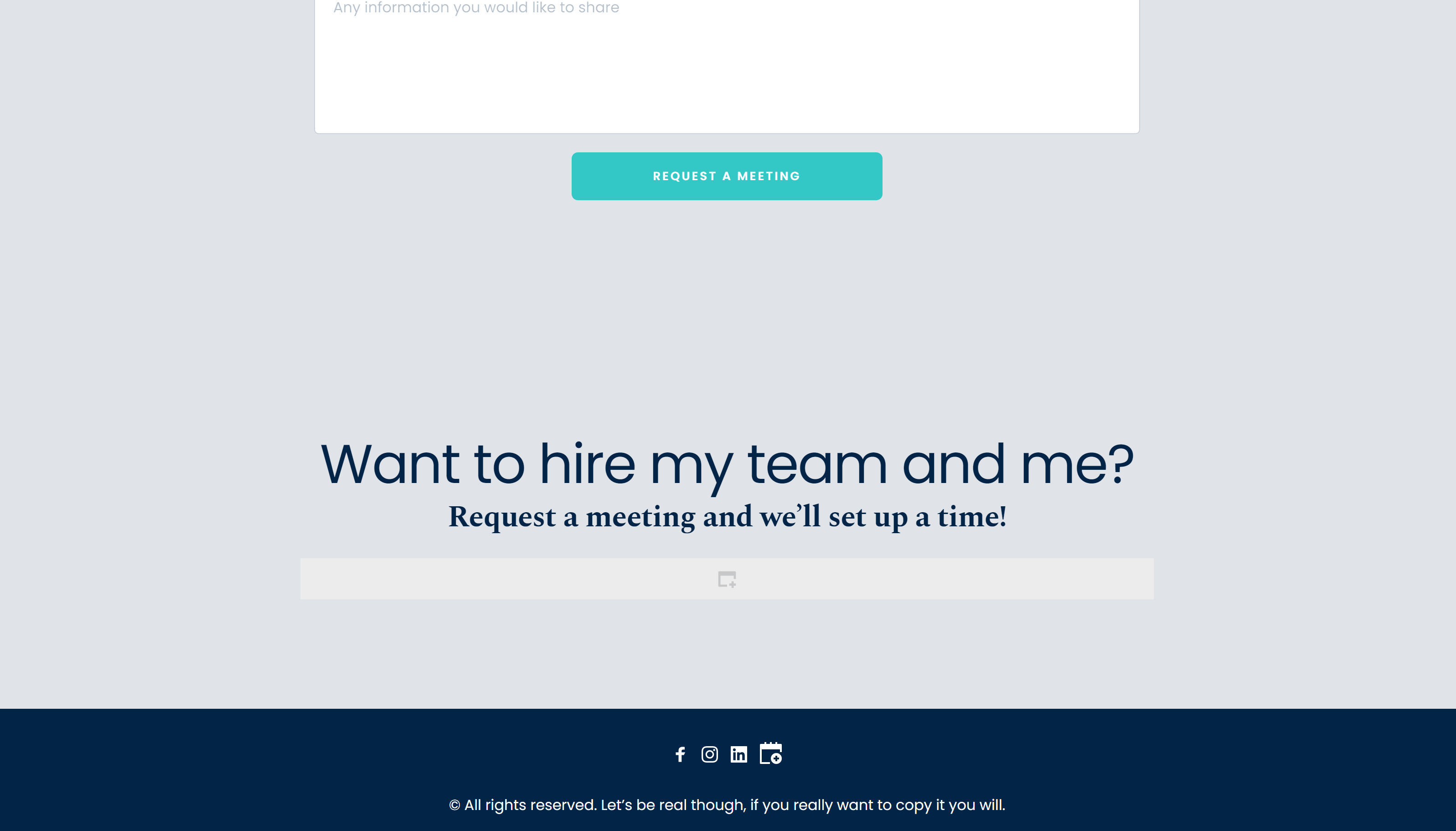
Here is to show that I have an embed button
 0
0 -
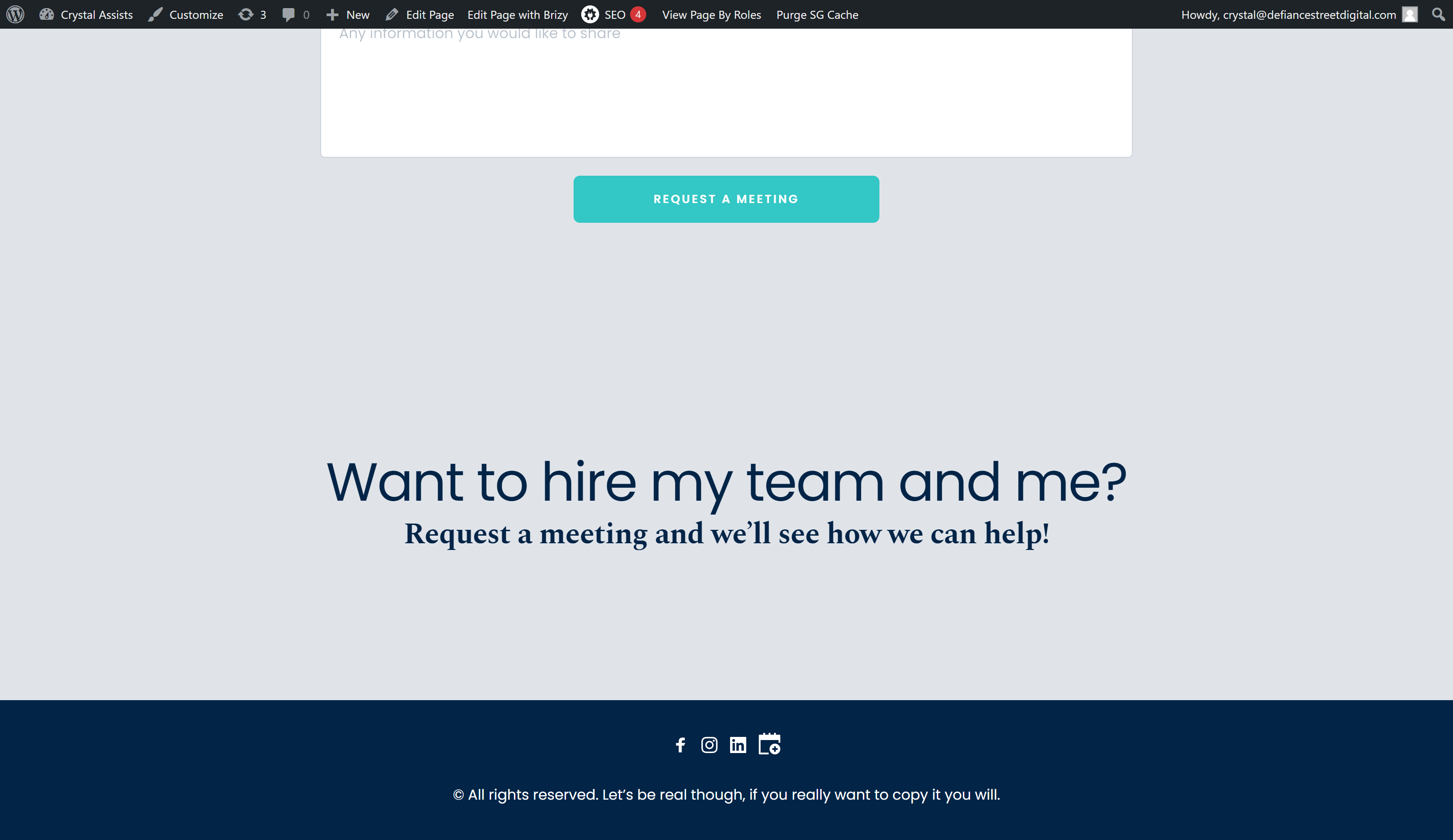
Here is what I see when I have my embed code in there:
 0
0 -
I also tried your embed code to see if maybe mine wasn't working, but I could not get your embed code to work either.
0 -
Hi Crystal,
I have embedded your code into my page and it seems to work fine at my end. https://brizytest.online/book-like-a-boss
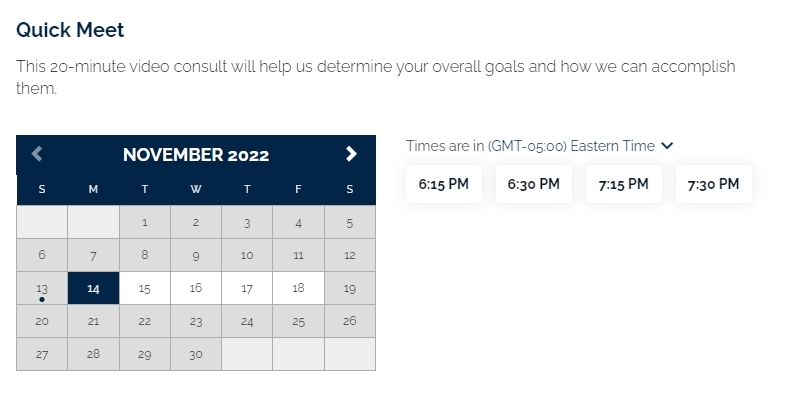
Looks like the embed code is missing from your page. Have you removed the embed code from your page and added a Brizy form?
If you are using the Siteground Security plugin or if have enabled any security option in your hosting account with SiteGround, please disable all security options and check if you are able to embed the script.
If this does not help, we will need access to your project to help you fix this issue.
0 -
I deactivated all plugins that I have except for Brizy. I still don't have the form pop up.
I did remove the embed code. I put it back.
I'm adding you as an admin.
0 -
Hi Crystal,
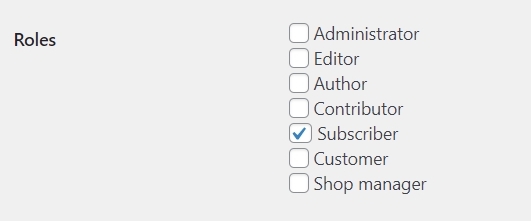
I could login to your website. However I do not have access to the WordPress Dashboard. Can you please check the role you have assigned to the Brizy user?
 0
0 -
My apologies, it's fixed now. You are an administrator.
0 -
Hi Crystal,
I have imported the homepage design to a new page and the embed script started working fine. Please have a look at the page here https://crystalassists.com/home-1/
If everything looks fine on this page, please set it as your new homepage under Settings - Reading. https://jmp.sh/YD8SSAo
0 -
Thank you!
0 -
I am having the same problem on a different site. I've tried everything you did and it's still not working:
I created a popup with the bookme embed on the very first button. It worked. I tried to create it on all of the other buttons and it doesn't work.
I tried to save the working popup as a favorite and add it to the remaining buttons like that. Still does not work.
Can you PLEASE not ask me to do all of the troubleshooting you asked me for the previous website? I've done it. I know how to create an embed. It's not working.
0 -
Hi Crystal,
I added your BookLikeABoss embed code to multiple popups on a single page on my test website. The booking code worked only on the first popup. It is possible that BookLikeABoss allows only a single instance of the booking code in a single page.
This page suggests a work around to add multiple embeds of BookLikeABoss to a Wix page. https://help.booklikeaboss.com/en/articles/5200343-how-can-i-embed-on-wix-and-can-i-multiple-embeds-on-the-same-page This implies that multiple embeds would not work without the work around with Wix.
Can you please check with BookLikeABoss support if multiple embeds are allowed on a single page?
0 -
Ok- that would make sense. From now on I'll just redirect to a "contact" page and add the embed code there.
Thank you for helping me with this!
0
Please sign in to leave a comment.
Comments
14 comments