"Semi-Underline" text with color/an image (layer the image slightly behind the text?)

I'm trying to create a "half-underlined" effect for text with a thicker, long rectangle color "block".
Please see the image below for the effect I'd like to create:

I understand (from other forum posts) that I may need to adjust the padding of the elements. However, this seems very cumbersome and while trying to do so (I have created both the text block and the "image" with the colored thick "underline") I cannot view and align both elements at the same time sufficiently (to quickly adjust size/position/etc.). See screenshots of my work-in-progress below...
1) I cannot see where I'm moving the "colored underline image" and I don't seem to be able to move it easily "into" a block of text (it only shows the blue circle when I start to drag the element).
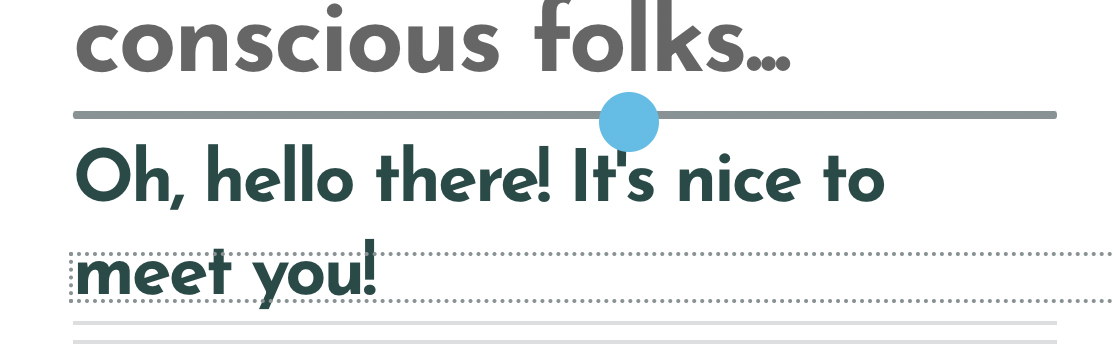
2) When I try adjusting the padding it badly messes up all the surrounding blocks (next blocks of text or whatever else). How can I avoid all this hassle (and hopefully not have to – AFTER I found the right position for the color image – then have to adjust each following block of text etc that surrounds this element?! 😦
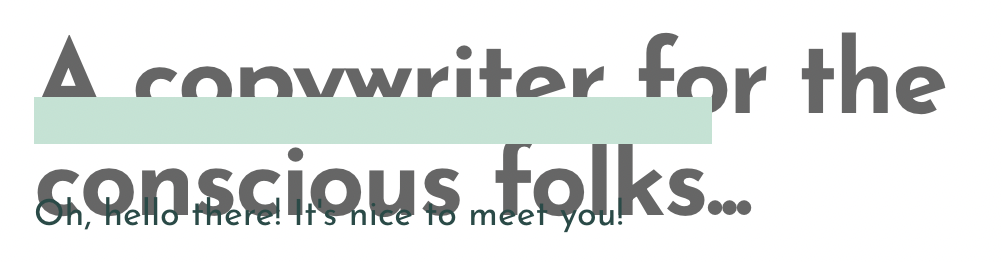
or...
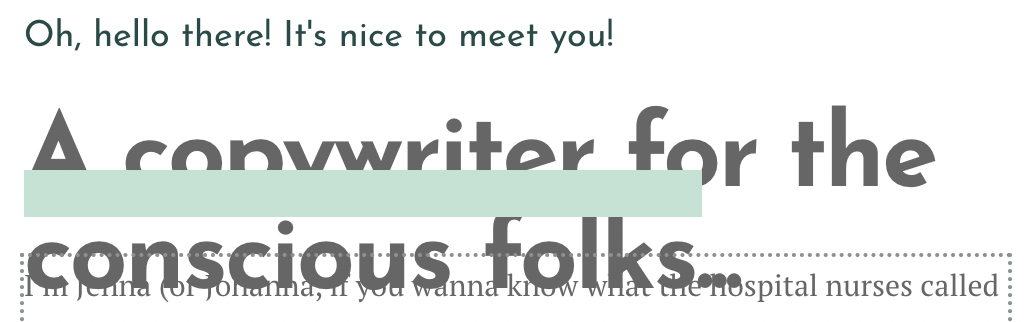
3) Even if I play around with the padding... after all this work, I may only then see that the color block size (or position) needs to be adjusted again. Same if I had to make quick changes to the wording in the text. Then I have to do everything all over again. Is there a simpler way to maybe simply tell the elements to "layer" behind one on the other?
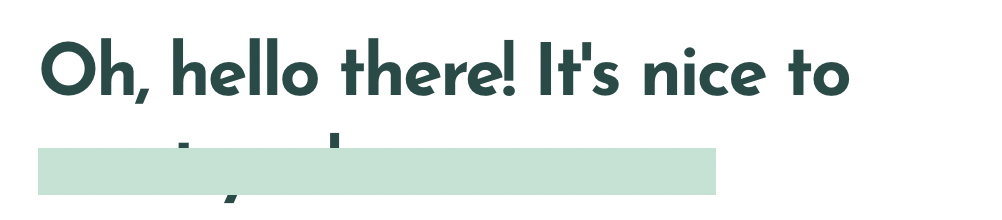
Thanks in advance!
-

Hi Jenna,
Please watch this video for the procedure to add a colored rectangle behind a text. https://jmp.sh/CZylsL8I
0 -
Hi KC George,
This is great, thank you very much for the video!
However, I can't quite get the colored block up high enough. When I drag the margin to be more negative, the height of the color block actually increases. How can I move it a little higher? See screenshot. That's the highest I can get it up, but the block already widened in height. I want to get it "slimmer" (in height) again, but then its position moves down...
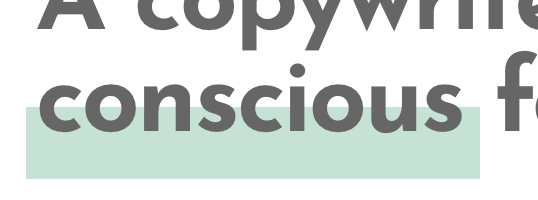
Also, how can I make this color block generally more narrow in height for when I need to "underline" much smaller text in this way?
Thanks in advance for your help again!
0 -
Oh, I think I just figured it out! (I got it at first but then couldn't replicate it, I tried it again 10 times ha, so I still posted my question). It is done by adjusting the bottom margin (and then top again, if needed), correct? :)
0 -
My only gripe is that it actually looks different in the editor from how it looks on the live page...
Brizy editor:

live page:

So I guess I'll have to play around with it more... Or is there a simpler way to make sure it renders right?
(Also, noticed I have to adjust it differently for all mobile views!!)
0 -
KC George, I can't quite get it to the right size (mainly make it more narrow in height) for mobile views (both phone and tablet).
See mobile:
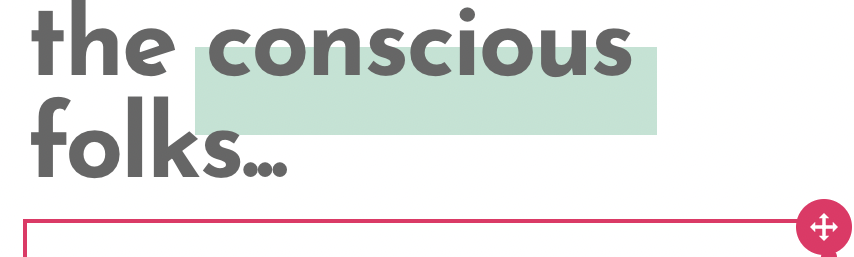
And tablet:

For both, the height is too big but I cannot get it smaller. Can you help again?
Thank you! 🙏
0 -
Hi Jenna,
If you give me access to your project, I can do this for you. Please add me as a user to your WordPress Dashboard if you need assistance with this. My email: kc.george@brizy.io. As shown in this screenshot: https://jmp.sh/sOSGGR3, please turn on the option "Send the new user an email about their account"
Please let me know here when you send me an invitation.
0 -
Hi KC George,
As mentioned, that's not possible for me right now. Can you kindly provide help on how I can fix this myself?
It's actually very important I know how to do this as I'll have to replicate it several times on various pages (right now I only have test areas for this)!
Much appreciated; thank you (I was hoping to work on this ASAP now during the holiday time. Thanks!)
0 -
Hi Jenna,
Instructional videos can be created for a generic scenario. To provide instructions for your specific project context, I need to see your project. Hence not sure how to provide help for you to fix this yourself.
0 -
Hi KC George, I understand (somewhat), but this is still disappointing to be stuck here now.
This is a generic question, no? I need to fix the height of this element further (for mobile). This should fall under "generic scenario" case. Can you offer any more guidance so I can finally solve this design element? It's very important to my website's design and I'm running a little bit out of time to finally get this done... So I would really, really appreciate just a bit more guidance on the issue again (the prior videos were super helpful!) on how I can try resizing this!!
Thank you.
0 -
Hi Jenna,
If you are open for a Zoom call, I can take a look at the problem on your screen and try to guide you during the call. If this sounds good, please share your time zone (or your city) and your convenient time for the call. I live in India and my time zone is GMT +5:30
0 -
Hi KC George, thanks so much for offering, yes that would be amazing! It looks like we're 13.5 hours apart however, so this may be a little tricky.. Can I email you (at the email you provided above) to see if we could find a time?
Also, would there be a charge for it? (Just want to make sure before. And also – I assume you are an employee/paid by the Brizy team, is that right? I'd want to make sure that I am not taking advantage of too much of your time in case you are just a "volunteer" helping people on this Brizy board.) Please let me know and I'd email you once you confirm. Thank you!
0 -
Hi Jenna,
I am a member of the Brizy Support team and the Zoom session is not a paid service. Please email me at kc.george@brizy.io
0
Please sign in to leave a comment.
Comments
12 comments