Layout got cropped on Mac Air's Fullscreen ( Screenshot Included )

Why when i view the website on Chrome/ Windows it's normal but it's side is cropped in a MacBook Air?
It's supposed to look like this:
But when it's on Macbook Air it looks like:
And the block will move it's layout: Notice the THEME and PARKS has an odd space?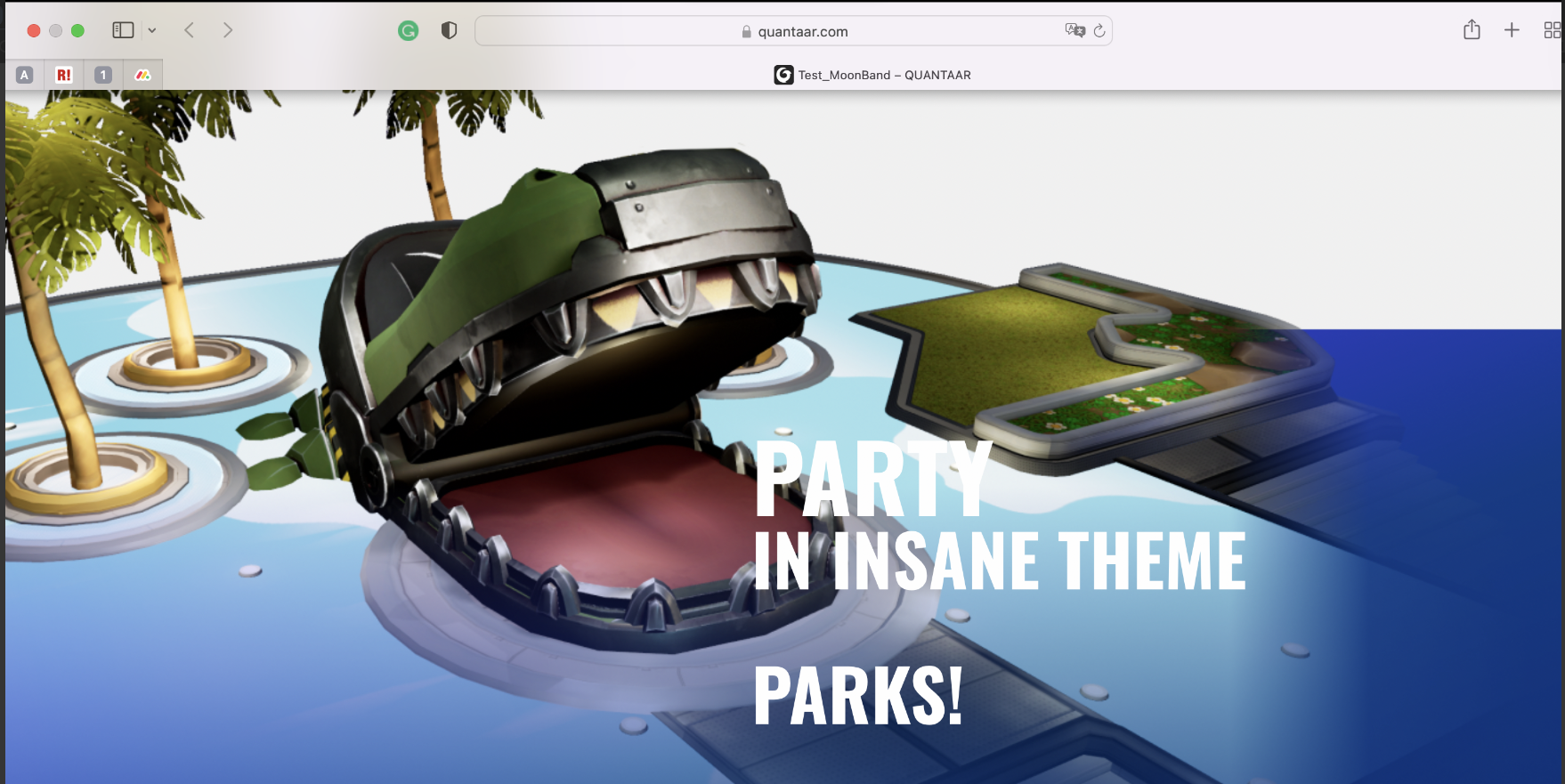
-

Hi,
The first screenshot you have attached is of 1920 X 1080 size. Looks like you are using a HD screen to design your website. The aspect ratio is 1.77 X 1.0
The second screenshot you have attached of 1731 X 1063 size. This represents the aspect ratio of the Macbook Air which is 1.63 X 1.0
When you are viewing a design created using 1.77 X 1.0 aspect ratio in a device with with the aspect ratio of 1.63 X 1.0 there could be a 8% loss in width. 9-10% variation is normal when viewing a webpage in devices with the varying aspect ratios.
0
Please sign in to leave a comment.
Comments
1 comment