Wordpress Editor

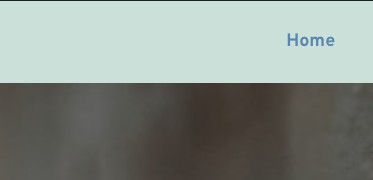
Hi, I've created some pages with Brizy but when I preview the pages the default wordpress theme shows. See image, the green area should be white, I think this is coming from the default wordpress editor, but I don't know how to get rid of it.
Any ideas?
Thanks
0
-

Hi Dom,
Can you please do few compatibility checks?
- Are you using WordPress 5.9 or above? https://jmp.sh/iqlQrFw
- Are you using PHP 7.4 or above https://jmp.sh/XrkFgLV
- Are you using a theme compatible with Brizy? Twenty Twenty One and these themes work well with Brizy https://www.brizy.io/theme-partners. Please switch your theme to one of these and check if the it makes a difference.
- Do you have a plugin which is incompatible with Brizy? If none of the above helps, please deactivate one plugin at a time and check if the problem persists.
If you are not able to find a solution, please get back to us; we will help you troubleshoot
0 -
Hi KC George,
- we are running WP v6.1
- PHP v7.4.30
- I am using theme Twenty Twenty-One, I have changed it to Twenty Twenty-Three AND now works.
- I am not using many plugins, and turning them off hasn't made any difference.
I thought adding all details could help someone else.
Thanks
0 -
Hi Dom,
Good to know that changing to Twenty Twenty Thee theme helped.
0
Please sign in to leave a comment.
Comments
3 comments