Squashed images in Photo Gallery

Please can I get some direction on how best to avoid this squashed image in my Brizy Project?
See below:
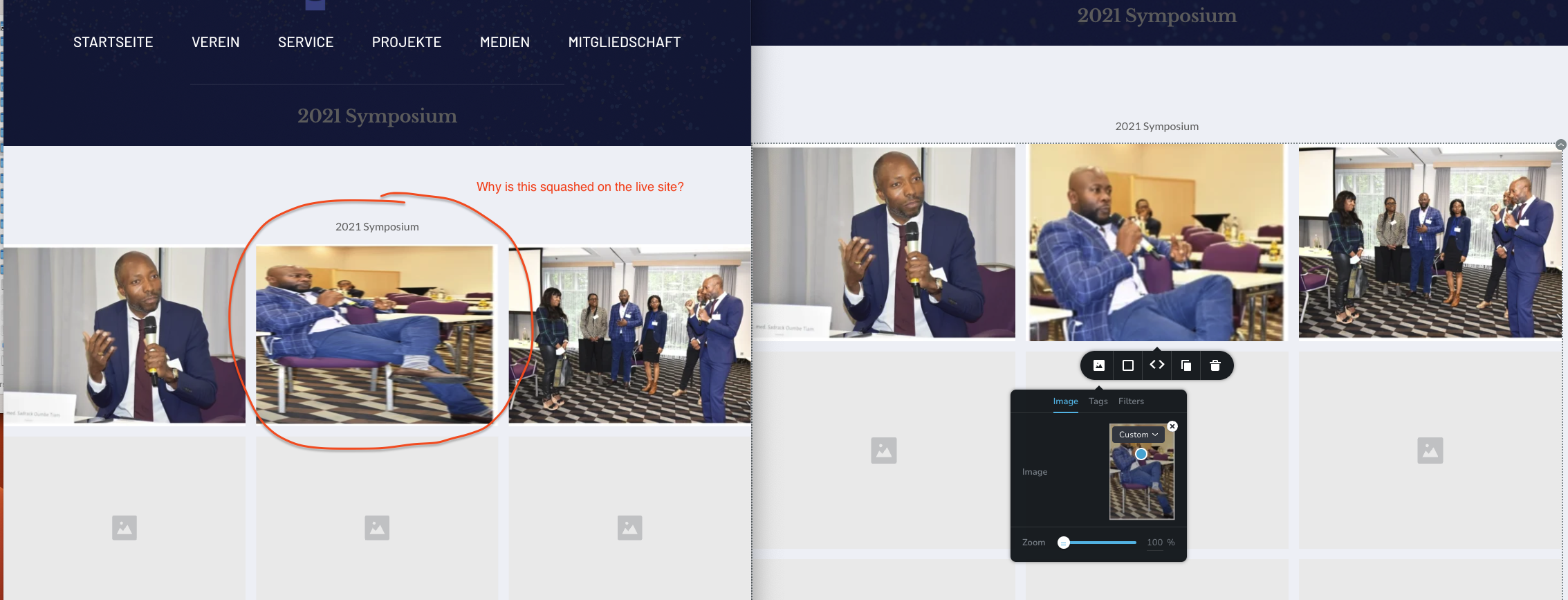
-

Hi Pah'mboni,
The gallery element is expected to display its images as in this page: https://digital-works.brizy.site/gallery I have combined horizontal and vertical photos in this gallery.
We are not sure why it behaving differently at your end. Can you please share your URL so that we can check?
0 -
Thanks for your response.
The url is https://www.camfomedics.org/2021-symposium
The whole page is a Custom Asset post if that helps.
I have included a video to show the problem even when I create a new gallery. Video can be seen here: https://www.dropbox.com/s/bfn8kotwgd01pp4/Sqashed-Images-Photo-Gallery.gif?dl=0
Thanks for checking.
0 -
Hi Pah'mboni,
I have added two of your images in my page. This is how it appears. https://digital-works.brizy.site/gallery
Can you please try deleting the distorted image an adding it again and see if that makes a difference.
If this does not help, we will need access to your project to offer further assistance.
0 -
Thanks for looking into this.
I added a video in my previous response to show how images were added via upload. See another video below:
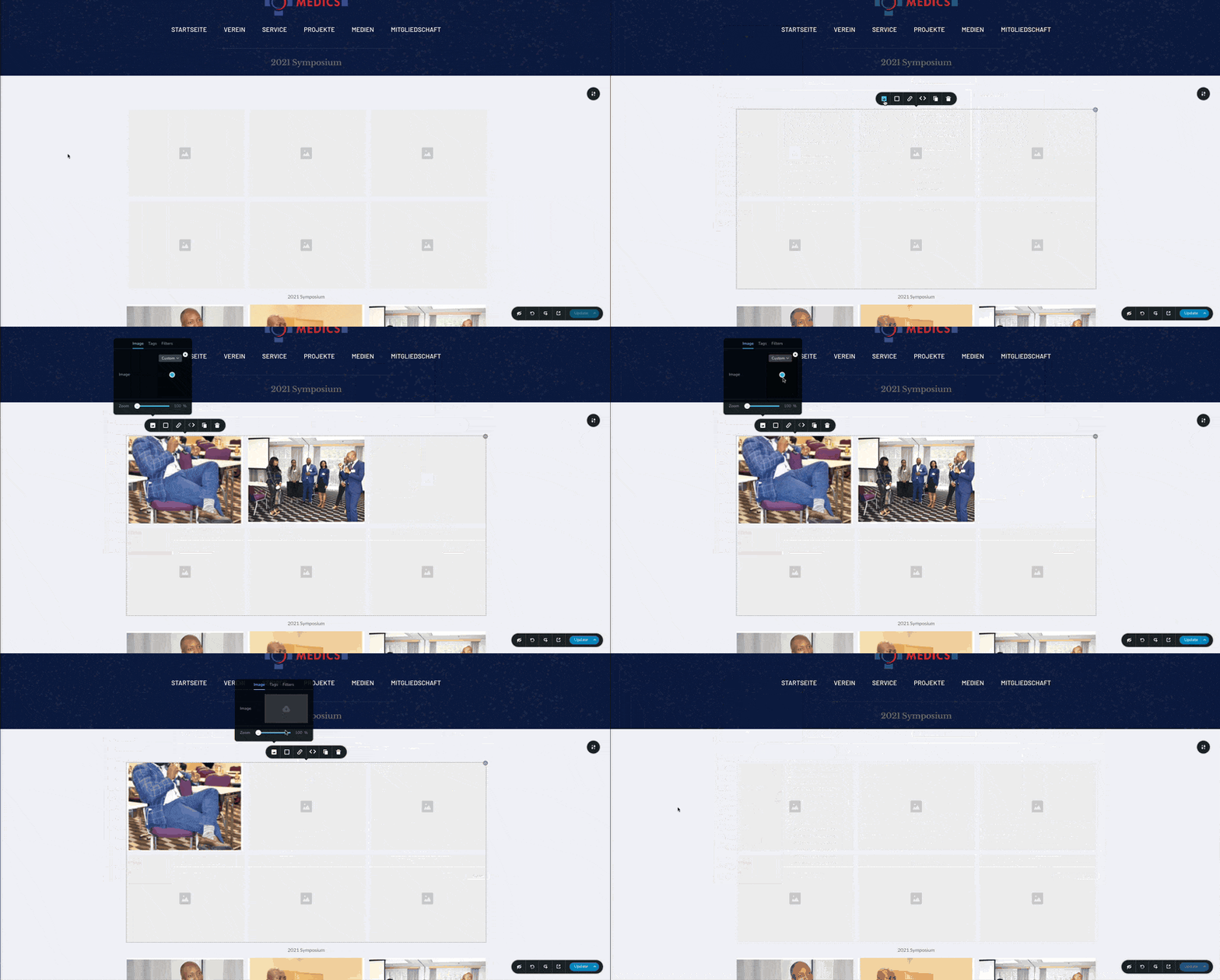
Link to gallery: https://www.camfomedics.org/2021-symposium
0 -
Hi Pah'mboni,
We will need access to your project to help you further on this issue. Please add me as a Team Member into your project. My email: kc.george@brizy.io. Please assign me the 'Manager' role.
 0
0 -
Hello
Invitation sent.
0 -
Hi Pah'mboni,
I have reuploaded the photo and it seems to work fine now. Please check https://www.camfomedics.org/2021-symposium
0

Please sign in to leave a comment.
Comments
7 comments