Can't remove reCAPTCHA from form

Hello,
we tried to remove reCaptcha from the forms on out website but the popup gets stuck in the loading animation (picture 1) and the console outputs the error "Uncaught (in promise) { status: 500, data: "Server Error" }" (picture 2). The website does not exist anymore in the reCaptcha v3 Admin Console. Any way this can be fixed?


-

Hello,
Thank you for contacting us.
Please disabled first the reCAPTCHA from the Dashboard > wpDiscuz > Settings > reCAPTCHA admin page. More info here: https://wpdiscuz.com/docs/wpdiscuz-7/plugin-settings/google-recaptcha/ After this please try to delete the reCAPTCHA from the form.
Best regards, Nelea.
0 -
Hello,
I did not find an option to disable the reCAPTCHA in the wpDiscuz reCaptcha page. This is what it looks like for me:
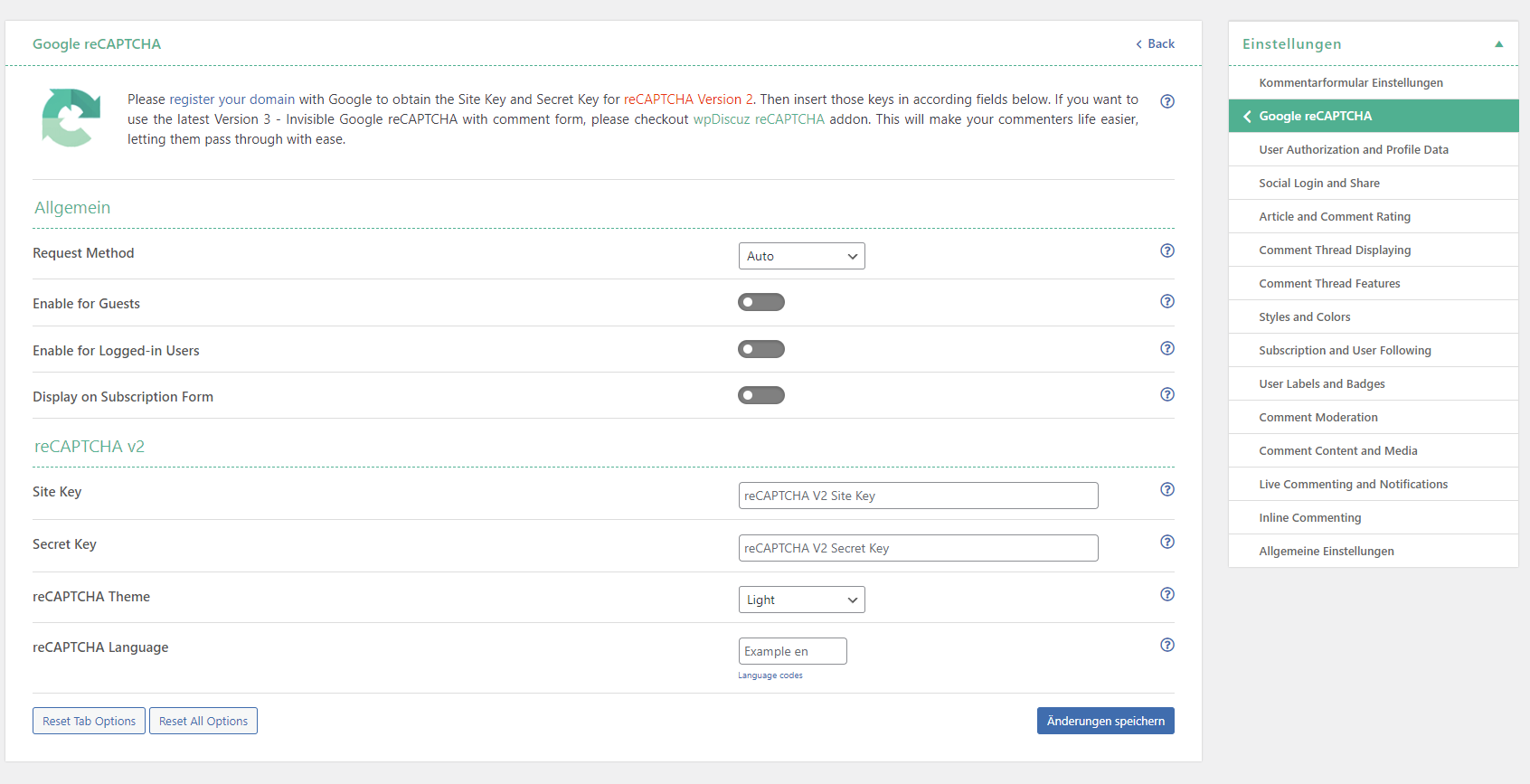
Best regards,
Luka0 -
Also I don't really know what wpDiscuz has to do with brizy :D
0 -

Hi Frederik,
Reference to wpDiscuz in our earlier reply was an error from our side. We apologize for that.
Can you please try this and see if it helps?
- Please make a copy of the form by clicking on the Duplicate icon at the top right corner.
- Setup Email Notification again or any integration you had done with an App in the duplicated form.
- Delete the original form with the reCAPTCHA enabled
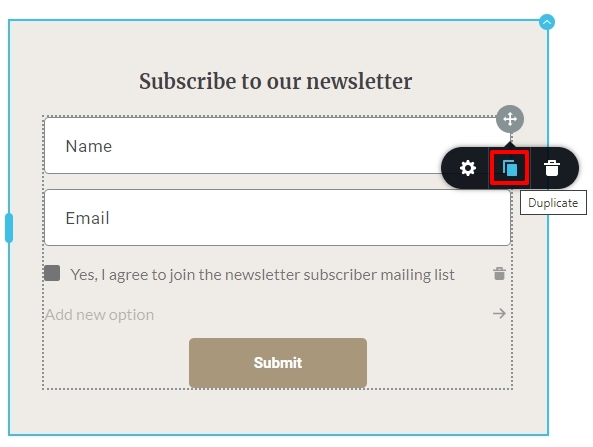 0
0 -
Hey,
reCAPTCHA is automatically activated in the duplicate of the original Form and disconnecting reCAPTCHA does not work there either.
0 -
Hi Frederik,
Disconnecting the reCAPTCHA works at our end. To help you further on this, we need access to your project.
Please add me as a user to your WordPress Dashboard if you need assistance with this. My email: kc.george@brizy.io. As shown in this screenshot: https://jmp.sh/sOSGGR3, please turn on the option "Send the new user an email about their account"
Please let me know here when you send me an invitation.
0 -
I created your User. https://maddesign.media
0 -
Hi Frederik,
I have received your invitation and am able to login. I have glanced through few of your web pages. I could not find a page with reCAPTCHA badge. Can you please let me know which page has the issue with reCAPTCHA so that I can check?
0 -
If you edit the homepage with the brizy page builder and check the section shown in the picture below, reCAPTCHA is not removable from the form. The website does not exist anymore in the reCAPTCHA v3 admin console. Because of that none of the forms (on the entire website) work anymore, because there is an error with reCAPTCHA.
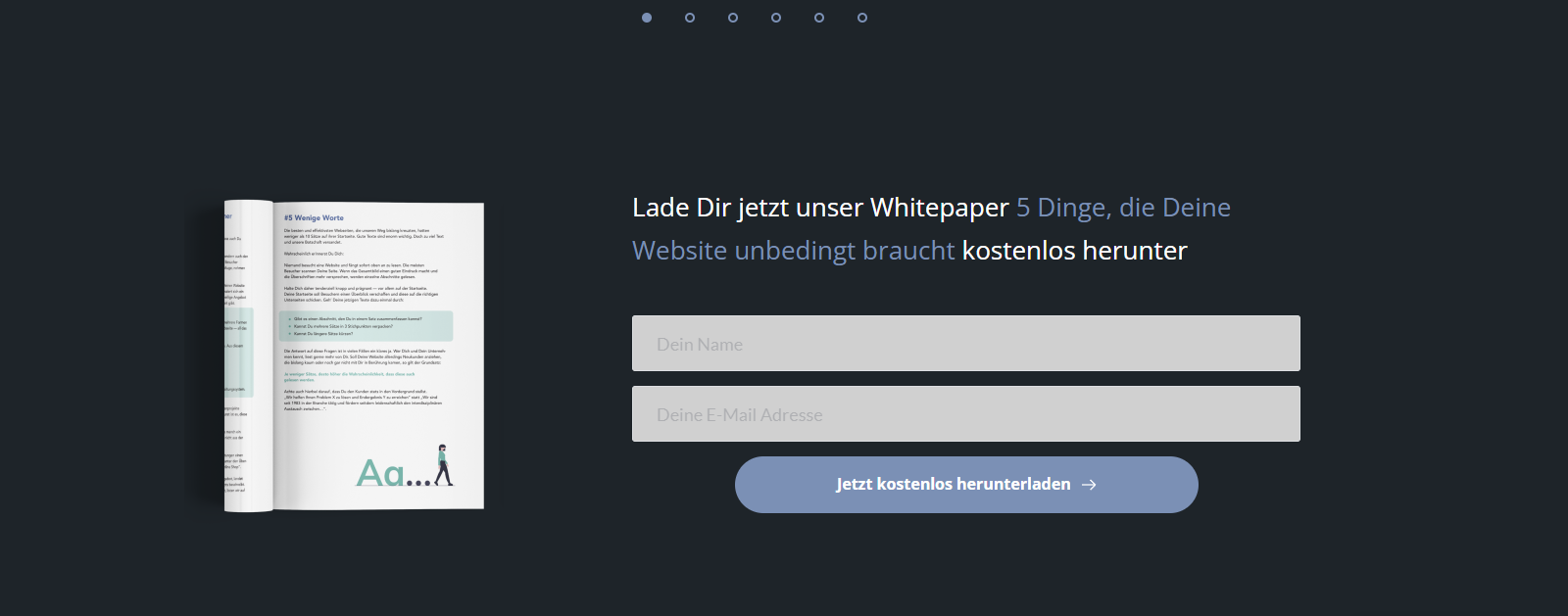 0
0 -
Hi Frederik,
I spent sometime troubleshooting the issue on your website. Allow me to update you. The Brizy form tries to send an AJAX request to Google to deactivate your account when you click on the "Disconnect" button to remove the Google reCAPTCHA from the form. In WordPress, an admin-ajax.php file is used to route all such AJAX calls. For some reason, your server forbids accessing the admin-ajax.php file and hence the AJAX request to delete the reCPATCHA cannot be processed. Watch the following video for a more detailed explanation: https://jmp.sh/5u43kncD
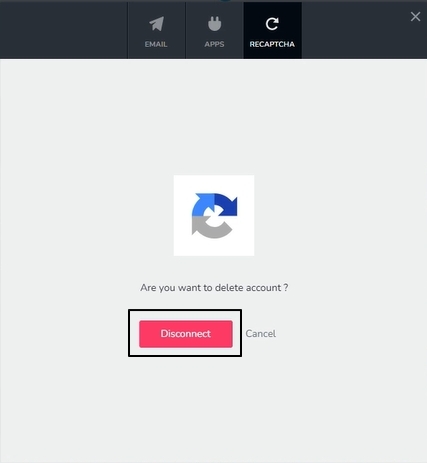
To resolve this problem, you must find out from your hosting provider why your server restricts access to the admin-ajax.php file. Perhaps there are security restrictions in place that disallow specific AJAX request types. You won't be able to remove reCAPTCHA from the form unless those regulations are relaxed or those systems are temporarily disabled. Please contact your hosting provider and check with them if they can allow Brizy to access the admin-ajax.php file.
0 -
Thanks a lot for your help. As you said we had a restriction for DELETE requests in our htaccess file.
0
Please sign in to leave a comment.
Comments
11 comments