Carousel images disappearing when looping

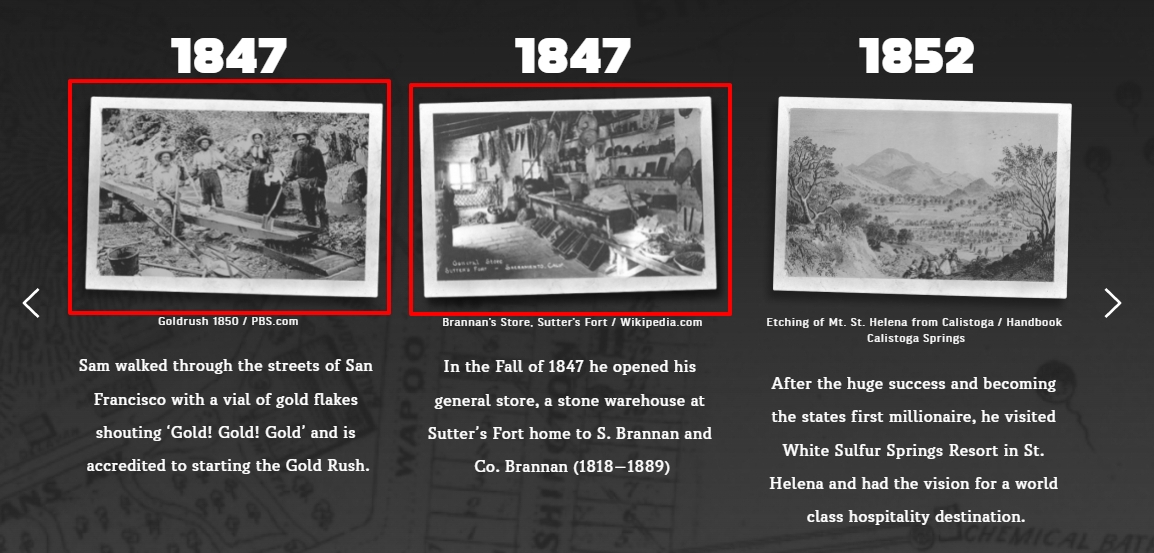
When looping through a carousel the first images are hidden until the first item is reached again.
Tested on: Mac & PC
Browser: Chrome
Works on: Mac
Browser: Safari
Video:
chrome_2022-10-25_18-21-21.mp4
Link to page with element:
https://www.brannanwines.com/heritage-wines-four-pack/
-

Hi Franklin,
Missing images while the carousel is looped does not seem to be a typical behavior of the Brizy carousel. Please have a look at this carousel, for instance. https://kctest.online/carousel
Can you please delete the first and second 1847 images from your Media Library and upload it again using slightly different filenames and see if that makes a difference? You could try something like this
- Original file name : 4pack-lp-dt-b-bw-4pack-timeline-1847-gold-rush.png
- New filename :4pack-lp-dt-b-bw-4pack-timeline-1847-gold-rush1.png
 0
0 -
Hi George,
That's strange that the sample carousel works for me but the one on my site is still broken.
I tried doing what you suggested and re-uploaded the images but the problem is still occurring.
I also tried creating a new carousel from scratch directly below the old one and used completely different images but that had no effect.
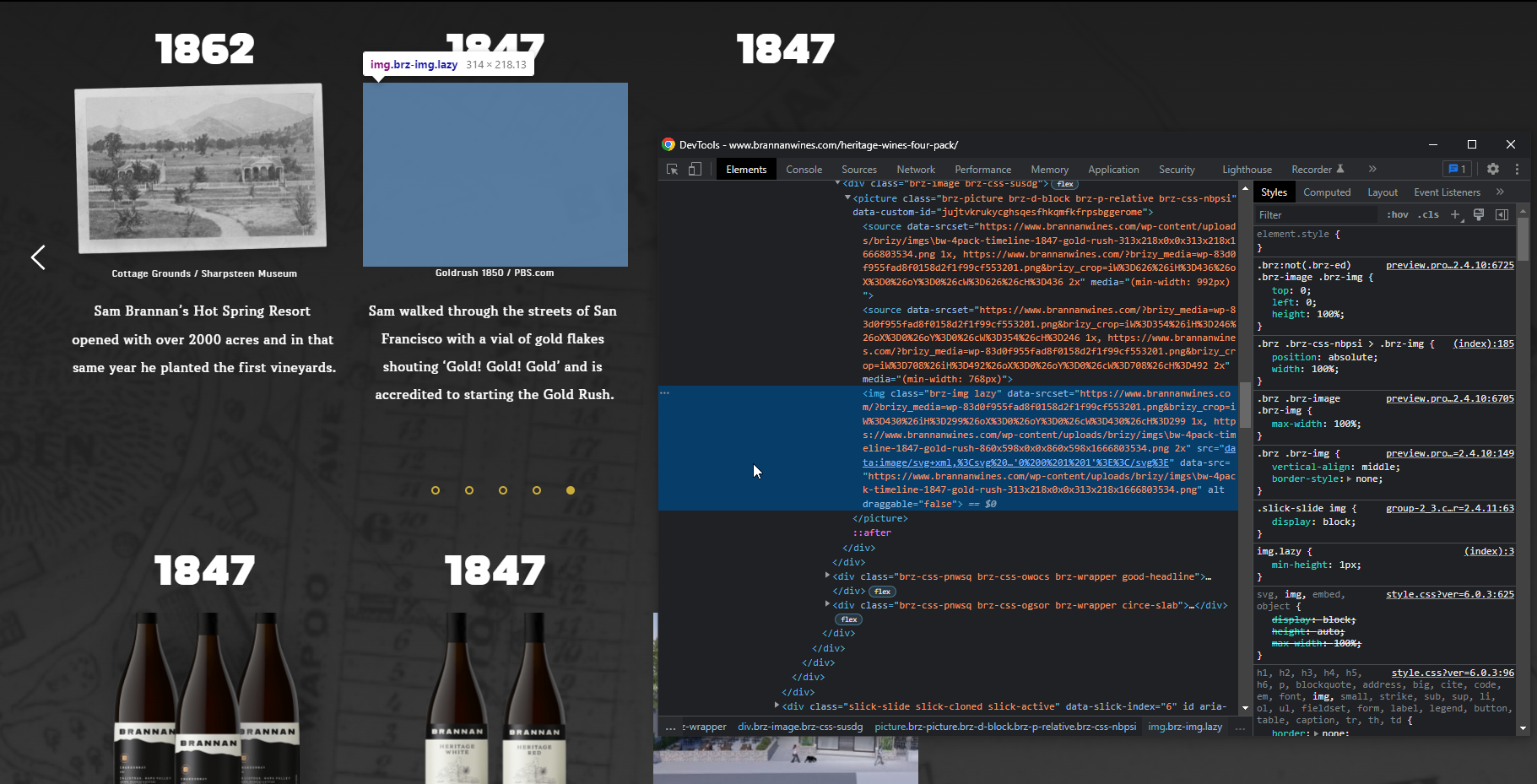
Not sure if this helps, but when inspecting the code it looks like the missing looped image tags (<img>) are using src="data:image/svg+xml,%3Csvg%20xmlns='http://www.w3.org/2000/svg'%20viewBox='0%200%201%201'%3E%3C/svg%3E" when it should be the image link instead, like the example link you sent.
 0
0 -
Hi Franklin,
Can you please try these and see if it makes a difference?
- Change your theme from Twenty Twenty to Twenty Twenty One.
- Deactivate Age Gate and W3 Total Cache temporarily and see if that makes a difference
If neither of the above helps, we will require access to your project in order to provide further assistance.
0 -
Thank you George, the problem was with W3 Total Cache. After deactivating the plugin the carousel now loops properly.
0
Please sign in to leave a comment.
Comments
4 comments