Letter spacing

When setting a new style for fonts I don't seem to be able to adjust in small increments the letter spacing. It jumps to 1/2 step increments. See images.
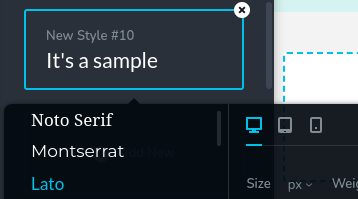
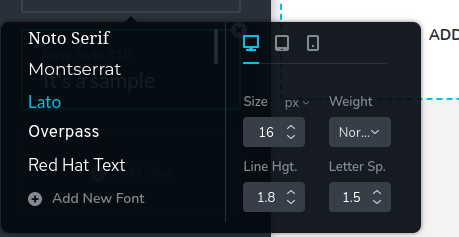
I can only set small increments in custom mode only, why? See below.

-

Hi Ray,
We are sorry for this inconvenience. This appears like a new bug. For existing and new styles, letter spacing does not seems to accept values between 0 and 0.5 and 1.0 and 1.5 etc.
I will report this and we will work on fixing it.
0 -

This has been the case for at least 1.5 years - very inconvenient, because there are fonts where neither 0 nor .5 works. Also, it's impossible to choose between px, em, or % for this.
0 -
Hi A.G
With the recent issue of the Letter Spacing in Global Typography, you can't set a value in between 0, 0.5, 1.0 and 1.5 etc. However you can set letter spacing in between these values in custom typography. We are still working on fixing this issue with Global typography.
With the most recent versions of Brizy WP and Brizy Cloud, you should be able to select text size options in em, rem and vw. We can look take a look at your project if you are unable to set these text size options.
0 -
Thanks KC - Yes, I see that in custom typography - and perhaps when global css styles will be released it will be easier, but it's impossible to properly set responsive typography without the specific increments (.2, .7, etc)
I mean the letter-spacing, as in the original post - letter spacing can't be set in responsive sizes (nor in increments).
0 -
KC George
I assume that the error/bug is listed on Trello issues board/road map. If so it would be nice if you can share that link.
0 -

Hi Ray,
Please visit this link from the roadmap for Brizy Cloud : https://trello.com/b/0buMUNOS/brizy-cloud-public-roadmap?filter=webhooks++forms
Best regards, Nelea.
0
Please sign in to leave a comment.
Comments
6 comments