Pop up Not Working after version update

HI,
We have updated the latest version of Brizy Pro Version 2.4.10. After that update our pop ups are not working.
The last version we had was 2.3.24. In this version the pop ups were working properly.
Please let us know the solution.
-

Hello,
Thank you for contacting us.
Please update to the latest version for Brizy Free 2.4.11 and Brizy Pro 2.4.10. Then please clear the browser cache and check again the issue.
Best regards, Nelea.
0 -
Hi Nelea,
We have already updated the Brizy Free 2.4.11 and Brizy Pro 2.4.10.
Also cleared the cache and checked. But still we have the same issue.
0 -

Hi Vijayakumar,
Can you please share the website URL where you are facing this issue so that we can see the problem?
0 -
Hi George,
Check the below link:
https://wordpress-459544-1534120.cloudwaysapps.com/careers/
The Call icon on the right top has a pop up and the Apply Now has pop up. But its not working.
0 -
Hi Vijayakumar,
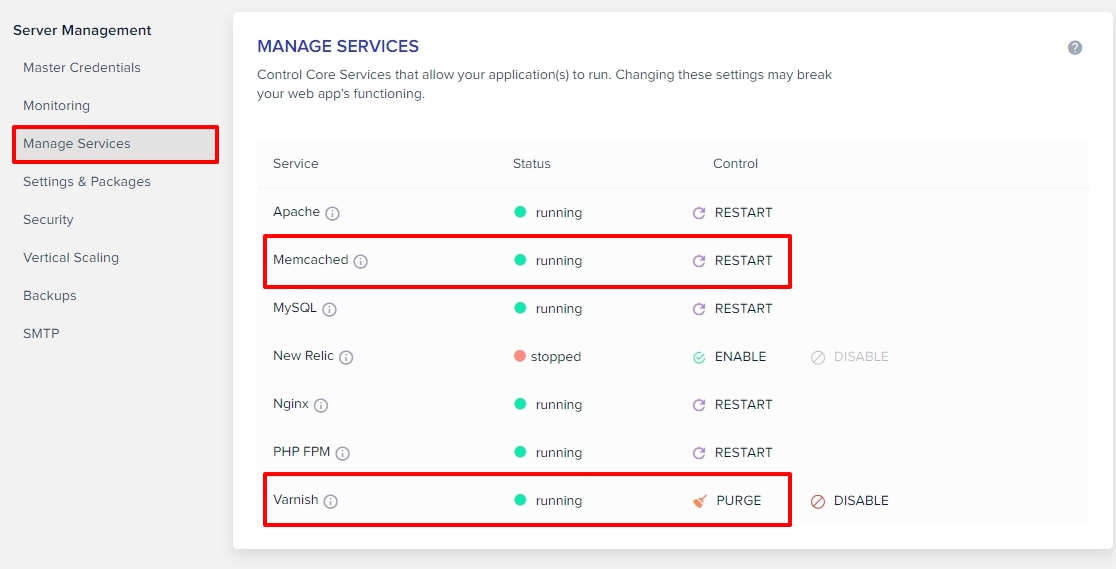
As you can see from this screenshot: https://jmp.sh/4f7YCJCo two JavaScript files are being blocked on your webpage. Can you please purge all server cache and any cache in your WordPress Dashboard and check again?
 0
0 -
Hi George,
We have purge server cache (varnish) & cleared the Wordpress cache but still not working.
0 -
Hi Vijayakumar,
To further investigate the cause of the console errors on your page, I need access to your project. Please add me as a user to your WordPress Dashboard if you need assistance with this. My email: kc.george@brizy.io. As shown in this screenshot: https://jmp.sh/sOSGGR3, please turn on the option "Send the new user an email about their account"
Please let me know here when you send me an invitation.
0
Please sign in to leave a comment.
Comments
7 comments